Vipin PG
If you’ve modded your Xbox 360 with ABadAvatar or a similar homebrew tool, you may have run into a strange full-screen error during boot , a “System Error: Contact Xbox Customer Support” message paired with the code E02. No blinking red lights, no warning beforehand, and a simple restart makes it vanish like nothing happened. Here’s what’s actually going on, based on how the underlying exploit works.
This isn’t the error screen you’re used to seeing
Most people associate Xbox 360 failures with the Red Ring of Death , the console’s ring of light flashing red while the screen stays black. That’s a hardware-level warning, and it comes with a specific blink pattern you can decode to get a numeric error code. What you experienced is different. The console booted far enough to display text on screen, in a dozen languages, with a specific error code printed underneath. No flashing lights, no dead console , just a message, and then it worked again after a power cycle. That’s the first clue this isn’t a hardware problem at all.
There are actually two separate “E02” codes
This is where most of the confusion online comes from. Xbox 360 error codes aren’t one single list , there are two completely different systems that happen to reuse the same E-numbers:
- Standard hardware UEMs , these cover real board-level failures like a dead DVD drive, a bad GPU, or overheating components. These codes start at E64 and go up, and they’re almost always paired with the console’s red-light warning pattern.
- Bad Update UEMs , a separate, much shorter list of codes (E00 through E18) that only ever appears while a specific homebrew exploit called “Bad Update” is running. These have nothing to do with hardware.
Older forum posts that describe E02 as a “network interface problem” are referencing a much older, less accurate hardware code list that predates the detailed breakdown we have today. That’s not what’s happening on a modded console during the Bad Update process , it’s a different code space entirely. 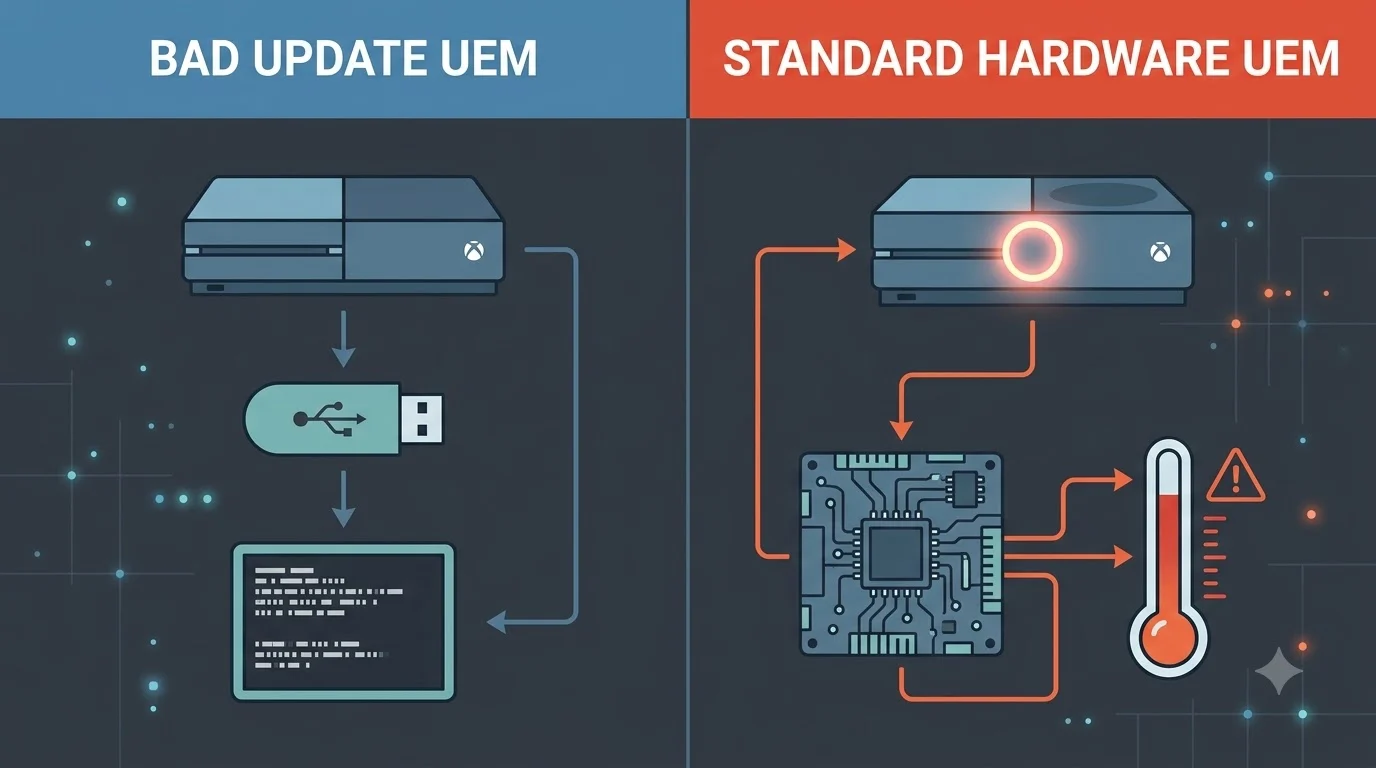
Where ABadAvatar fits into this
Bad Update is a software-only exploit that lets a stock, unmodified-looking Xbox 360 run homebrew code, without any soldering or hardware changes. ABadAvatar is one of the tools that uses this exploit , it works by triggering the process automatically through custom avatar data as soon as the console boots, as long as no profile is set to auto sign-in. Because that whole process runs during startup and pokes at low-level system functions, it has its own dedicated set of error messages for when something in the chain doesn’t go as planned. That’s the screen you saw.
Why E02 specifically has no listed explanation
Looking at the full breakdown of Bad Update error codes, most of them are actually well documented. For example:
| Code | What It Means |
|---|---|
| E00 | A required update file couldn’t be opened or read , usually a missing or corrupt file on the USB drive |
| E01 | No public explanation listed |
| E02 | No public explanation listed |
| E03 | A specific exploit stage file couldn’t be opened or read , same file/USB issue as E00 |
| E06 | Failed to lock and prepare the CPU’s cache during the exploit process |
| E09 | Failed to generate a required piece of encrypted data mid-process |
So while E00, E03, E06, and E09 all point to something specific, E01 and E02 are genuine gaps in the public documentation. That’s not an oversight on your part , it’s a real hole in the community knowledge base, which explains exactly why you couldn’t find anything about it when you looked.
Why a restart fixed it instantly
This is the part that makes sense once you understand how Bad Update actually works: it’s a non-persistent exploit. It only exists in the console’s memory for that one session, and it’s designed to disappear completely the moment you power cycle the console. There’s nothing written to permanent storage that could carry the problem over to the next boot. So when the exploit hit a snag on that particular startup, restarting didn’t “fix” anything in the repair sense , it just returned the console to its normal, unmodified boot process, which has no reason to fail. That’s a different situation from a real hardware fault, which would still be sitting there after a reboot.
When this would actually be worth worrying about
Since this error is tied specifically to the Bad Update process, a few situations are worth paying attention to:
- It happens on every boot , that points to a consistently corrupt or incompatible file in your BadUpdatePayload folder rather than a one-off glitch.
- It’s paired with a blinking red ring of light , that would suggest an actual hardware UEM rather than a Bad Update one, and deserves proper hardware troubleshooting.
- It shows up on a console that isn’t running any exploit , this specific code shouldn’t appear at all outside the Bad Update process, so that would be genuinely unusual.
- Your USB drive is old or was formatted incorrectly , since several of the documented codes trace back to file read failures, a flaky USB stick is a common root cause worth ruling out first.
Outside of those cases, a single, one-time E02 that clears on restart is nothing to lose sleep over.
The short version
- This screen is a “Bad Update UEM,” not a hardware failure , it only appears during a specific homebrew exploit like ABadAvatar.
- It uses a completely separate numbering system from the standard hardware error codes people usually search for.
- E02 has no publicly documented cause, which is why it’s nearly impossible to find information on.
- The exploit is non-persistent, so a simple restart clears it with no lasting effect.
- Repeated occurrences, red-light warnings, or the error appearing without any exploit running would be the real signs to investigate further.