Vipin PG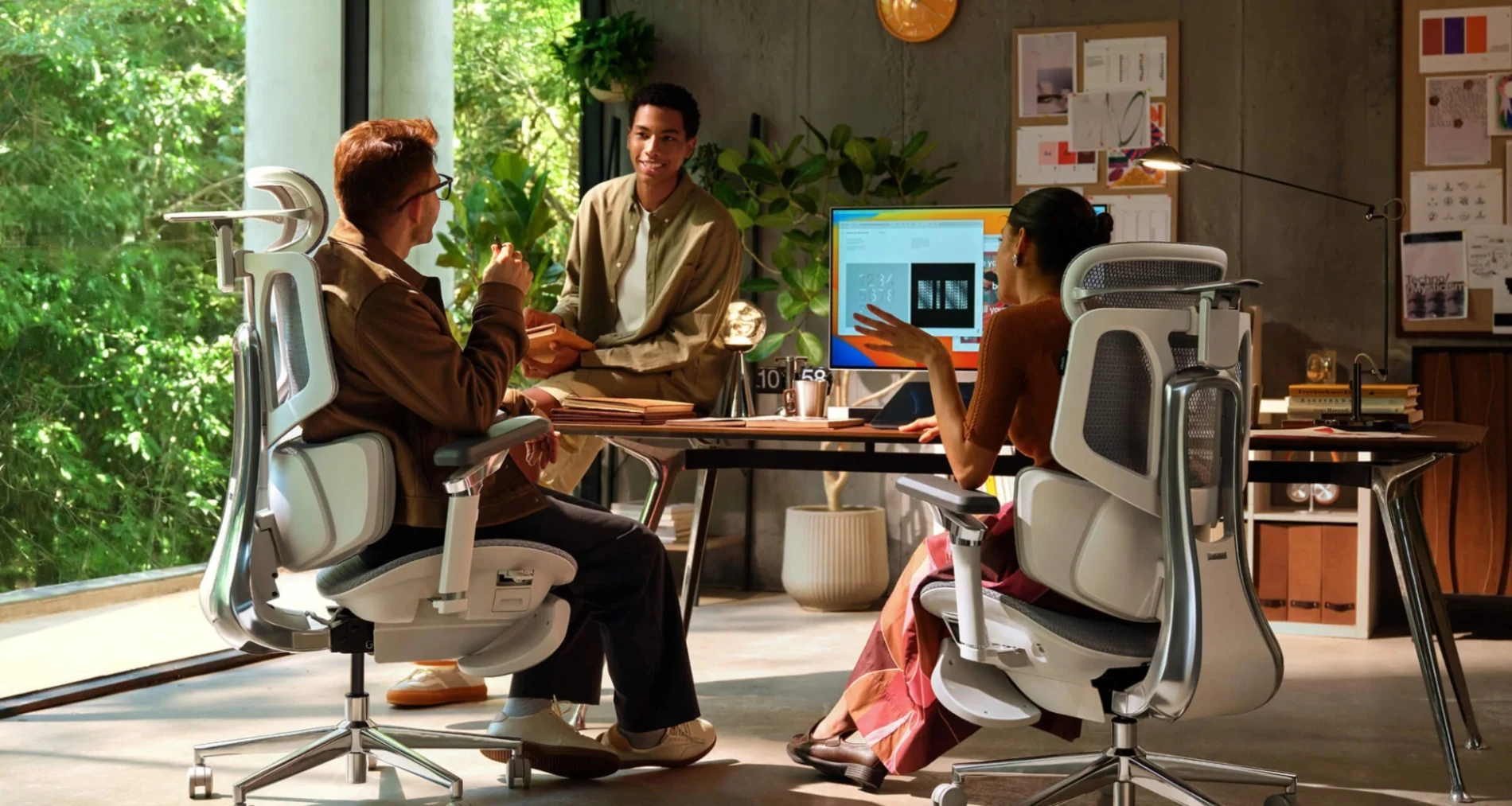
For years, ergonomic office chairs have relied on a familiar formula: adjustable lumbar cushions, reclining mechanisms, movable armrests, and height controls. These features can make a chair more comfortable, but they still require users to manually find the right settings, and those settings may not work equally well as posture changes throughout the day. A new generation of ergonomic seating is taking a more adaptive approach. By combining sensors, responsive mechanical systems, and intelligent adjustment, AI-powered lumbar tracking aims to make back support more personalized. Instead of asking users to remain in one ideal sitting position, these systems are designed to respond as the user moves. The HBADA X7 Smart Ergonomic Chair is one practical example of this approach. Rather than treating lumbar support as a fixed component, HBADA has developed the X7 around dynamic support technology intended to follow changes in posture.
From Fixed Lumbar Cushions to Dynamic Support
Traditional lumbar support generally works through a manually adjustable cushion. Users can move it higher, lower, forward, or backward until it feels comfortable. The limitation is that our bodies don’t remain stationary. During a typical workday, someone might lean toward a monitor while typing, sit upright during a video call, shift sideways while reading, and recline during a break. A fixed lumbar cushion cannot automatically respond to all of these positions. Dynamic lumbar tracking approaches the problem differently. Instead of supporting one fixed posture, the system is designed to maintain contact with the lower back as the user changes position. This can be particularly relevant for people who spend six, eight, or even ten hours at a desk.
How Sensors Can Make Lumbar Support More Personalized
The word “AI” can sound complicated, but the underlying goal is relatively straightforward: understand how the user is sitting and provide more appropriate support. A smart ergonomic chair can potentially use sensors and mechanical feedback to monitor factors such as:
- Changes in sitting position
- Body weight distribution
- Reclining movement
- Backrest position
- Pressure against the lumbar area
- Changes in posture over time
The system can then use this information to adjust resistance or support. The important distinction is that intelligent ergonomic technology isn’t necessarily about making the chair move constantly. Instead, its value comes from reducing the amount of manual adjustment required from the user.
The HBADA X7 as a Practical Example
The HBADA X7 illustrates how adaptive ergonomics can be incorporated into a modern office chair. Its design combines smart lumbar-tracking principles with HBADA’s Three-Zone Elastic Lumbar Support system. The lumbar structure is designed to cover the L1–L5 region while accommodating movement rather than relying on a rigid support point. The system incorporates several adjustment and movement characteristics, including approximately 5° of dynamic tracking, 28 mm of lift adjustment, 15 mm of depth adjustment, and 17 mm of gliding sacral support. In practical terms, this means the lumbar area can provide more continuous support as the user changes position. The goal isn’t to force perfect posture. Instead, it is to make different working positions more supportive.
Why Dynamic Tracking Matters During Long Workdays
Consider a software developer working through a four-hour coding session. At the beginning of the session, they may sit upright. After an hour, they might lean forward toward the screen. Later, they may recline slightly while reviewing code or joining a meeting. With a conventional chair, each significant change in position can alter the relationship between the user’s lower back and the lumbar cushion. Dynamic tracking attempts to reduce that disconnect. For remote workers, designers, developers, financial professionals, and content creators, this can make a meaningful difference in how consistently the chair supports the body throughout the workday. Of course, a chair cannot replace regular movement, appropriate desk height, monitor positioning, or good workplace habits. Ergonomic seating works best as one part of a broader approach to healthy desk use. For anyone choosing the right ergonomic office chair, understanding how this technology works can help distinguish genuinely useful ergonomic features from marketing terminology.
Heating: Where Smart Seating Could Go Next
Lumbar tracking is only one possible direction for intelligent office furniture. Heating technology could add another layer of personalization. A future ergonomic chair could potentially use sensors to determine when a user has been sitting for an extended period and provide controlled warmth around areas that feel cold or tense. Warmth may make a chair feel more comfortable during winter working sessions, particularly in colder offices or home workspaces. However, heating should be viewed primarily as a comfort feature rather than a substitute for medical treatment. Temperature controls should also be designed with safety limits and user-adjustable settings. The broader idea is interesting: instead of simply providing a chair with more features, manufacturers can potentially make individual features responsive to the user’s needs.
Ventilation and Temperature Management
Heat buildup is another common problem during long periods of sitting. This is where breathable mesh becomes particularly useful. The HBADA X7 incorporates HBADA’s CloudMesh Technology, designed to provide elasticity and pressure distribution while allowing airflow through the seating surface. According to HBADA’s stated specifications, CloudMesh offers 83% higher elasticity, 21.5% improved pressure distribution, and a 56% lower attenuation rate. For users who work for long stretches, ventilation can be just as important as cushioning. A breathable seating surface can help reduce the uncomfortable heat and moisture that may accumulate between the body and chair. This is one reason modern ergonomic designs increasingly combine adaptive support with breathable materials.
Intelligent Reclining Is Part of the Equation
Lumbar support doesn’t operate independently from the rest of the chair. The HBADA X7 also incorporates a Gravity-Sensing Chassis designed to adjust reclining resistance according to the user’s weight. It supports reclining up to 140 degrees with multiple locking positions. This creates another opportunity for personalization. A lighter or heavier user shouldn’t necessarily experience exactly the same reclining resistance. A gravity-responsive mechanism attempts to provide a more natural balance without requiring users to repeatedly adjust a tension knob. Combined with dynamic lumbar support, this creates a more integrated ergonomic experience.
Smart Armrests and Head Support
Personalization also extends beyond the lower back. The HBADA X7 features a 4D Dual-Axis Headrest designed to support the C3–C7 cervical region, with 70° dual-axis rotation. This allows users to position their head and neck support according to their posture. The chair also uses a 720° Omni-Mechanical Arm system with dual-axis movement. Adjustable arm support can help users position their elbows and wrists more comfortably when typing, using a mouse, reading, or reclining. These features demonstrate an important principle of ergonomic design: supporting the lower back alone isn’t enough. The chair needs to work as a complete system.
Does AI Really Make an Ergonomic Chair Better?
Not necessarily in every situation. A chair can have sophisticated technology and still be uncomfortable if its basic dimensions don’t suit the user. Seat depth, chair height, backrest position, armrest placement, and headrest position remain important. AI or sensor-based technology is most useful when it solves a genuine ergonomic problem. For example, if an adaptive system helps maintain lumbar contact while the user reclines or changes posture, that’s a practical benefit. If technology simply adds complexity without improving comfort or adjustability, it becomes harder to justify. The best smart ergonomic chair is therefore not necessarily the one with the most technology. It’s the one where technology works quietly in the background to make the chair more responsive.
What to Look for When Buying a Smart Ergonomic Chair
If you’re considering an AI-assisted or adaptive chair, look beyond the word “smart.” Check whether the chair offers:
Adjustable lumbar positioning
Even an intelligent lumbar system should provide meaningful customization for different body types.
Responsive support
Look for technology that adapts to movement rather than simply adding automated controls.
Proper seat adjustment
Seat depth and height have a major influence on posture and leg support.
Breathable materials
Mesh can help with airflow during long sessions, particularly in warmer environments.
Adjustable armrests
Your arms should be supported without forcing your shoulders upward.
Head and neck support
A properly positioned headrest can be useful during reclining and extended work sessions.
A suitable recline mechanism
A good recline system lets you change position without completely losing back support.
The Future of Ergonomic Seating
The evolution from fixed lumbar cushions to adaptive support is a broader shift in office furniture. Instead of designing a chair around a single “correct” posture, manufacturers are increasingly recognizing that people naturally move while working. Future ergonomic chairs could potentially combine more sophisticated pressure sensors, posture recognition, temperature management, personalized user profiles, and automated adjustments. The challenge will be making these technologies useful without making chairs unnecessarily complicated. The most successful products will likely be those where intelligent systems operate naturally enough that users don’t have to think about them.
HBADA’s Approach to Smart Ergonomics
HBADA is positioning products such as the X7 within the growing mid-to-premium ergonomic chair category. Its approach combines adaptive support, extensive mechanical adjustability, breathable materials, and smart features rather than relying on a single technology. The company’s broader philosophy is summarized by its positioning of “Professional-grade ergonomics at a friendly price.” For consumers researching modern ergonomic seating, the official HBADA website provides more information about the X7 and the company’s other ergonomic chair models.
Final Thoughts
AI-powered lumbar tracking is changing the way manufacturers think about ergonomic office chairs. Instead of treating lumbar support as a static cushion that users must constantly adjust, adaptive systems aim to maintain more consistent support as the body moves. The HBADA X7 provides a practical example of this concept, combining dynamic Three-Zone Elastic Lumbar Support with adjustable head and arm support, breathable CloudMesh technology, and a gravity-responsive reclining system. Smart technology isn’t a replacement for good ergonomics, regular movement, or proper workspace setup. But when thoughtfully implemented, it can make an office chair more responsive to the person sitting in it. For anyone spending most of the day at a desk, that shift, from a chair you adjust once to a chair designed to adapt with you, could represent an important step forward in personalized workplace comfort.