
Mac
Fix ACCOUNT_UNAVAILABLE Issue on Mac
Have you ever seen the ACCOUNT_UNAVAILABLE issue on your Mac machine? Not everyone might have seen this, but for some, t...
Fixing the "Sorry, No Manipulations with Clipboard Allowed" Error on Mac
Copying and pasting files on a Mac is such a basic feature that it's often taken for granted—until it stops working. E...

6 Best VPNs for Mac in 2021
A virtual private network or VPN gives you complete online privacy and anonymity while browsing by creating a private ne...

How to Fix Read Only External Drive on macOS Big Sur & Monterey
While macOS Monterey is out now, the read-only external hard drive issue is still a problem for Monterey and Big Sur use...
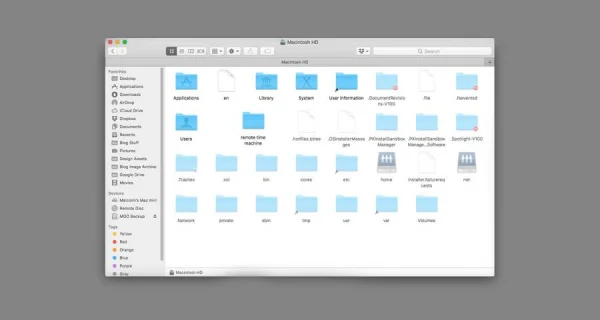
How to Show And Hide Hidden Files on Mac?
Whenever you look at your computer or desktop or inside any folder, you will find several files and folder icons on your...
Why My New M1 MacBook Won’t Let Me Write On My NTFS External Hard Drive?
As someone who has just purchased a new MacBook, let me begin by congratulating you on buying a great piece of tech. If ...
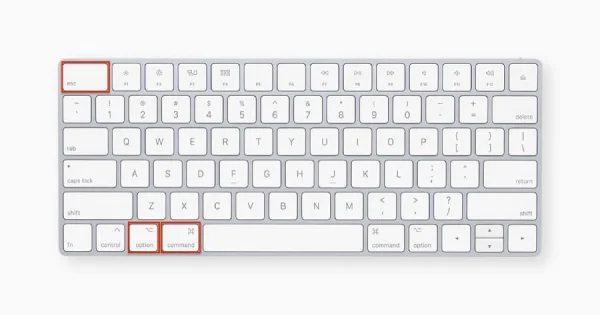
How To Force Quit On Mac
There are times when some apps just do not work on your Mac or it randomly just stops working. You need to close the ent...
How to Take Screenshot on Macbook Air & Macbook Pro?
Most of the time, whether you are a marketer, business person, entrepreneur, or professionals, it can be challenging to ...

What Are Some Excellent Tips Every MacBook Owner Should Know?
Whether you are completely new to using a MacBook or an experienced user matters very little. However, there are certain...
Improve Your Mac Security to Prevent Malware Attacks
Malware or virus threats are affecting users around the world negatively. Today malware coders are writing malicious cod...

Update Xcode using new Apple ID
Inorder to update xcode using the new apple id you need to remove the old credentials from the AppStore with which the a...

Take Screenshot in Mac using Windows Keyboard
In Windows we can take the screenshot of the current page/window using the Print Screen button. Where as in mac using...