Vipin PG
Ethernet cables all look the same from the outside — same plug, same shape. But the category printed on the cable (CAT5e, CAT6, CAT7, CAT8) tells you a lot about how fast and how far the signal can travel. Here’s a plain-language breakdown of each, so you can pick the right one without wading through spec sheets.
1. CAT5e — The Reliable Everyday Cable
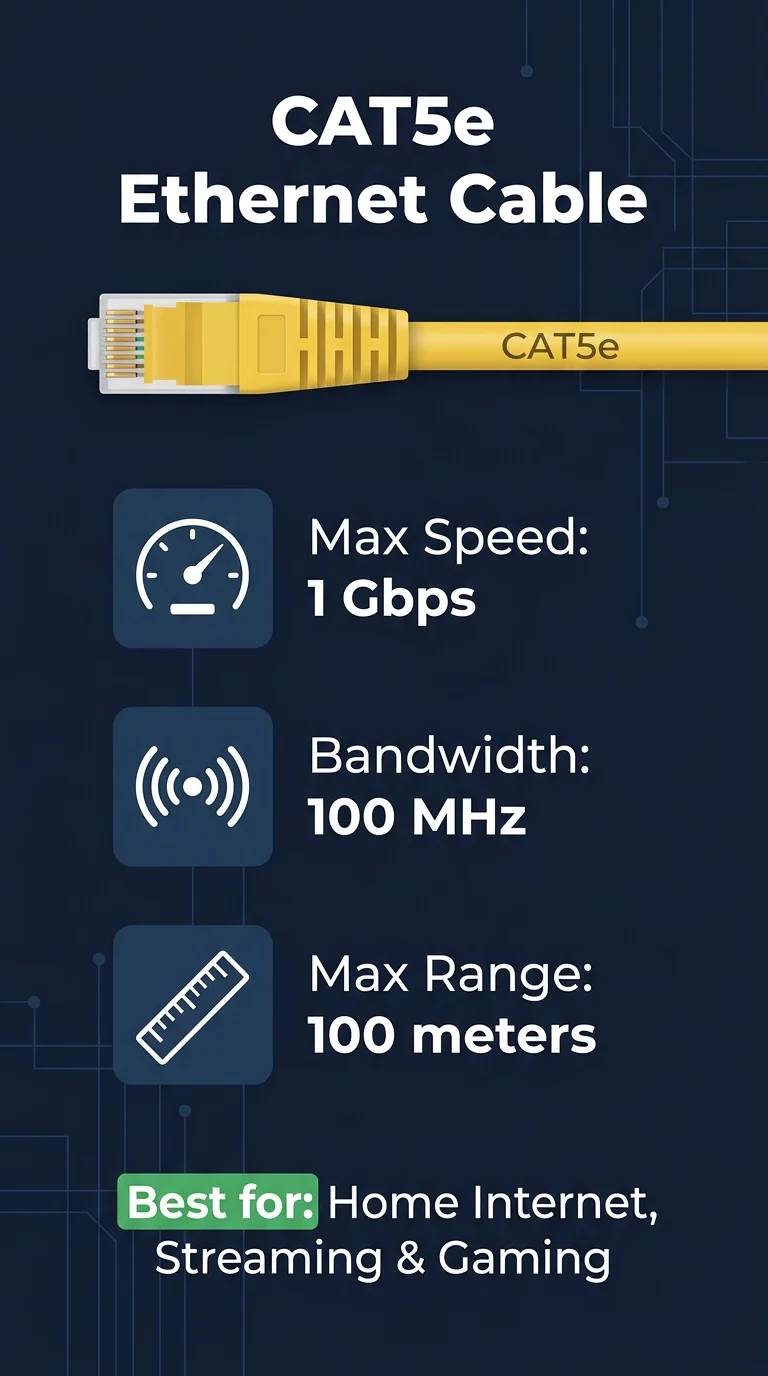
CAT5e stands for “Category 5 Enhanced.” It’s been around since the early 2000s and is still found in millions of homes. If your home or apartment already has ethernet wiring in the walls, there’s a good chance it’s CAT5e.
- Max Speed: 1 Gbps (1000 Mbps)
- Max Bandwidth: 100 MHz
- Max Range: Up to 100 meters (328 feet)
- Best For: Regular home internet, streaming, browsing, gaming at normal speeds
If your internet plan is under 500 Mbps, CAT5e is perfectly fine. You won’t feel any bottleneck. The only reason to move on is if you’re future-proofing or running a faster plan.
2. CAT6 — The Current Sweet Spot
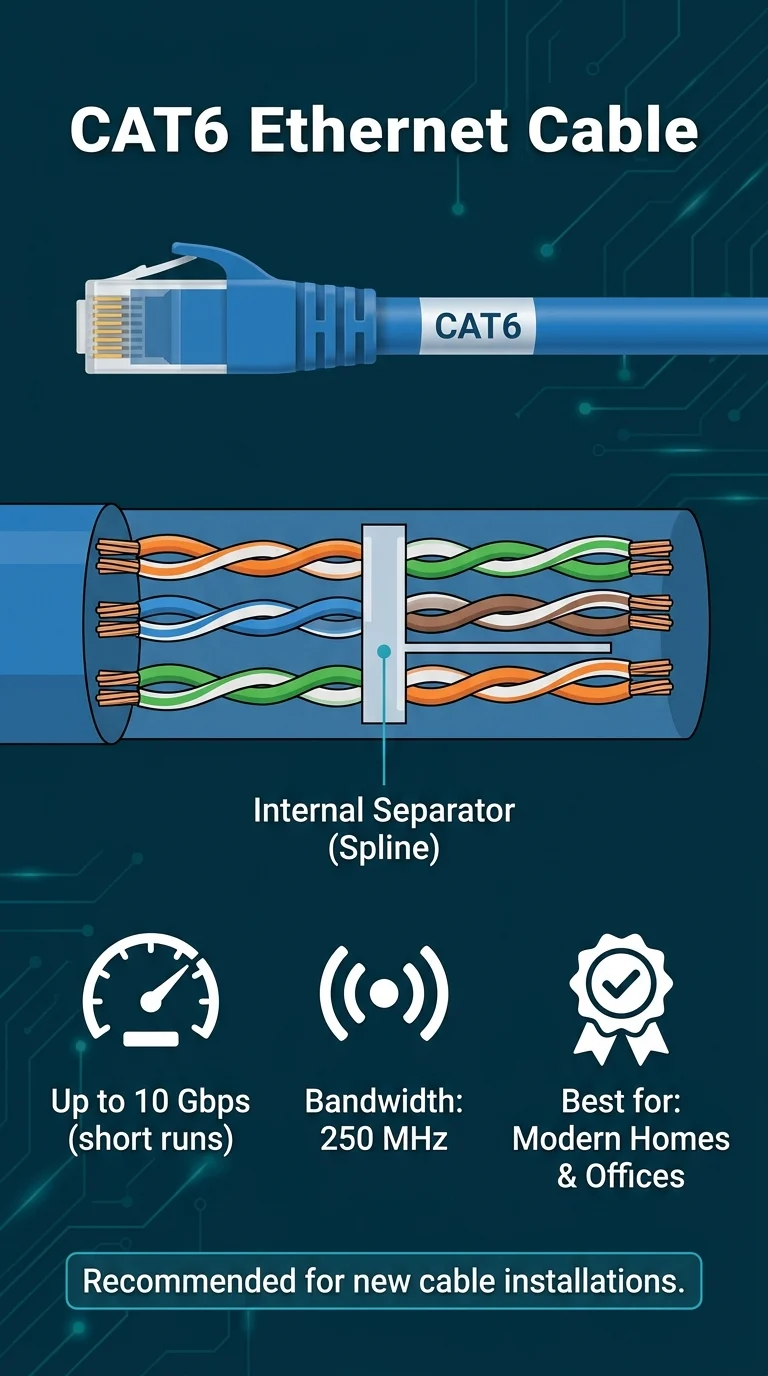
CAT6 is what most network installers use today when setting up homes and offices from scratch. It supports faster speeds and handles interference better than CAT5e because it has tighter wire twisting and sometimes an internal plastic separator (called a spline) between the wire pairs.
- Max Speed: 1 Gbps at 100m / Up to 10 Gbps at shorter runs (up to 55 meters)
- Max Bandwidth: 250 MHz
- Max Range: 100 meters for 1 Gbps
- Best For: Modern homes, small offices, anyone wanting a faster and more future-proof setup
CAT6 is the go-to upgrade from CAT5e. It’s slightly thicker, a little pricier, but worth it if you’re laying new cable — especially with gigabit and multi-gig internet plans becoming more common.
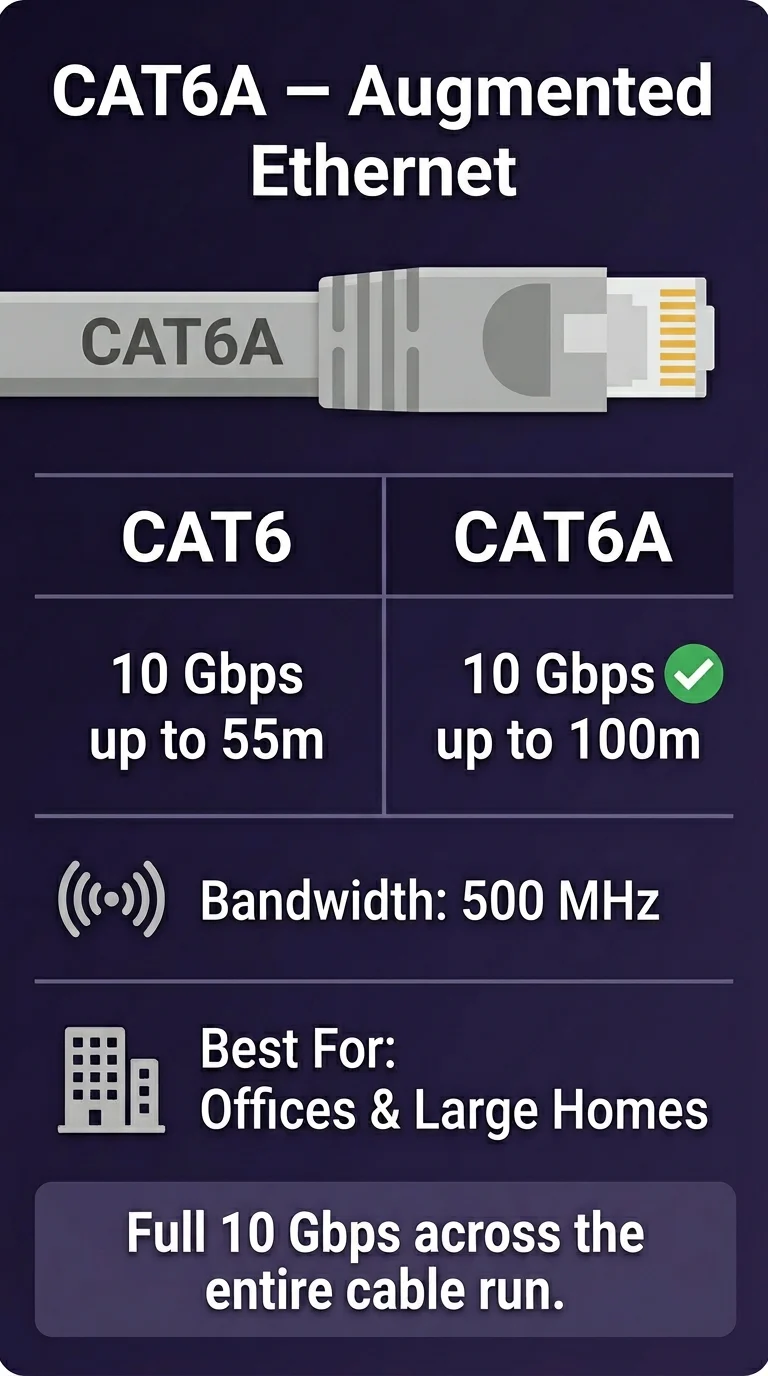
3. CAT6A — The Upgraded Version of CAT6 (Worth Knowing)
CAT6A is the “Augmented” version of CAT6. It achieves the full 10 Gbps speed across the entire 100-meter distance — not just on short runs like regular CAT6. The cable is thicker and stiffer, which makes it harder to route through tight spaces, but it performs better and has less crosstalk (signal interference between wire pairs).
- Max Speed: 10 Gbps at full 100 meters
- Max Bandwidth: 500 MHz
- Best For: Larger homes, offices, or anyone building a serious home network with 10G switches
If you’re rewiring an office or a house from scratch and want the best cable without going into data center territory, CAT6A is worth the extra cost.
4. CAT7 — Shielded, Fast, But Not Standard
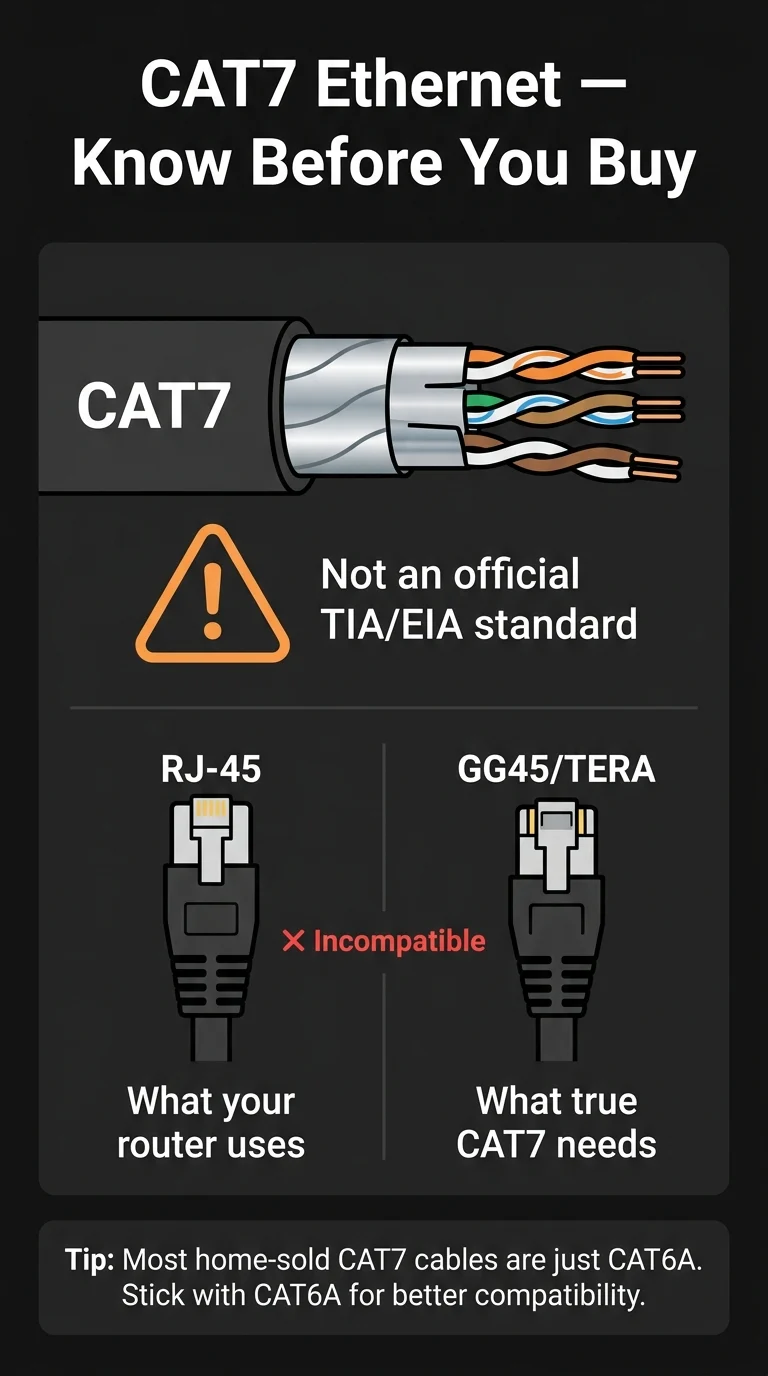
CAT7 looks impressive on paper — higher bandwidth, heavier shielding, faster speeds. But here’s the catch: CAT7 is not an officially recognized standard by TIA/EIA (the bodies that define networking standards). It uses a different connector type (GG45 or TERA) that isn’t compatible with regular RJ-45 ports found on your router, laptop, or switch.
- Max Speed: 10 Gbps
- Max Bandwidth: 600 MHz
- Max Range: 100 meters
- Best For: Specific industrial or professional setups — not recommended for home use
Most CAT7 cables sold for home use are actually just CAT6A cables with a fancy label. Unless you have a specific professional requirement, skip CAT7 and go with CAT6A instead.
5. CAT8 — Built for Data Centers, Not Your Living Room
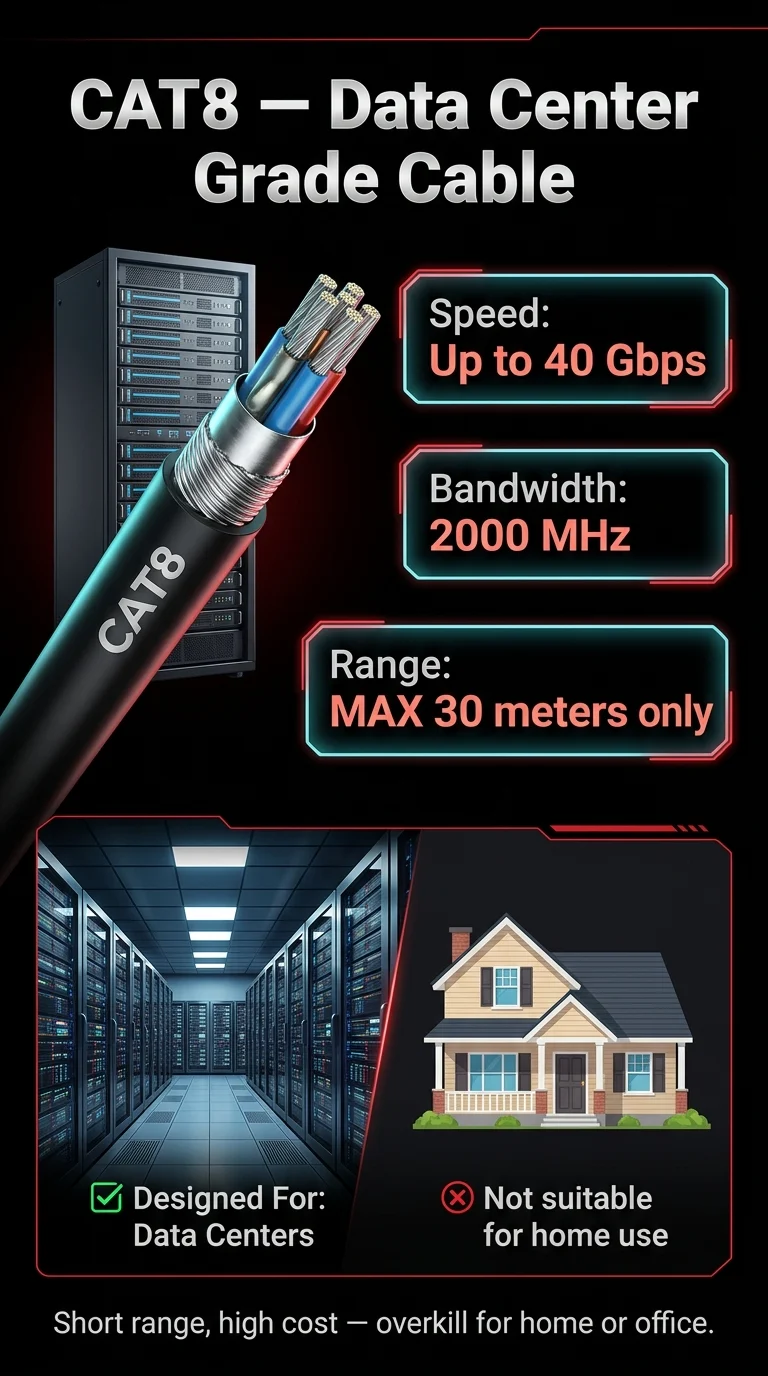
CAT8 is in a completely different league. It’s designed for short-distance, ultra-high-speed connections inside server rooms and data centers — think connecting servers to switches that sit just a few meters apart.
- Max Speed: 25 Gbps (CAT8.1) or 40 Gbps (CAT8.2)
- Max Bandwidth: 2000 MHz
- Max Range: Only 30 meters (about 98 feet)
- Best For: Data centers, enterprise server racks — not home or office use
CAT8 is expensive, very stiff, and only useful at short distances. Its 30-meter limit alone rules it out for running cable through a house. If you’re not building a data center, you don’t need CAT8.
Side-by-Side Comparison
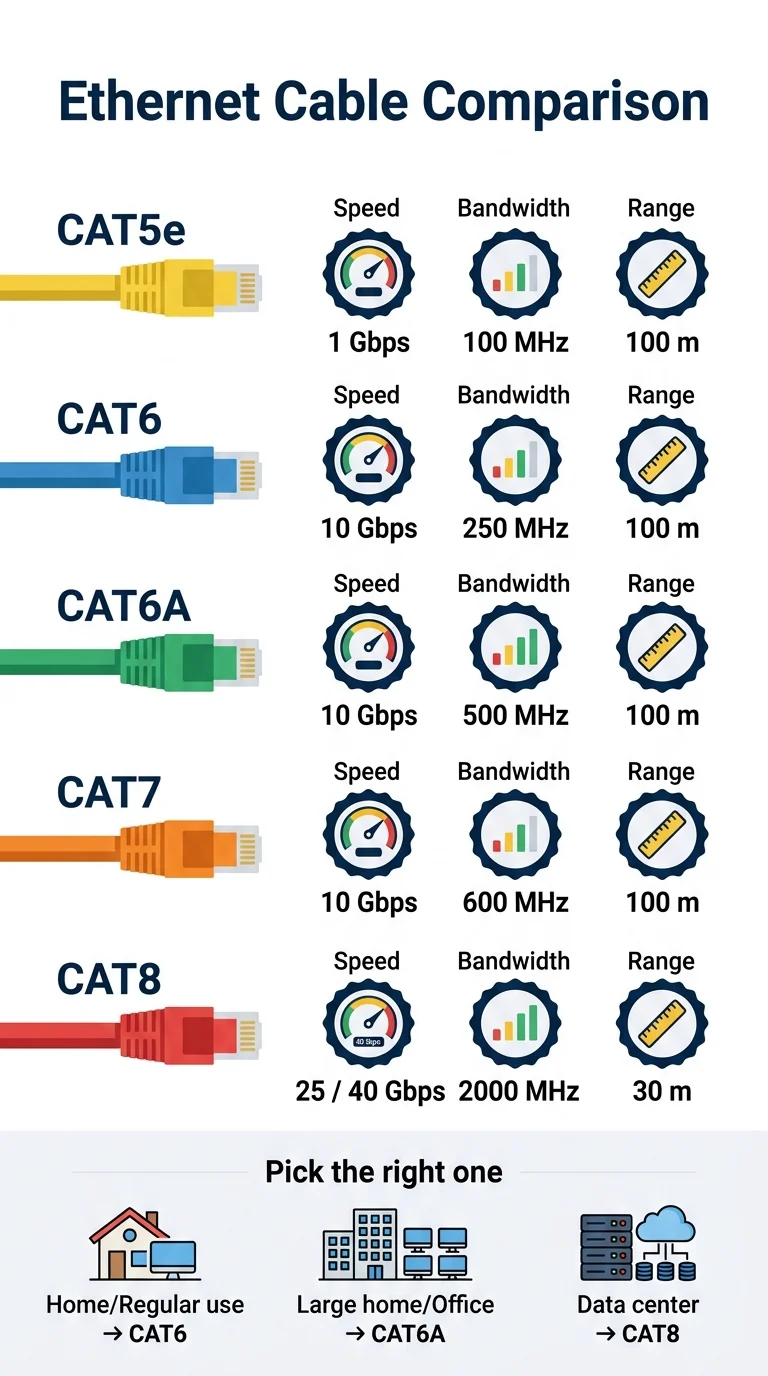
| Cable | Max Speed | Bandwidth | Max Range | Best Use |
|---|---|---|---|---|
| CAT5e | 1 Gbps | 100 MHz | 100m | Home internet, streaming |
| CAT6 | 1–10 Gbps | 250 MHz | 100m (1G) / 55m (10G) | Modern homes & offices |
| CAT6A | 10 Gbps | 500 MHz | 100m | Larger homes, pro setups |
| CAT7 | 10 Gbps | 600 MHz | 100m | Industrial (not recommended for home) |
| CAT8 | 25–40 Gbps | 2000 MHz | 30m only | Data centers & server rooms |
So, Which One Should You Actually Buy?
Here’s a simple decision guide:
- Your internet is under 500 Mbps and you already have cable in the walls? Don’t bother replacing. CAT5e is fine.
- Running new cable at home or in a small office? Go with CAT6. It’s affordable, widely available, and future-ready for gigabit plans.
- Building a larger network or want maximum future-proofing? Choose CAT6A. The extra cost is worth it for full 10 Gbps over 100 meters.
- Thinking about CAT7? Skip it. Most of what’s sold as CAT7 at retail is misleadingly labeled. CAT6A beats it for real-world home use.
- Looking at CAT8? Only if you’re setting up a server rack or professional data center.
Bottom Line
The cable category really does matter — but only up to a point. For home use, the battle is really between CAT5e and CAT6. CAT5e works, CAT6 is better and future-proof, and CAT6A is the top pick if you’re wiring from scratch. CAT7 is a marketing gray area, and CAT8 is purely a data center product.
The next time you’re at a hardware store staring at a wall of ethernet cables, you now know exactly what each label means — and which one to actually put in your cart.