Vipin PG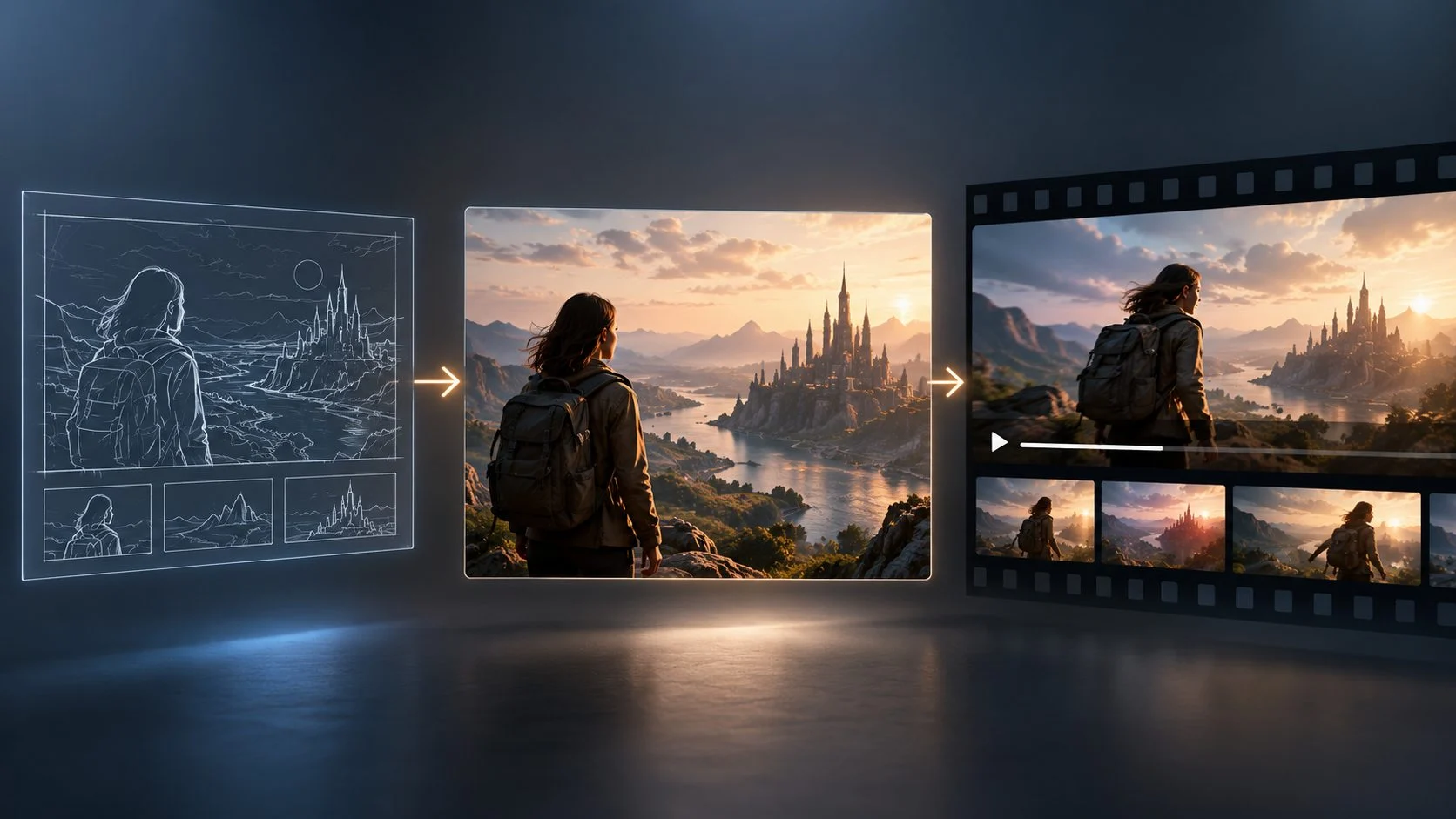
A visual project rarely starts with a finished video.
It usually starts with an idea: a character, product, location, mood, or a short description of what a scene needs to communicate. Turning that idea into something visual has traditionally involved separate stages such as concept art, storyboarding, filming, animation, editing, and post-production.
Generative AI can connect some of those stages.
Creators can test an idea as an image, refine its visual direction, add movement, and develop it into a longer sequence without rebuilding the concept each time.
The First Frame Can Shape the Project
The first visual can influence decisions that come much later.
A character’s appearance, the environment, lighting, framing, and composition can establish a visual direction that carries into other scenes.
For that reason, AI image generation can be useful for visual development, not only for producing standalone images.
A creator might generate several versions of the same scene, compare the results, and decide which one is worth developing further.
In that role, image generation works much like an early concept-art process. The image is a way to test the idea before more time is committed to it.
AI Speeds Up Visual Exploration
Creative decisions can be difficult when an idea exists only as a written description.
AI image tools give creators a way to see different interpretations before deciding how a project should look.
A filmmaker, for example, could test several treatments of the same scene:
- A realistic interpretation
- A stylized cinematic version
- A darker atmosphere
- A futuristic environment
- A minimalist composition
Those results can be compared before the creator moves further into production.
The first generated image does not have to be the final choice. Much of the value comes from testing several visual directions in a short period and seeing which one fits the project.
Image Models Can Support Later Production Work
AI-generated images can be used as working material for a larger visual project.
A creator might make a character reference, test environments, develop product concepts, or establish how a campaign should look before creating the final assets.
Models such as Flux 3 image can be used within this type of process, where generated imagery becomes an early reference rather than an isolated output.
That reference can then guide later work involving storyboards, motion tests, animation, filming, editing, or another generation step.
A Single Image Can Become a Moving Scene
Once the appearance of a character or environment has been established, the creator can start testing movement.
A still image might be developed into:
- A camera push-in
- A character walking through a scene
- A product demonstration
- An environment changing over time
- A cinematic transition
- A short atmospheric sequence
The image gives the video model visual context that would otherwise have to be described again through text.
This can make image-to-video generation useful during early production planning. A creator can see how a visual idea behaves in motion before deciding whether it belongs in the final project.
AI Video Needs More Than Individual Clips
Early AI video workflows often concentrated on generating short clips from prompts. A longer project creates a different problem: the shots have to work together.
Characters need to remain recognizable. Locations need enough continuity to feel connected. Camera movement has to make sense within the sequence, and each shot needs a purpose.
Storyboard-based workflows become useful here because they give the creator a structure before individual clips are produced.
Instead of generating unrelated scenes and trying to connect them afterward, the creator can plan the sequence first and test each shot against that plan.
Motion Tests Can Help Before Final Production
Consider a scene in which a character enters a room, walks toward a window, and looks outside.
Before filming or animating it, the director could test different approaches.
Version A: A slow cinematic camera movement.
Version B: A handheld-style shot that follows the character.
Version C: A wide establishing shot followed by a close-up.
Each version changes how the same action feels.
Testing those variations can help the director decide how the scene should be framed and paced before moving into final production.
Video models such as Seedance 2.5 Draft can be used in this kind of AI-assisted prototyping process, where motion and scene ideas are tested before a final approach is selected.
Generation Still Requires Creative Direction
Producing an image or video clip is only one part of making a finished visual project.
Someone still has to decide what belongs in the project and why.
That includes decisions about:
- What the audience should notice in each shot
- Which scene should appear first
- How the sequence should progress
- Which visual style suits the project
- How recurring characters should appear
- Which generated results should be kept, changed, or discarded
AI can produce options. Creative direction determines which of those options support the intended result.
This becomes especially noticeable when a project contains many generated assets. More output creates more choices, and those choices still need human judgment.
Consistency Becomes Harder as a Project Grows
Small visual differences may go unnoticed in a single generated image. They become much easier to spot when the same subject appears repeatedly.
If a character appears across five scenes, viewers expect that character to remain recognizable. A product used throughout an advertisement also needs a stable shape, appearance, and identifying details.
Continuity therefore becomes part of the generation process.
Reference images, reusable character designs, established environments, and carefully written prompts can help limit unwanted visual changes between generations.
Creators also need to review outputs closely. A clip may look good by itself while still conflicting with the scene that comes before or after it.
Small Teams Can Test More Ideas
Generative AI can give smaller creative teams access to forms of early experimentation that would otherwise require more time or additional production resources.
A team might use AI for concept images, rough storyboards, visual effects tests, animation experiments, or short video sequences before deciding which ideas deserve further work.
Professional creative skills still matter throughout that process.
Editing, composition, storytelling, timing, visual judgment, and quality control determine whether the generated material contributes anything useful to the finished work.
AI is especially practical during experimentation, where trying several ideas can be more useful than spending too much time developing the first one.
How the Workflow Changes
A traditional production process might look like this:
Idea → Concept Art → Storyboard → Production → Editing → Final Video
An AI-assisted process can add more testing between those stages:
Idea → AI Concepts → Visual References → AI Storyboard → Motion Tests → Refinement → Production → Final Video
The main advantage is earlier feedback.
A scene can become visible while it is still only an idea. A director can test framing before filming. A designer can compare environments before developing them in detail. A creative team can reject an approach before it reaches the expensive part of production.
The workflow can also loop backward. A motion test may reveal that the original reference image needs to change, which can lead to another round of image generation before the next video attempt.
Image and Video Workflows Are Becoming More Connected
The boundaries between image generation, storyboarding, motion testing, and editing are becoming less rigid.
An image can become a visual reference.
That reference can guide a scene.
The scene can become part of a storyboard or a motion test.
The resulting clip can then be edited, revised, or used as the starting point for another generation.
Models such as Flux 3 image and Seedance 2.5 Draft show how image and video tools can occupy different parts of the same production process.
The practical change for creators is shorter distance between an idea and something they can actually see and evaluate.
My recommendation is to treat these tools as part of an iterative production process. Start with a clear visual reference, test movement only after the look is established, and keep reviewing continuity as the project expands. That approach makes experimentation useful without losing control of the final result.