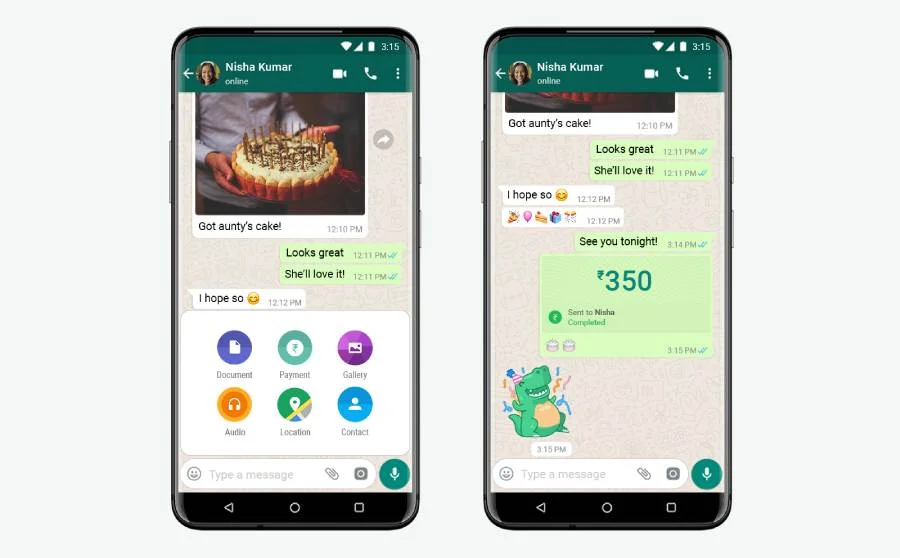
After a long time of waiting, Facebook-owned WhatsApp now got the approval for the UPI Payment service from the National Payments Corporation of India (NPCI). WhatsApp was testing the service for the last few years with limited users, and due to some approval issues, the official release was delayed.
And finally, the company got approval, and the service went live. With the new WhatsApp Pay, users in India can make payments from within WhatsApp without switching to other applications like Google Pay, PhonePe, etc.
How to Activate WhatsApp Pay on Android and IOS Devices?
The WhatsApp UPI payment option is live and is not rolled out completely. The company is releasing the features to its users in a phased manner. To get the new feature, you need to update the application first. Go to PlayStore or Appstore and check for any updates for WhatsApp. If so, update the application.- Once done, go to WhatsApp and click on any of the chat lists. For that, you can open the chat of any of your contact.
- From the chat window, click on Attachment
- If WhatsApp pay is enabled, then in the attachment list, you can see one option called Payment.
- Click on the Payments to initiate the Payment.