Vipin PG
Scanning small objects is a unique challenge for many consumer-grade 3D scanners. While some devices excel at capturing large-scale items, they often struggle with fine details, intricate geometries, or reflective surfaces.
Factors such as resolution and the ability to handle complex textures play a crucial role in determining whether a scanner can deliver professional-grade results. Suppose you are struggling to choose a 3D scanner for your daily projects, covering some requirements for scanning small objects.
Why Scanning Small Objects is Tough?
Below are the key challenges users face when scanning miniature objects:
1. Limited Resolution Due to Field of View (FOV) Constraints
Most general-purpose 3D scanners are optimized for medium to large objects, featuring a wide FOV to cover more area in a single pass. However, when scanning small objects, this wide FOV spreads the scanner’s resolution too thin, resulting in a loss of fine details.
2. Stability and Fixturing Difficulties
Small objects are prone to movement during scanning, whether from handling vibrations, accidental bumps, or unstable mounting. Even minor shifts—often imperceptible to the naked eye—can distort scan data.
3. Shallow Depth of Field & Focus Limitations
To capture fine details, the scanner must be positioned close to the object. However, this reduces the depth of the field, meaning only a small portion of the object remains in sharp focus. If the scanner lacks dynamic focus adjustment, out-of-focus areas will appear blurry or distorted, requiring multiple rescans or manual corrections.
4. Problematic Surface Properties
Many small objects are made from reflective, transparent, or dark materials. These surfaces either scatter structured light (typical in optical scanners) or absorb too much laser light, leading to missing data points.
5. Poor Feature Recognition for Scan Alignment
Small objects often lack distinctive features, making it harder for software to align multiple scans or stitch them together accurately. Symmetrical or featureless objects are especially problematic.
Types of 3D Scanners
Not all 3D scanners are equally suited for small-object scanning. Each technology has its strengths and limitations, depending on factors like accuracy requirements, surface properties, and intended use. Below is a breakdown of the most common 3D scanning methods and their ideal applications:
Structured Light Scanner
It projects a pattern (usually white or blue light) onto the object; cameras record how the pattern deforms to calculate 3D shape.
Structured light 3D scanners are generally the best choice for small objects requiring high accuracy and color detail, provided the surfaces are not too shiny or transparent.
Laser Triangulation Scanner
Project a laser line onto the object; a camera detects the line’s position to build a 3D profile as the object or scanner moves.
This type of 3D scanner excels in industrial settings or when scanning moving objects, but has limitations with certain surfaces and color capture.
Photogrammetry
Takes multiple photos from different angles; software reconstructs a 3D model by analyzing common points in the images
It is cost-effective and good for artistic or documentation purposes, but lacks the precision needed for technical or engineering applications.
Which 3D Scanner is Best for Small Objects?
If you want a budget-friendly consumer 3D scanner that can scan small object, focus on these key considerations to get the best value and results:
Object Size and Field of View
Confirm the size range of objects you want to scan. Most consumer scanners have a minimum scan size (often around 20–30 mm cubed). For very small items (like jewelry or miniatures under 20 mm), even the best budget scanners may struggle to capture fine detail
Surface Material Compatibility
Shiny, transparent, or very dark surfaces are difficult for most budget scanners. You may need to use a matte spray, but this can affect results on tiny objects. Besides, check if the scanner’s software or hardware offers any compensation for challenging surfaces.
Software Usability
Good software makes a big difference. Look for scanners that include easy-to-use software for aligning, merging, and exporting scans-essential for beginners
Community and Support
Choose a scanner with active user communities, good documentation, and responsive support. This is especially helpful for troubleshooting and learning.
EINSTAR VEGA – Reliable 3D Scanner for Small Objects
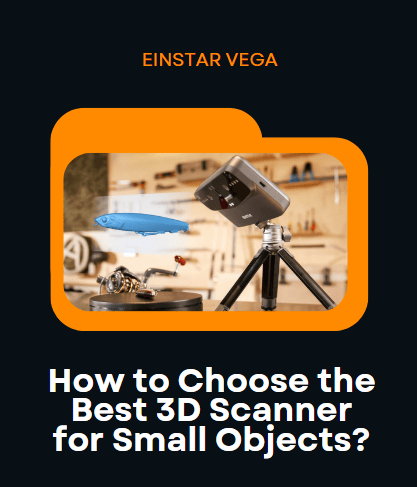
The EINSTAR VEGA is a reliable entry-level to mid-range 3D scanner for scanning small objects. The handheld 3D scanner offers a strong balance of portability, ease of use, and scan quality for its price class.
The Strengths of EINSTAR VEGA for Small Object Scanning:
- HD Mode for Small Objects: The VEGA’s HD mode uses infrared MEMS technology, with a working distance of 100–350 mm (HD Mode) and a minimum point distance (resolution) of 0.05 mm, making it well-suited for capturing fine details on small, complex items.
- Texture and Color: The built-in 48MP color camera provides high-quality texture capture, which is valuable for applications needing both geometry and realistic color.
- User-Friendly & Portable: The scanner is wireless, with a built-in touchscreen and onboard processing, so you don’t need a PC during scanning. This makes it beginner-friendly and highly portable.
- Software & Updates: The StarVision software is intuitive and regularly updated, with features like auto base plane detection and auto hole filling, making post-processing easier for non-experts.
EINSTAR VEGA Will Cater to Your Demands
Ultimately, the right scanner should fit your workflow, deliver the required detail, and stay within budget. For budget-conscious users who still demand reliable performance, the EINSTAR VEGA is highly recommended.