 Vipin PG
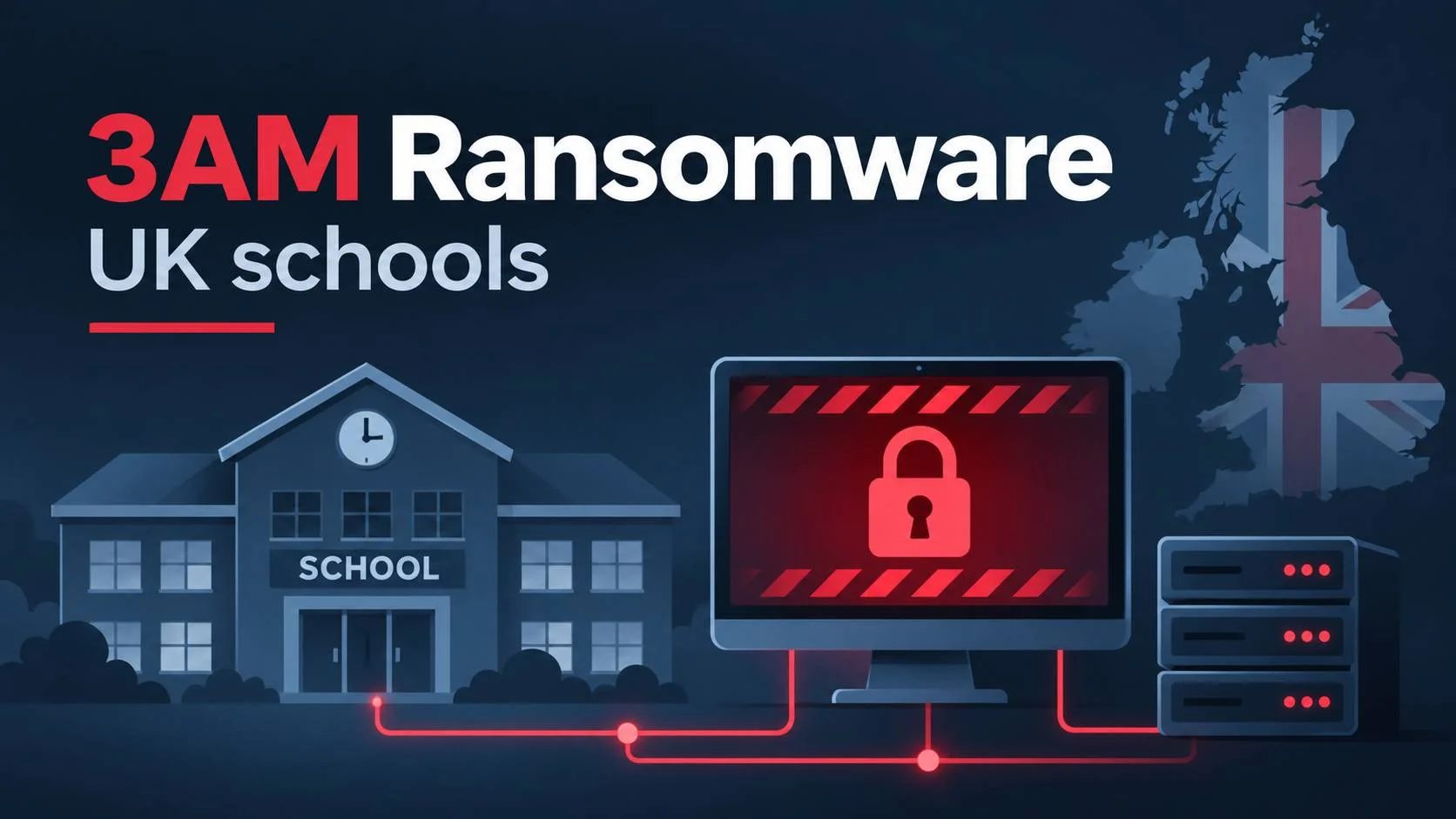
In September 2026, attackers breached a UK school IT environment, stole credentials from backup servers, crossed between Active Directory domains and deployed 3AM ransomware. Around 50 machines were reached during the intrusion. Approximately 37 were encrypted.
The attack drew attention for another reason. Investigators at Bitdefender found command sequences that looked as though they had been generated and revised with help from artificial intelligence. Some commands were repeated at nearly regular intervals. Others contained syntax mistakes that a language model might make when switching between Linux and Windows conventions.
Bitdefender’s November 3, 2026 investigation treats AI involvement as a strongly supported explanation for the command patterns, while acknowledging that the researchers could not see what ran on the attacker’s own machine. A human copying commands from an AI chatbot could produce some of the same evidence.
The documented Windows activity is useful regardless of who or what generated the commands. It gives administrators concrete things to hunt for, including unauthorized domain trusts, new privileged accounts, registry hive exports, suspicious backup-server access and remote scheduled tasks.
What happened in the 3AM ransomware attack?
Bitdefender reconstructed the main intrusion between September 10 and September 19, 2026. The initial access method is unknown. The attacker worked from an unmanaged Windows machine and used a mixture of Windows administrative tools, public utilities and ransomware components to expand across the environment.
A separate list used during the operation contained 47 systems, including about 21 servers, eight of which were domain controllers, and ten Windows 10 workstations. One domain controller used Windows Server 2012 R2. That 47-system list and the approximately 50 machines reached are different counts.
The identity of the affected school estate was withheld in the report. The researchers also could not establish how the original attacker-controlled machine was compromised.
What is 3AM ransomware?
3AM, also called ThreeAM, is a ransomware family used in a ransomware-as-a-service operation. Affiliates carry out intrusions and deploy ransomware supplied by an operator or development group. As with other such operations, the people behind a particular intrusion may differ from those who maintain the encryptor.
ThreeAM became publicly known in 2023 after security researchers described its use as a fallback when a LockBit ransomware attempt was blocked. Sources differ on the earliest observed date: Bitdefender refers to tracking from February 2023, while other public reporting emphasizes September 2023. The UK school incident involved a Rust-based 3AM encryptor.
The suspected AI assistance concerned the intrusion workflow. Bitdefender did not determine that AI wrote the encryptor.
How the intrusion unfolded, September 10 to 19
Backup credential theft came first
The first recorded September activity focused on Veeam backup servers. The attacker used a modified public PowerShell credential extraction script, referred to as Veeam-Get-Creds.ps1, against three servers. The script recovered stored credential material and used Windows Data Protection API (DPAPI) functionality in the decryption process.
Backup systems often need credentials for multiple protected machines. Once those credentials are exposed, an intruder may gain access far beyond the backup server itself. The attacker also copied Chrome’s Login Data database from a terminal server. Copying that database does not establish that every stored browser password was successfully decrypted.
Reconnaissance relied heavily on normal Windows tools
Over the next few days, the attacker checked SMB, Remote Desktop and WinRM access, inspected domain relationships and searched SYSVOL scripts for references to other schools. The observed tooling included PowerShell, WMI, nltest, reg, netsh, rundll32 and public remote-execution utilities. Portable Python and Mimikatz also appeared in the investigation.
This kind of activity is often called living off the land, or LOTL. A command may use a legitimate operating-system component while serving a malicious purpose. That is why administrators need process history, account details and network context rather than alerts based only on a tool’s name.
Credential dumping and backdoor accounts followed
On September 14 and 15, the attacker saved sensitive registry hives and attempted to collect credentials from LSASS, the Windows process that handles important authentication functions. A renamed Mimikatz executable appeared as sysmon64.exe. The name alone would not distinguish it from an unrelated legitimate file; the executable’s content and behavior matter.
The attacker also established two administrator accounts named library and svc_bkpmon. Both could blend into an ordinary IT account list, especially in a school environment. Reviewing newly created accounts and changes to privileged groups is more reliable than looking for suspicious-sounding names.
Finance files were staged in the Windows registry
Bitdefender documented the collection of 40 files from a finance share. The attacker encoded the data into registry values under a path resembling HKLM\SOFTWARE\VC31. Values included FIN001 through FIN040, plus a FINCOUNT counter.
HKLM\SOFTWARE\VC31Encoded registry values can be overlooked when monitoring focuses on new files and network transfers. Administrators investigating suspicious PowerShell activity should consider associated registry writes, particularly large values under unusual application keys.
New domain trusts extended the attacker’s reach
On September 18, the attacker used netdom to establish two-way trusts between three previously separate Active Directory domains. The operation also involved conditional DNS forwarders configured with dnscmd and troubleshooting of the trust’s secure channel.
A trust provides a route for cross-domain authentication, subject to permissions and trust settings. It does not automatically grant every account access to every resource. The attacker followed the trust changes with other permission and remote-execution activity, extending privileged access across the connected environments.
New trust creation can be a useful detection point because it is relatively uncommon in a stable environment. In this case, the attacker spent hours making the cross-domain arrangement work. A prompt alert on an unexpected trust might have given defenders an opportunity to investigate before encryption began.
Ransomware deployment came on September 19
Before deployment, the attacker tried to uninstall or interfere with endpoint security software. Bitdefender reports that anti-tampering controls blocked some of these attempts. The attacker nonetheless distributed its loader and encrypted approximately 37 machines with 3AM ransomware.
The intrusion lasted nine days in the observed telemetry. There is no evidence that fast command retries by themselves defeated a detection system. The documented compromise suggests that monitoring of credential theft, administrator changes and new domain trusts would have been especially useful.
Why researchers suspect AI assistance
Bitdefender studied the command sequence rather than observing a model directly. Its assessment rests on several patterns that are unusual together, though each has other possible explanations.
Commands were retried after similar delays
In one September 13 sequence, an unchanged PowerShell command was run again after 41 seconds. Another attempt came 49 seconds later with one call changed. After another 47 seconds, the operator switched to wmic. Across a wider group of retries, the recorded gaps ranged from 40 to 101 seconds.
Automated systems often work by submitting a command, reading the result and trying a revision. Similar timing despite different amounts of rewriting is consistent with that process. A person following an orderly manual routine, or copying commands from a chatbot, could leave a similar trace.
Some commands combined incompatible conventions
One Veeam REST API request used port 9392 with Basic authentication, while the API documentation examined in the investigation used OAuth2 and a REST API port such as 9419. API ports and compatibility options vary by Veeam product and release; the problem was the mismatch between the request and the interface the attacker appeared to be targeting. The report did not verify a successful request.
Other commands contained Unix-style 2>/dev/null redirection or Bash-like escapes in Windows command contexts. A malformed Windows for /f expression also prevented one LSASS-related attempt from getting the intended process identifier.
These errors are compatible with language-model-generated commands that were insufficiently checked for the target environment. They can also come from human operators adapting scripts from the wrong shell.
The operator repeatedly tested and revised scripts
The investigation recorded test files including da_proof.txt, psexec-ok and wmi_test.txt, a scheduled task named VEEAMPROBE, and revised scripts such as av_remove.ps1, av_remove2.ps1 and av_remove3.ps1. Together, these suggest an iterative workflow: execute, inspect, adjust and repeat.
Bitdefender rates model-generated commands as strongly supported. It says the choice of actions behaved like an agentic loop, but could not rule out a person copying commands between a shell and chat window. Fully autonomous execution without human involvement is unsupported, and the model, provider and execution setup remain unidentified.
How to detect similar activity in a Windows network
Administrators can monitor the actions from the attack without trying to decide whether a person or an AI system wrote the commands. The highest-priority checks are changes to domain trusts and privileged accounts, followed by registry hive exports, remote execution and backup-server access.
Step 1: Alert on unexpected domain trust creation
Windows Security Event ID 4706 records the creation of a domain trust. On a domain controller with the relevant audit policy enabled, this read-only PowerShell query searches locally retained events from the last 30 days:
Get-WinEvent -FilterHashtable @{
    LogName = 'Security'
    Id = 4706
    StartTime = (Get-Date).AddDays(-30)
} | Select-Object TimeCreated, Id, MachineName, Message
Run it with appropriate privileges on each domain controller or query centrally collected logs. If no events appear, check the auditing policy and retention before concluding there were no trust changes. Compare any new trust with approved configuration changes, the account that initiated it and the trusted domain’s identity.
Microsoft documents the event fields in its Event 4706 reference.
Step 2: Hunt for exports of sensitive registry hives
Unexpected use of reg save against the SAM, SECURITY or SYSTEM hives deserves investigation, especially on domain controllers or alongside other credential-access events.
For Microsoft Defender for Endpoint environments with the appropriate device telemetry, the following KQL query searches for potentially relevant commands:
DeviceProcessEvents
| where Timestamp > ago(30d)
| where FileName =~ "reg.exe"
| where ProcessCommandLine contains "save"
| where ProcessCommandLine contains "\\SAM"
    or ProcessCommandLine contains "\\SECURITY"
    or ProcessCommandLine contains "\\SYSTEM"
| project Timestamp, DeviceName, AccountName,
    InitiatingProcessFileName, ProcessCommandLine
| order by Timestamp desc
This is a hunt query, not a validated production alert. It catches common command-line forms and can miss alternate methods, aliases or differently formatted paths. Investigate legitimate backup and maintenance activity before classifying a result as malicious. Test the syntax and field coverage in your own Defender tenant.
Step 3: Review privileged account changes
Look for newly created accounts, especially those quickly added to privileged security groups. The following event IDs are useful in an Active Directory environment:
| Event | Recorded activity | What to check |
|---|---|---|
| 4720 | User account created | Unexpected service or administrator accounts |
| 4728 | Member added to a global security group | Changes to Domain Admins or similar groups |
| 4756 | Member added to a universal security group | Changes to privileged universal groups |
| 4706 | Domain trust created | Unapproved cross-domain relationships |
| 4698 | Scheduled task created | Unfamiliar tasks or remote execution |
These event IDs depend on auditing configuration, and the group events shown do not cover every group scope or membership-change scenario. Centralized collection helps when attackers can clear local logs or move between several domain controllers.
Step 4: Review scheduled tasks and remote execution
The attack used remote execution and test tasks, including VEEAMPROBE. Security Event ID 4698 may help identify new scheduled tasks if task-creation auditing is configured:
Get-WinEvent -FilterHashtable @{
    LogName = 'Security'
    Id = 4698
    StartTime = (Get-Date).AddDays(-7)
} | Select-Object TimeCreated, MachineName, Message
Check task actions, the creating account, execution privileges and remote-management activity around the same time. Task Scheduler Operational logs and EDR process telemetry may provide additional detail.
Step 5: Check registry staging artifacts
In an environment where related activity is suspected, search for the registry location HKLM\SOFTWARE\VC31 and values following the FIN001 to FIN040 pattern. Treat these as case-specific clues. Attackers can rename a path or use an entirely different staging technique.
Broader monitoring should focus on unusual large registry writes by scripting tools and whether the same host later transfers data. Sysmon and endpoint telemetry can support those searches if configured to collect the relevant activity.
Step 6: Examine Veeam access and backup integrity
Backup servers deserve separate access controls and monitoring. Review administrator permissions, unusual database access, unexpected PowerShell or WMI execution, and changes to the accounts used for backup operations.
- Use dedicated backup accounts with permissions limited to their required tasks.
- Restrict network access to backup management interfaces and credential stores.
- Maintain immutable, offline or otherwise isolated backup copies as appropriate for the platform.
- Test restoration of critical servers and Active Directory services.
- Investigate unexpected attempts to delete system-state backups or recovery data.
Veeam interfaces, credential handling and REST API ports differ by version. Consult the documentation for the release actually deployed.
Step 7: Correlate related alerts
An isolated command may have a legitimate explanation. A backup-server credential access event followed by an administrator account creation and a new domain trust gives investigators a more specific sequence to examine.
3AM ransomware indicators to investigate
Bitdefender published a CSV of indicators associated with the 3AM investigation. Use that file for the published hashes and other exact indicators. The names below are useful for targeted hunting but cannot reliably identify the ransomware on their own.
| Artifact | Recorded use |
|---|---|
VEEAMPROBE |
Scheduled task used in testing |
psexec-ok, da_proof.txt |
Execution and privilege-check artifacts |
grant_lib.ps1 |
Access propagation script |
av_remove.ps1 and numbered revisions |
Security-removal attempts |
sysmon64.exe |
Name used to disguise a credential-dumping tool |
HKLM\SOFTWARE\VC31 |
Registry data staging |
library, svc_bkpmon |
Unauthorized administrator account names |
ADMIN$\__<timestamp> |
Pattern associated with remote command output |
Names like library and sysmon64.exe can also appear in benign contexts. Check hashes, parent processes, affected accounts and nearby events before escalating a match.
How to reduce the risk in schools and other Windows environments
Schools often rely on shared IT administration across sites. That makes it especially important to know which accounts, trusts and management tools can cross from one domain or network to another.
- Review domain trusts. Document the purpose and owner of each trust. Alert on new trusts and investigate changes without an approved request.
- Separate privileged access. Avoid reusing highly privileged credentials across independent domains. Restrict membership of administrator groups and protect management workstations.
- Secure remote administration. Limit SMB, WMI, WinRM and RDP to systems and accounts that require them.
- Protect backups independently. Use isolated backup access and recovery copies that compromised production credentials cannot easily alter.
- Cover unmanaged devices. Inventory machines with administrative network reach and investigate systems missing expected endpoint protection.
- Collect logs centrally. Retain domain controller, task scheduler, backup-system and endpoint events long enough to reconstruct multi-day incidents.
- Test recovery. Restore representative systems and Active Directory services during planned exercises, not for the first time during a real incident.
UK education organizations can consult the Department for Education’s cyber security core standard for broader requirements and recommended controls.
What to do if you find similar activity
An unexplained trust creation or evidence of credential dumping on a domain controller deserves prompt investigation. If multiple related events appear, involve the organization’s incident-response lead before making disruptive configuration changes.
Where staff or student information may have been exposed, assess applicable reporting and notification requirements. A forensic review should determine whether data theft occurred as well as whether encryption succeeded.
Was this the first AI-operated ransomware attack?
Bitdefender described the case as the first of this kind that its researchers had documented in Europe. Earlier investigations had already described agentic ransomware activity elsewhere.
For example, Sysdig’s JadePuffer research examined automated database extortion in July 2026. The Cloud Security Alliance also published a research note on that case. The evidence and target environments differ, so the incidents should not be treated as a single campaign.
Is this related to the Bristol schools data leak?
No connection has been established between the 3AM intrusion investigated by Bitdefender and the separately reported Bristol schools cyber incident.
In early November 2026, BBC News reported that more than 320,000 files from 39 schools had appeared online after a cyber incident affecting Bristol City Council’s Trading with Schools services. The victim details, investigative record and attribution have not been shown to match the 3AM case.
Frequently asked questions
Did AI carry out the attack on UK schools?
Bitdefender found strong evidence that AI may have generated some intrusion commands. The researchers could not prove that an autonomous agent chose and executed the whole attack. A human operator remained a plausible part of the command loop.
How many systems did the ransomware encrypt?
Approximately 37 systems were encrypted out of around 50 machines reached. A separate list of 47 machines appeared in the investigation.
Which UK schools were affected?
Bitdefender did not identify the affected school estate publicly. Its technical report sanitized victim-specific details.
How did the attackers initially enter the network?
The initial access method remains unknown. The researchers reconstructed the later intrusion from available telemetry.
What is the difference between AI-assisted and agentic ransomware activity?
AI-assisted activity can involve a person using a model to write or troubleshoot commands. Agentic activity involves software choosing further actions based on the outcome of earlier steps. Endpoint logs alone may not establish which workflow was used.
Can antivirus or EDR prevent this type of attack?
Endpoint protection can interrupt individual stages. In this incident, anti-tampering features blocked some removal attempts, yet ransomware encryption still occurred. Privileged-access controls, domain monitoring and protected backups remain necessary.
Which Windows event should administrators check first?
Event ID 4706 is particularly relevant because it records domain trust creation. Its usefulness depends on audit configuration and whether the organization has a clear baseline of expected trust relationships.
What administrators can learn from this case
The school intrusion ran across several days and involved many familiar Windows tools. Credential access, unauthorized administrator accounts and the creation of new domain trusts were all observable activities before the ransomware was deployed.
AI assistance remains an explanation for the command behavior rather than a confirmed detail of the attacker’s setup. For defenders, the practical work is unchanged: protect administrative access, monitor sensitive domain changes, examine backup-server activity and test recovery procedures. Those controls address the techniques that caused damage in this case, whether the next attacker types commands manually or has a model help generate them.
Sources and further reading
- Bitdefender: 3AM Hits European Schools, a Hybrid AI Ransomware Attack. Primary technical investigation, November 3, 2026.
- Bitdefender: 3AM indicators of compromise. Published IOC data.
- BleepingComputer: UK school estate hit by 3AM ransomware. Incident reporting.
- Dark Reading: 3AM affiliate and AI-like loops. Analysis of the command behavior.
- Infosecurity Magazine: 3AM ransomware hybrid tactics. Secondary reporting.
- Microsoft: Windows Security Event 4706. Domain trust creation reference.
- Sysdig: JadePuffer agentic ransomware research. Earlier research on agentic extortion.
- Cloud Security Alliance: JadePuffer research note. Additional background.
- UK Department for Education: cyber security core standard. Guidance for schools.