 Vipin PG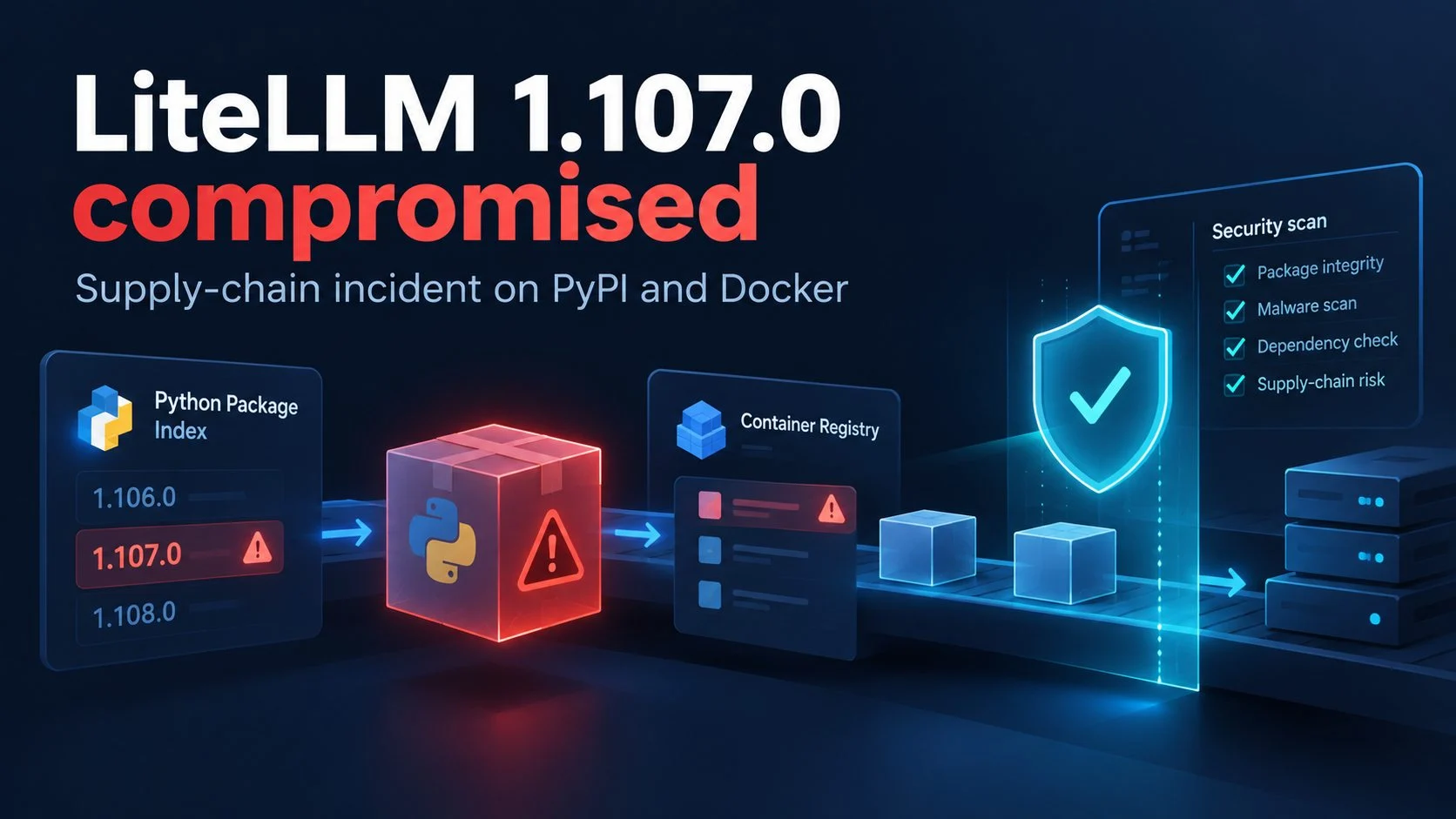
A compromised LiteLLM 1.107.0 release reached PyPI and container registries on October 21, 2026. The public GitHub tag did not contain the malicious files. According to LiteLLM, its release workflow built the published artifacts from a lookalike repository it identified as attacker-controlled. Anyone checking only the public source tag would have missed the files distributed to installers.
Seven affected Python wheels were available on PyPI from 11:39:51 to 13:23 UTC on October 21, 2026. Compromised container tags remained available for longer. LiteLLM reported that the incident was contained in its October 21 update, although the investigation was still underway. Exposure depends on which artifact an environment installed and whether it ran.
Identify the affected LiteLLM release first
LiteLLM says the open-source litellm==1.107.0 was affected; enterprise customers using its private registry were not. The company removed the PyPI package and said earlier versions were safe.
All seven PyPI wheels were live from 11:39:51 until 13:23 UTC on October 21. Docker Hub tags v1.107.0, latest, main-latest, and main-stable pointed to a compromised image index from 11:46:56 until 14:20 UTC. The same tags in GitHub Container Registry (GHCR) pointed to affected image indexes from 11:46:56 until they were made unavailable by 13:51 UTC.
The Docker Hub index digest LiteLLM identifies is sha256:1bbcb1443bc962e45f5aad53fe3d2c30600e0379715fb6c664cdd3ac126c339e. Use the publisher’s LiteLLM incident report as the reference for affected tags and windows. All listed times are UTC on October 21.
Who should treat an environment as exposed
LiteLLM identifies unpinned pip installations between 11:39 and 13:23 UTC, as well as affected Docker tags used between 11:46 and 14:20 UTC, as potential exposure routes. The company advises treating an environment as compromised if Python started there with version 1.107.0, or if a container ran the affected image digest.
Do not run pip or other Python-based inspection commands in a potentially compromised environment until the malicious startup files have been contained. Starting Python can trigger them again. LiteLLM lists pip show litellm as a version check, alongside searches in relevant site-packages directories for litellm-1.107.0.dist-info, cook.pth, and sitecustomize.py. Follow its containment guidance before using the Python-based check. LiteLLM cautions that finding one of these markers confirms exposure, but absence does not prove the environment is clean. A marker may be missing after cleanup or container replacement.
LiteLLM’s initial safe-version advice was to pin 1.106.2 or an explicit earlier release. SafeDep’s artifact analysis separately lists 1.106.2, 1.107.0rc1, and 1.107.0rc2 as clean. Those findings concern the artifacts SafeDep examined. They do not establish the safety of every mirror, custom build, or unexamined artifact.
SafeDep reports finding three added files in installed package locations across the seven wheels. Its analysis also lists host indicators including /tmp/.pc_once_72129118c59f5636c0bb and /tmp/remote_code_loader.lock. The SafeDep artifact analysis gives additional indicators, but incident response should preserve relevant evidence before rebuilding systems.
LiteLLM compromised: the source-to-artifact mismatch
The published artifacts contained files absent from the public source tag. LiteLLM states that its GitHub v1.107.0 tag does not contain the malicious files. Its incident report attributes the affected builds to a repository the company described as attacker-controlled.
SafeDep compared the source distribution, or sdist, and the wheels with public source. It found an extra data = "cook" setting in the sdist’s pyproject.toml. That setting directs the maturin build to package a cook/ directory; the directory is absent from the sdist, while the installed wheels include the injected startup and payload files.
A project repository issue posted a contemporaneous list of hashes for the seven wheels and altered sdist, and named Berri-AI/litellm as the lookalike source. Its author explicitly said they had not inspected the v1.107.0 Docker images, so the issue cannot independently verify those containers.
Help Net Security also reports that container build records named Berri-AI/litellm, visually close to the legitimate BerriAI/litellm. The report also draws on LiteLLM’s statements, so it does not independently verify every artifact. The project issue’s artifact report is useful for the published hashes and its stated limits.
How the lookalike repository entered the release process
LiteLLM says an unauthorized change to its release workflow was initially rejected. Credentials associated with a privileged developer account were then used to bypass branch protections, according to its October 21 update. The disclosure does not establish that the legitimate account holder performed the action.
According to LiteLLM, the modified workflow built from Berri-AI/litellm, a lookalike of the legitimate BerriAI/litellm repository. The company described the alternative source as attacker-controlled. LiteLLM’s timeline records a staging run from that repository at commit 20535d8fa11f786a6c24df7488a0e449ed5f09ad at 10:46:39 UTC, production approval using a second developer credential at 11:11:18, and removal of workflow records using a third credential between 11:53:49 and 11:54:01.
The company says it found an unexpected account in an internet-exposed internal deployment and believes the attacker obtained GitHub command-line OAuth credentials from its logs. The initial access method remains unconfirmed. LiteLLM described a recently patched vulnerability as a possible explanation, rather than an established cause. Help Net Security summarizes the same theory and says LiteLLM had not confirmed how the deployment was accessed.
The Help Net Security account includes researcher observations but does not resolve how the attacker initially gained access.
Why Python startup widened the blast radius
The malicious files did not need an application to import LiteLLM before they could run. SafeDep reports that cook.pth contains import cook; Python processes execute import lines in startup .pth files when the interpreter starts. This behavior can affect pip, development tools, and automation processes whenever they start Python in the affected environment.
SafeDep says cook.py collected credentials and secrets, including cloud credentials, CI/CD secrets, AI-tool tokens, SSH keys, browser data, environment variables, and LiteLLM proxy database credentials. SafeDep identified www.litellm[.]dev/healthcheck as an exfiltration destination configured in the analyzed code. The address is defanged here and should not be mistaken for an official LiteLLM endpoint. The code’s capabilities do not establish which individual hosts successfully transmitted data.
The third file, sitecustomize.py, reportedly started a detached daemon. SafeDep says the process periodically checked a GitHub-hosted file for a server address, reran the stealer, and fetched and executed code from that server. SafeDep could not recover the server address, so whether any affected host received or executed a second stage remains unknown.
LiteLLM warns that starting Python, including through pip, can execute the startup files again. Its cleanup instructions therefore begin with identifying and removing the malicious files before running Python-based package tools.
The release and removal timeline
The available timeline identifies when affected packages were published and removed. It does not establish how many installations executed the payload. LiteLLM places the workflow override at 10:08:34 UTC, the staging build at 10:46:39, PyPI uploads from 11:39:51 to 11:40:13, and container publication at 11:46:56 on October 21.
PyPI removed the release by 13:23 UTC, according to LiteLLM. GHCR tags were unavailable by 13:51, while the affected Docker Hub tags were removed or repointed by 14:20. SafeDep’s separate analysis supports the reported wheel contents and startup behavior, but says artifact analysis cannot establish how the attacker gained internal access.
Help Net Security reports that Wiz researchers observed stolen credentials being tested about four and a half hours after exfiltration. That is an attributed observation by researchers, not evidence that every exposed host lost credentials or that every stolen credential was used.
The LiteLLM incident report reviewed for this article was last updated at 20:30 UTC on October 21 and described the incident as contained, with the investigation ongoing. As checked for this article on October 23, 2026, the cited reporting did not establish final counts of affected users, successful exfiltrations, or compromised environments.
Response guidance: remove the implant, then rotate secrets
LiteLLM’s prescribed response assumes a host may have exposed whatever the malicious process could reach. Its guidance calls for removing the malicious cook.pth, cook.py, sitecustomize.py, and matching bytecode from affected site-packages locations, followed by stopping the detached Python daemon associated with /tmp/remote_code_loader.lock. Because legitimate software may also use a file named sitecustomize.py, operators should confirm that a file belongs to the malicious installation before deleting it.
The company advises reinstalling a pinned clean version and says rebuilding images and virtual environments from scratch is preferable. Forensic and incident-response teams should follow their organization’s evidence-preservation procedures; a quick package reinstall alone cannot establish what ran or what left the host.
LiteLLM says to assume exfiltration if 1.107.0 ever ran on a host with outbound internet, and to rotate secrets reachable from that host. Its examples include cloud IAM credentials, provider keys stored in the LiteLLM proxy database, master and virtual keys, the database password, and secrets present in process environments.
The company also recommends checking CloudTrail for GetCallerIdentity around installation and looking for subsequent use of role credentials from outside the infrastructure. Its report says it removed the compromised PyPI package and reduced maintainer credentials to the minimum it considered necessary while investigating, as of its October 21 update.
What independent reporting corroborates
The reports provide different kinds of evidence. SafeDep provides the most detailed public artifact comparison among the sources reviewed here: it describes the altered build setting, added wheel files, startup behavior, and indicators. These are SafeDep’s findings from artifact analysis; its report does not reproduce the full release build.
The project’s GitHub issue offers a hash list and a contemporaneous account of the source discrepancy, while explicitly limiting its Docker inspection. Help Net Security reports additional observations attributed to Wiz and Socket, including credential testing and the lookalike repository named in container build records.
Some of the coverage repeats LiteLLM’s account, so those passages should not be counted as independent confirmation. The malware’s targets also cannot identify whose secrets were actually stolen. The cited reports do not establish a final number of affected environments or which victims’ credentials were successfully used.
The package and container artifacts identified in the reports were compromised. Running them could expose secrets accessible in the surrounding environment. Determining whether a specific organization’s data was taken requires its own logs and investigation.
What provenance can verify: and its limits
PyPI attestations can bind an individual wheel or source distribution’s digest to a publishing identity. PyPI documents supported attestation types including PyPI Publish and SLSA Provenance, which can give consumers evidence about where an artifact came from.
An attestation alone does not prove code is safe. PyPI’s security model says a basic publish attestation can identify an authorized publisher and help users notice a change in publisher identity; it does not establish whether the source or publisher is trustworthy, or whether malicious code entered before or during the build. Stronger claims about pre-build tampering require more advanced provenance.
PyPI’s documented consumer workflow uses the pypi-attestations command-line tool to compare the Trusted Publisher repository named by a user with the artifact’s provenance and cryptographically verify the artifact. The PyPI attestations introduction, its attestation security model, and consumer verification workflow explain these capabilities and limits.
A publishing identity is one part of release verification. Teams also need to compare the source repository and commit, workflow definition, build inputs, and artifact digest; then ask whether the artifact corresponds to the source that passed review. Public sources reviewed here do not establish whether these specific LiteLLM files had PyPI attestations or what the final internal logs showed.
For the affected LiteLLM release, maintainers and consumers can request provenance objects for the published digests, if any exist, then compare the repository, workflow, build inputs, and outputs. The clean public tag did not reflect the contents of the affected artifacts.