Vipin PG
If you’re working, playing games, or watching multimedia with a 24-inch portable monitor, it is important to have the correct viewing distance to sit comfortably, protect your eyes, and ensure a clear picture. Sitting too close can also lead to eye fatigue, headaches, and blurred vision, while sitting too far can strain your eyes as you strain to read small text.
With newer displays, such as the ips desktop monitor technology and now the foldable display technology, knowing the right distance has become more important than ever to ensure you get the most out of these amazing advancements.

What You Need to Know About Viewing Distance
The ideal viewing distance is largely based on the size, resolution, and desired vision requirements of your monitor. As a general rule of thumb, your monitor should be about an arm’s length away, or 20 to 30 inches (50 to 75 cm) from your eyes.
For a 24-inch display, and especially a 2K (2560×1440) work of art like the UMax 24 portable desktop monitor, you’re generally in the range of around 23-28 inches. From here, the human eye naturally processes nuanced details without having to squint or look a little closer.
Eye strain is significantly reduced, as invasive technologies cause the eye to work harder, whereas high-resolution monitors allow for easier reading of small text and subtle details without making the user enlarge the image and risk losing the details being displayed.
Why Resolution Matters
The UMax 24 sits in front of a 2560×1440 resolution that looks much clearer and crisper than the standard 1080p monitor. Higher pixel density also allows images to be viewed on a larger screen while still maintaining image clarity.
If you sit too close to a lower-resolution screen, you may have problems with the screen being pixelated and thus with your eyes through unnecessary effort. The UMax 24, which has a resolution of 2K, is designed to help people develop a good viewing habit and for people who keep a safe distance to prevent eye fatigue as well.
What the Refresh Rate & Response Time Mean for Eye Comfort.
The UMax 24 also features a 165Hz refresh rate and rapid 10ms response time, and is among the most affordable in-home portable monitors in image quality. These attributes work to eliminate screen tear, blur and stutter. Quick refresh rates ensure accurate on-screen motion, so you can play games as well as watching movies and videos with minimum blurring and tearing.
Higher refresh rates mean less visual strain: Your eyes don’t have to work as hard to process motion. Whether it is the folding monitor or the standard one, let the refresh rate be increased to 120 Hz or more, which will have a significant reduction of fatigue in long-term work.
The included FreeSync technology summarizes this, as it allows the monitor to directly work with the frame rate of your graphics card. This FreeSync feature is, however, often underutilized by several monitors, frequently wasting their resources.
The Influence of Diminished Blue Light
One of them has to do with blue light exposure, and it influences the best ways to watch. Long hours spent in front of screens can subject your eyes to large amounts of high-energy blue light, which may contribute to digital eye strain and may interfere with your natural sleep cycle.
UMax 24 portable monitor features the ultra-low blue light technology, so you can enjoy consistent and flicker-free viewing. This feature minimizes risks to the patient and staff for extended monitor use.
Preparation for an Optimal Comfort
It’s not just about knowing the correct distance, it also matters how you set up your workspace. This is how to make the portable monitor 24-inch easier on your eyes:
- Raise or Lower the Monitor: The top of the screen should be at or just below eye level. This promotes a neutral neck and reduces strain.
- Guard the Angle: 10-20-degree tilt to help keep you and your screens in the sweet spot/leaning back; Ensure no more squinting or craning your neck to see that important headline.
- Lighting Matters: If you don’t want everyone licking your face after you stomp on their dreams with a victorious Insane track. Avoid back light and direct sunlight. Go for a face-snatching win with steady, six-fingered riffs on tactile buttons. Is best with a low, soft ambiance.
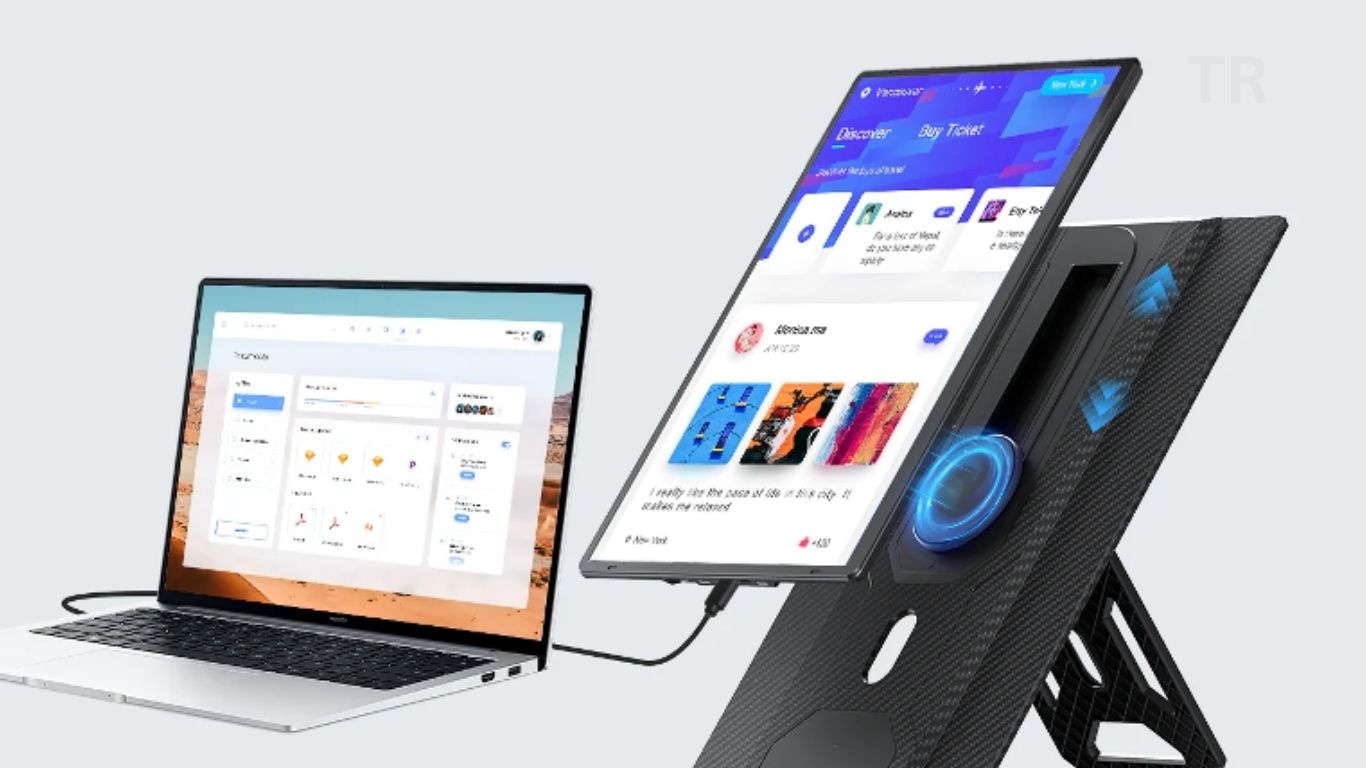
Utilize the Stand Options: The built-in stand of the UMax 24 is height, tilt and rotation adjustable. Use this flexibility to scroll, pan and zoom, and set your control exactly how you want it.
Also able to fold for flexibility, users can pack and set up in seconds, whether using a cafe as an office or working from a hotel while on the road.
Useful Anywhere, Anytime
One of the UMax 24’s highlights is its VESA mounting compatibility and slim, lightweight set-up, so you can use it however you want. Its sleek design let you convert into various working frame. The all-purpose Type-C and HDMI adapters offer total convenience by making it easier to connect laptops, smartphones, gaming devices and other devices to your Dell S-series monitor.
When you move between workstations frequently or simply want to game when you are on the go, the best portable monitor will be lightweight without sacrificing the performance, something that the UMax 24 has no trouble offering.
Why the Best Size Is 24-Inch
Size does matter, when it comes to monitors and viewing distance. A 24-inch display is big enough to maintain side-by-side windows comfortably, but small enough to fit into most compact setups without needing to turn your head or eyes an uncomfortable amount.
The pixel density (PPI — Pixels Per Inch) shall range around 24 inches in 2K which delivers an ideal mixture for text and graphic presentation and keeps above 1080p without systemic scaling, you’ll enjoy every scene in all your videos, games and reading and more.
Useful Tips to Further Minimize Eye Strain
In addition to not slouching and using a desk tripod for holding iPads and iBooks, here are 4 of my favorite tips for preventing eye strain. Other than posture and screen preference, there are steps you can take to reduce eyestrain:
- Practice the 20-20-20 Rule: Every 20 minutes, try to look at something 20 feet away for 20 seconds to rest your eyes.
- Blink Often: When people spend time staring at screens, they tend to blink less, and that can mean dry eyes. Force yourself to blink regularly.
- Utilize Screen Filters: If you’re working in a well-lit room, cut out the glare with an anti-glare filter.
- Change Text Size: Not everyone has the eyes of an eagle. Manually adjust text size from system settings if it is too small.
Applying these habits in concert with a high-resolution monitor, such as the UMax 24, can significantly improve your day-to-day well-being and work output.
Conclusion
Selecting the right viewing distance for a 24-inch portable monitor, such as the UMax 24, is important to avoid eye strain and to ensure peak productivity. Boasting a sweet spot of 23 to 28 inches, 2K resolution, 165Hz refresh rate, FreeSync technology, and low blue light emissions for much more comfortable nightly viewing.
On top of that, with built-in stand, versatile mounts, and various vendors already experimenting with the folding design of the monitor, the UMax 24 is one of the best candidates to be the best portable monitor. Through intentional setup and mindful habits, users can maintain healthier and more enjoyable screen experiences, no matter where they work or play.