 Vipin PG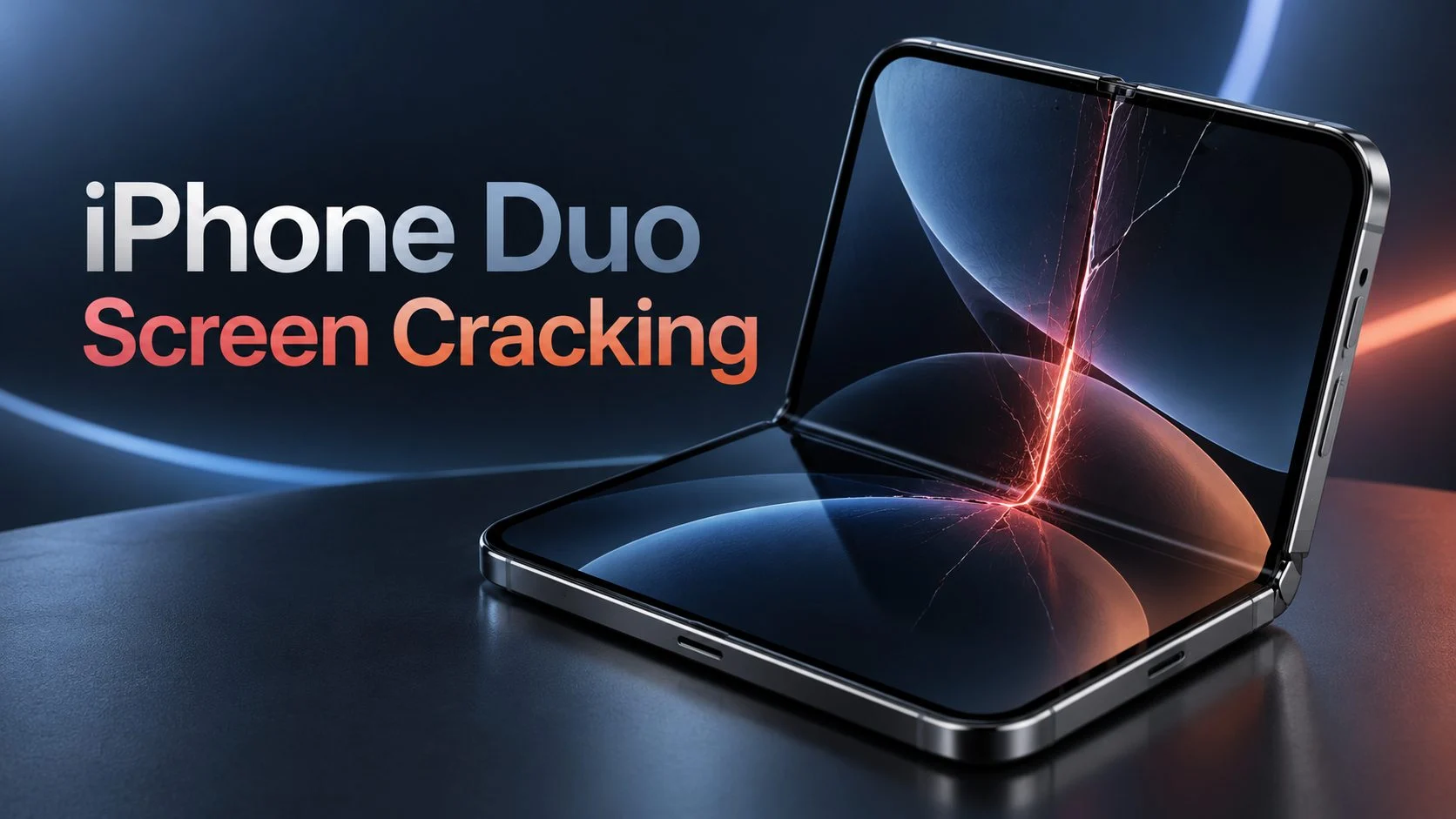
Some iPhone Duo owners have reported cracks appearing on the inner folding screen within hours of setting up their new phones. In several cases, the display developed a bright line or dark patch near the hinge, even though the owner reported no drop or accidental damage. A few users also noticed that the hinge became unusually stiff or made a popping sound shortly before the screen failed.
Apple acknowledged the problem on October 26, 2026, three days after the iPhone Duo went on sale. The company confirmed that a small number of devices were experiencing inner-display issues and advised affected customers to contact AppleCare for a replacement.
For someone dealing with a cracked iPhone Duo screen, the recommended action is to contact Apple for a hardware assessment. A software update or restart cannot repair a physically damaged display. Apple is offering replacements for devices affected by the acknowledged issue, although individual cases still need to be assessed.
The problem has also raised questions about the phone’s hinge design. An investigation by repair specialist iFixit identified several possible mechanical causes, including a central support component that may be putting pressure on the flexible display. Apple has not confirmed the exact cause.
Here’s what has been reported, how to recognize the symptoms, what Apple’s replacement process involves, and what owners should know about warranty coverage and repair costs.
What is happening to iPhone Duo screens?
The iPhone Duo is Apple’s first foldable iPhone. It was announced on September 9, 2026, and released on October 23, with a starting price of $1,999 in the United States and Rs. 2,99,900 in India.
The device has a 5.4-inch outer screen and a larger 7.6-inch flexible OLED display inside. When the phone is unfolded, the inner screen provides a larger viewing area for applications, videos, and multitasking.
Unlike a conventional smartphone, the inner display must bend every time the phone opens or closes. A mechanical hinge supports that movement while keeping the screen properly positioned.
Shortly after launch, some customers began posting photographs of damaged inner screens on Reddit. Several showed cracks near the central fold, with a white or brightly colored line extending from the damaged area.
One owner reported that the screen cracked within six hours of receiving the phone. Another said the device failed during initial setup after only a few folding movements. Both descriptions involved unusual resistance from the hinge.
The similarities attracted attention because the reported damage frequently appeared around the same general section of the folding mechanism.
According to MacRumors’ report on Apple’s response, several affected phones developed cracks along the lower half of the inner display’s central hinge. Owners also described a stuck feeling and, in some cases, a popping noise before the damage appeared.
There is no confirmed total for affected devices. The customer reports establish that the issue exists, but they do not provide enough information to determine how common it is.
Common symptoms of the iPhone Duo screen problem
The damage does not look exactly the same on every reported device. Some owners have visible cracks, while others first notice a line across the screen or a change in how the hinge moves.
Cracks appearing near the central fold
One of the most frequently reported symptoms is a crack near the middle of the inner display, often toward the lower portion of the folding area.
Some photographs show a small damaged section close to the crease, with the surrounding screen still appearing normal. Other devices have more extensive damage.
Owners reporting this problem have sometimes stated that their phones had not been dropped or subjected to any obvious impact.
Although that information is relevant when requesting service, the location of a crack alone does not establish its cause. Apple needs to examine the individual device to determine what happened.
White or colored lines across the inner screen
Another symptom is a bright horizontal line extending from the central fold toward one side of the display.
This can happen when physical damage affects the OLED panel or the electrical pathways controlling its pixels.
An OLED screen contains extremely small electrical connections that control how individual pixels operate. Damage to those connections can leave a line of pixels permanently illuminated, discolored, or inactive.
If the line remains visible on the Home Screen, in Settings, and across different applications, the problem may be related to the display hardware.
A software issue can also affect how a screen displays an image, so a line by itself is not enough to diagnose physical damage. The combination of a new line, a visible crack, and unusual hinge behavior makes a hardware problem more concerning.
Hinge becoming unusually stiff
Some affected users noticed that the phone became harder to fold or unfold shortly before the screen developed damage.
A foldable phone normally provides some resistance when the hinge moves. This helps the device maintain its position when partially opened.
However, a sudden change in resistance, particularly when the phone feels stuck at a certain angle, is worth investigating.
If your iPhone Duo suddenly becomes difficult to open or close, do not force the hinge. Applying additional pressure could make an existing mechanical problem worse.
Popping or cracking sounds
Several owners have described hearing an unexpected pop during a folding movement, followed by a visible display problem.
Not every sound from a hinge indicates damage. The concern is an unusual noise accompanied by sticking, resistance, or a sudden change in the screen’s appearance.
In that situation, stop operating the folding mechanism and arrange an inspection.
Black spots or an unusable inner display
More serious display failures can result in dark patches, damaged pixels, or sections that no longer show an image.
Some owners have reported that the outer screen continues working while the larger inner display becomes partially or completely unusable.
This suggests that the problem may be confined to the flexible display or its related components. It does not necessarily mean that the entire phone has stopped functioning.
Why is the iPhone Duo screen cracking?
Apple has acknowledged the inner-display issue but has not identified a confirmed technical cause.
The most detailed independent explanation comes from iFixit, which examined the phone’s internal construction shortly after launch.
In its October 25 iPhone Duo teardown, iFixit studied the folding screen, hinge mechanism, internal supports, and areas where owners had reported damage.
The investigation identified a possible problem involving the structural components beneath the folding display.
How the iPhone Duo folding display works
A conventional iPhone screen is supported by a rigid structure and remains flat during use. The Duo’s inner display has to bend repeatedly, so its construction is considerably different.
It uses several thin layers, including flexible display materials, protective surfaces, and adhesives that accommodate movement.
When the phone closes, these layers bend around a controlled curve. The hinge and its supporting components must allow enough space for the screen to move without excessive pressure.
Imagine bending a notebook. The pages on the outside of the curve travel farther than those near the inside. If the pages were permanently bonded together, bending them would create considerable stress.
A flexible OLED display faces a similar mechanical challenge. Its layers need to bend together without damaging the display circuitry.
The hinge is designed to control that movement and support the screen when the device is open.
Could the central hinge support be causing the cracks?
One possibility identified by iFixit involves a central support bar beneath the flexible display.
The support structure is intended to move as the phone folds, allowing the screen to bend into the available space.
If a component does not retract far enough, the display may come into contact with a section of the hinge that should normally remain clear.
That contact could concentrate pressure in a small area of the OLED panel.
The possible failure sequence is relatively straightforward:
- The user begins closing the iPhone Duo.
- The hinge components move into their folded positions.
- A supporting component fails to move sufficiently out of the display’s path.
- The flexible screen bends against an area with inadequate clearance.
- Pressure concentrates near the contact point, potentially damaging the display layers or electrical connections.
This explanation is consistent with some reports of a stiff hinge followed by a popping sound and screen damage.
However, iFixit has not established that this mechanism caused every reported failure. Apple’s own investigation has not produced a publicly confirmed diagnosis.
Could a misaligned hinge component be responsible?
The Duo’s hinge contains interconnected mechanical parts that guide the screen through each folding movement.
If one of those components is slightly out of position or does not move as intended, it could interfere with the display’s normal folding path.
For example, a manufacturing or assembly variation might allow the phone to operate normally during its first few folds before resistance develops.
This is one possible explanation for reports involving phones that initially worked and then suddenly became difficult to close.
There is not enough evidence to determine whether a particular component, manufacturing batch, or assembly variation is responsible.
Could dust inside the hinge damage the screen?
Dust is another concern with folding mechanisms because fine particles can enter gaps around moving components.
During its teardown, iFixit used fluorescent powder to examine where particles could travel inside the iPhone Duo.
Although the phone carries an IP68 dust and water resistance rating, the investigation found that some particles reached the hinge and caused a crunching sound during movement.
Interestingly, iFixit found that the Duo’s hinge collected less dust than some competing foldable phones under similar test conditions.
The experiment shows that debris can reach parts of the folding mechanism, but it does not establish dust as the cause of the early cracking reports.
Several owners encountered problems almost immediately after receiving their devices, without any confirmed exposure to sand or other debris.
Is the iPhone Duo screen crease normal or damaged?
A visible crease in a foldable screen is not automatically a defect.
The inner display bends along the central folding area, and the change in its surface can become noticeable under certain lighting conditions.
Apple uses a nano-texture finish to scatter reflections and make the crease less visible during normal use.
During its teardown, iFixit examined this surface under a microscope. The finish consists of tiny rounded structures that spread reflected light, reducing the appearance of the fold.
When iFixit removed the nano-texture layer, the underlying crease became much easier to see.
A normal crease should not cause persistent display lines, black patches, or sudden loss of functionality.
| Normal folding behavior | Possible display damage |
|---|---|
| A subtle crease visible under certain lighting | A visible crack or fractured area |
| Consistent resistance when opening and closing | Sudden stiffness or a stuck hinge |
| All parts of the display show images normally | Permanent white, colored, or black lines |
| No unusual changes near the fold | New bumps, dark patches, or damaged pixels |
| Screen responds normally to touch | Sections of the display stop functioning |
If you notice a new crack, permanent line, or unusual mechanical resistance, contact Apple rather than assuming it is part of the normal crease.
What has Apple said about the iPhone Duo screen issue?
Apple acknowledged the issue on October 26, 2026, following reports from customers whose inner displays had cracked during early use.
In a statement provided to MacRumors and other publications, Apple confirmed that it was aware of a problem affecting the inner display on a small number of iPhone Duo units.
The company instructed affected users to contact AppleCare for a replacement.
According to Reuters’ coverage of Apple’s response, affected units tend to develop the problem relatively quickly.
Apple has not disclosed how many phones are affected, whether specific production batches are involved, or whether the issue requires a hardware design change.
The company has also not announced a recall.
For owners whose devices have developed the reported symptoms, Apple’s current guidance is to arrange a replacement assessment through AppleCare.
How to fix an iPhone Duo with a cracked inner screen
If your iPhone Duo has developed a crack or permanent display line near the hinge, contact Apple for service. There is no verified home repair for this problem.
Before submitting the phone, a few practical steps can help protect the device and make the service process easier.
Step 1: Stop folding the phone if the hinge feels stuck
If the hinge becomes unusually stiff, makes a popping noise, or feels obstructed, avoid opening and closing the device repeatedly.
Do not press on a raised section near the crease or attempt to straighten the hinge.
If the screen is already damaged, leave the phone in a stable position until Apple can assess it.
Step 2: Check and document the display damage
Examine the screen without forcing the hinge through additional movements.
Look for visible cracks, permanent bright lines, dark spots, or unusual changes near the central fold.
Take photographs showing the damaged area. If the problem appeared after the hinge became stiff or made a sound, record that information as well.
It is useful to note when the problem first appeared and whether the device experienced any drop or impact.
These details can help explain the issue when speaking with Apple Support.
Step 3: Back up your data if the phone is usable
If the device is safe to operate and the display still works, create a backup before sending it for service.
For iCloud Backup, open Settings, select your Apple Account, go to iCloud, and open iCloud Backup. Use the available backup option to save your data.
You can also back up the phone using a supported Mac or Windows computer.
If the damaged display prevents you from accessing the backup settings, do not force the phone open just to complete the process.
Tell Apple Support about the condition of the display and ask what options are available.
A replacement phone may not contain information stored only on the original device, so a recent backup is important.
Step 4: Contact Apple Support
Visit the official Apple iPhone repair and service page or open the Apple Support app.
Select your iPhone Duo and explain the symptoms.
For example, if the inner display developed a crack during normal folding without being dropped, describe exactly what happened. Mention any unusual hinge resistance or popping sound you noticed.
You can also refer to Apple’s October 26 acknowledgment and request an assessment under the reported inner-display issue.
Apple may offer an appointment at an Apple Store, service through an authorized provider, or a mail-in option, depending on your location.
Step 5: Request a replacement assessment
Apple has specifically advised customers affected by this issue to contact AppleCare for a replacement.
Several early owners have reported receiving replacement devices after contacting Apple.
However, the exact arrangements depend on the individual device, service location, and availability of replacement stock.
Ask whether the phone qualifies for a no-cost replacement under the acknowledged issue.
If the service representative identifies the problem as accidental damage, request an explanation of the assessment and the coverage terms being applied.
Step 6: Confirm the replacement arrangements
Before submitting the device, confirm whether Apple will replace the entire phone, whether your existing data must be erased, and whether any temporary payment authorization is required.
Some early owners reported receiving immediate replacements at Apple Stores. Others experienced delays because the necessary model was not available.
If Apple arranges an express replacement, ask about any authorization hold and the deadline for returning the original device.
Once the replacement arrives, complete the normal setup process and check that the display and hinge operate smoothly.
Will Apple replace a cracked iPhone Duo screen for free?
Apple has confirmed that affected customers should contact AppleCare for a replacement. Reports from early owners indicate that some devices have already been replaced without a repair charge.
Free replacement eligibility still depends on Apple’s assessment of the individual phone.
If the screen failed during ordinary use without a drop or external impact, explain those circumstances and request evaluation under the acknowledged issue.
Accidental damage is treated differently. A screen damaged by a fall, crushing force, or another external incident may be subject to the normal service fees.
You do not necessarily need AppleCare+ to report a possible manufacturing defect.
Apple’s standard limited warranty covers qualifying manufacturing issues, while AppleCare+ provides additional coverage for eligible accidental damage under the terms of the plan.
Apple explains these distinctions on its official repair and warranty page.
How much does iPhone Duo screen repair cost?
The inner display is one of the most expensive components to repair on the iPhone Duo.
Apple’s published US repair estimates put out-of-warranty inner-display damage at $999. With applicable AppleCare+ accidental damage coverage, the reported service fee is $99.
In India, the reported out-of-warranty inner-display repair price is Rs. 1,49,900.
These figures apply to standard chargeable repairs. They should not be confused with Apple’s replacement response for devices confirmed to be affected by the acknowledged display issue.
| Repair type | US out-of-warranty estimate |
|---|---|
| Inner display damage | $999 |
| Outer display damage | $379 |
| Cover layer damage | $49 |
| Back glass damage | $199 |
| Battery service | $229 |
| Other damage | $1,499 |
The published estimates were detailed in MacRumors’ report on iPhone Duo repair fees. Regional prices and service conditions may differ.
Apple must inspect the device before confirming the final fee. Taxes, shipping, and authorized service provider charges may also affect the amount.
If the damage appeared during normal use, contact Apple for a warranty assessment before agreeing to a paid display replacement.
Can you repair the cracked iPhone Duo screen yourself?
Repairing the inner display at home is not recommended.
The flexible OLED panel contains delicate layers and electrical connections, while the hinge uses closely fitted mechanical components.
Accessing the display requires careful disassembly, specialized tools, and an understanding of the folding mechanism.
There is also a possibility that the display damage is being caused by another internal component. Replacing the screen without addressing that component could leave the original problem unresolved.
Do not attempt to fix the damage by pressing the crease, heating the screen, applying adhesive, or manipulating the hinge.
A software reset will not reconnect damaged display circuitry, and a screen protector cannot repair an internal OLED fracture.
If the phone qualifies for replacement under Apple’s acknowledged issue, attempting a home repair could also complicate the subsequent service assessment.
What did iFixit find about iPhone Duo repairability?
Despite the concern surrounding the inner display, iFixit’s teardown found several improvements in the Duo’s repair design.
The repair specialist gave the phone a provisional repairability score of 5 out of 10, the highest it had assigned to a foldable smartphone at that point.
Some components are easier to access than those in older foldable designs.
For example, the Duo uses electrically releasable battery adhesives, which make battery removal more straightforward. The outer display can also be removed without necessarily damaging the surrounding assembly.
Apple also made a repair manual available when the phone launched.
The inner display and hinge remain difficult to service, however. Their construction involves several interacting parts, flexible cables, and delicate display layers.
Repairability is particularly important for a device with an expensive folding panel. Even when a component can technically be replaced, the cost and complexity of the repair may still be substantial.
The full mechanical examination, including images and an interactive view of the hinge structure, is available in iFixit’s teardown report.
What are affected iPhone Duo owners saying?
The earliest accounts came from owners posting their experiences shortly after receiving the phone.
In one Reddit discussion about a screen cracking within six hours, the owner described a sudden change in hinge resistance followed by display damage.
Another user reported that the phone failed before the initial setup was complete. The account described the hinge becoming tight after a few folds, followed by a popping sound and visible damage.
Other reports describe a permanent white line, a black section of the inner screen, or a bump around the fold.
Reddit users also created a dedicated discussion thread for the cracking reports, where owners have shared their symptoms and service experiences.
These accounts help identify recurring symptoms, but they cannot establish the overall failure rate.
People experiencing a problem are generally more likely to post about it than owners whose phones are functioning normally. Individual reports also differ in how much information they provide about the device’s condition before failure.
For now, the accounts are most useful for understanding how the problem develops and what customers have experienced when requesting service.
Is the iPhone Duo screen cracking issue widespread?
Apple says the issue affects a small number of devices. It has not published the total number of confirmed failures or the percentage of units affected.
Independent reports show that several customers encountered similar damage shortly after launch, but those cases cannot be used to calculate a reliable failure rate.
The recurring location of the cracks is one reason the issue has received attention from hardware investigators.
In its October 28 investigation, The Verge examined the possible relationship between the reported screen damage and the hinge’s internal support structure.
The investigation discussed how contact between a moving hinge component and the flexible display could produce concentrated stress.
Further examination is needed to determine whether the problem is limited to a particular component or production batch, or whether the hinge design itself needs modification.
Has Apple recalled the iPhone Duo?
Apple has not announced an iPhone Duo recall as of October 28, 2026.
The company’s current response is to provide replacement service for devices affected by the recognized inner-display issue.
A recall would involve a broader corrective program with defined eligibility and instructions. Apple has not announced such a program.
Owners whose phones are working normally have not been instructed to stop using them.
If your device develops the reported symptoms, contact Apple Support rather than waiting for a possible future recall.
Can an iOS update fix the iPhone Duo display problem?
A software update cannot repair physical damage to the OLED panel or hinge.
Updates can correct software problems that affect screen brightness, image rendering, or interface behavior. They cannot restore broken electrical connections or repair cracks in the display layers.
If the screen is black but shows no visible physical damage, ordinary troubleshooting may still be appropriate.
However, if a permanent line appeared immediately after the hinge became stuck or made a cracking sound, hardware service is the more appropriate next step.
Repeated restarts, factory resets, or software updates should not be used as substitutes for inspecting a visibly damaged screen.
How to reduce the risk of iPhone Duo screen damage
Apple has not confirmed the cause of the early failures, so there is no verified handling method that can guarantee prevention.
Some precautions are still sensible for any phone with a folding display.
Avoid forcing the hinge
If the folding movement suddenly feels different, stop using the hinge. Do not apply additional pressure to overcome resistance.
Keep objects away from the inner screen
Before closing the phone, make sure there are no hard objects trapped between the two halves. Small objects can concentrate pressure on the flexible panel.
Do not press directly into the crease
Avoid pressing, scratching, or deliberately testing the folding region. There is no benefit to applying extra force to the display.
Keep the hinge away from sand and grit
Fine particles can interfere with closely fitted mechanical parts. Although the Duo has an IP68 rating, iFixit’s testing showed that some debris could still reach the hinge.
Leave factory-installed display layers in place
Do not attempt to remove a layer from the inner display because it resembles an ordinary screen protector.
If the surface begins lifting or appears damaged, contact Apple before trying to remove or replace it.
Use accessories designed for the phone
A poorly fitting case or accessory could interfere with folding or apply unwanted pressure near the hinge.
A suitable case may help protect against some external damage, but it cannot prevent every possible internal mechanical failure.
Should you buy the iPhone Duo while the issue is being investigated?
The reported failures are worth considering, particularly because the inner screen is expensive to repair outside warranty coverage.
At the same time, there is no evidence that all iPhone Duo devices will develop the problem.
Apple describes the affected population as small, and many owners have reported normal operation.
If you already own the phone and have not experienced any problems, continue using it normally while paying attention to unexpected changes in the hinge or display.
For buyers considering the device, checking the return policy, service availability, and AppleCare+ terms is sensible.
Those who prefer to avoid uncertainty around new hardware may choose to follow Apple’s response and further durability reports before purchasing.
Frequently asked questions
Why did my iPhone Duo screen crack without dropping it?
Some owners have reported cracks developing during ordinary folding, without any apparent impact. A mechanical problem involving the hinge or display support is one possible explanation. Apple has acknowledged an inner-display issue but has not confirmed its exact cause. Contact Apple for a hardware assessment.
What should I do if my iPhone Duo hinge makes a popping sound?
If the sound is unusual or accompanied by stiffness, stop folding the phone. Check for visible damage without forcing the hinge and arrange service if the problem persists.
Will Apple replace my cracked iPhone Duo screen for free?
Apple is offering replacements for devices affected by the acknowledged issue. Whether your phone qualifies for a no-cost replacement depends on Apple’s assessment and the applicable service terms.
Do I need AppleCare+ for a replacement?
AppleCare+ is not necessarily required to request service for a suspected manufacturing defect. Apple’s limited warranty covers qualifying manufacturing issues, while AppleCare+ provides additional coverage for eligible accidental damage.
How long does an iPhone Duo replacement take?
Replacement timing depends on the service location and availability of the required model. Some early owners received replacements at Apple Stores, while others reported waiting for stock. Apple Support can provide the applicable service arrangements.
Can restarting the iPhone Duo remove a white line?
A restart may resolve a temporary software-related display problem. A line caused by physical damage to the OLED panel will not disappear through a restart or software update.
Is the crease on the iPhone Duo display normal?
A subtle crease can be part of normal folding behavior. A visible fracture, permanent bright line, new black patch, or change in hinge movement should be examined.
Is it safe to continue using an iPhone Duo with a cracked screen?
Avoid further folding or unnecessary use if the screen is physically damaged or the hinge feels obstructed. Arrange service. If the device becomes unusually hot, swells, or shows signs of battery damage, stop using and charging it and seek professional assistance.
Has Apple confirmed a faulty hinge design?
No. iFixit identified a possible problem involving the central hinge support, but Apple has not confirmed that explanation. The exact cause remains under investigation.
Will every iPhone Duo eventually develop screen cracks?
There is no evidence supporting that conclusion. Apple says a small number of devices are affected, and the long-term failure rate is unknown.
Can a third-party repair shop fix the inner display?
Repair specialists may be able to replace damaged components, but the flexible display and hinge are complicated and expensive to service. Because Apple has acknowledged the issue, contacting Apple before paying for a third-party repair is recommended.
Can I get a refund instead of a replacement?
Apple’s public response specifically offers replacement service for affected devices. Refund eligibility depends on the purchase terms, return period, local consumer protections, and the circumstances of the individual case.
Final thoughts
The iPhone Duo screen-cracking reports began almost immediately after the phone reached customers. Several affected owners described similar damage near the central fold, sometimes preceded by unusual hinge resistance or a popping sound.
Apple has acknowledged an inner-display issue affecting a small number of units and is directing affected customers to AppleCare for replacements.
iFixit’s teardown provides a possible mechanical explanation involving the hinge’s support structure, although the exact cause remains unconfirmed.
If your iPhone Duo develops a crack, permanent display line, or unusual hinge resistance, avoid forcing the mechanism and contact Apple for an assessment. Repairing the inner screen yourself is unlikely to be practical, particularly while Apple is offering replacements for confirmed cases.
The total number of affected devices and the long-term implications for the hinge design are still unknown. Apple’s replacement policy is currently the most useful information for owners dealing with the problem.
Information reviewed on October 28, 2026. Replacement availability, repair estimates, and Apple’s service guidance may change.