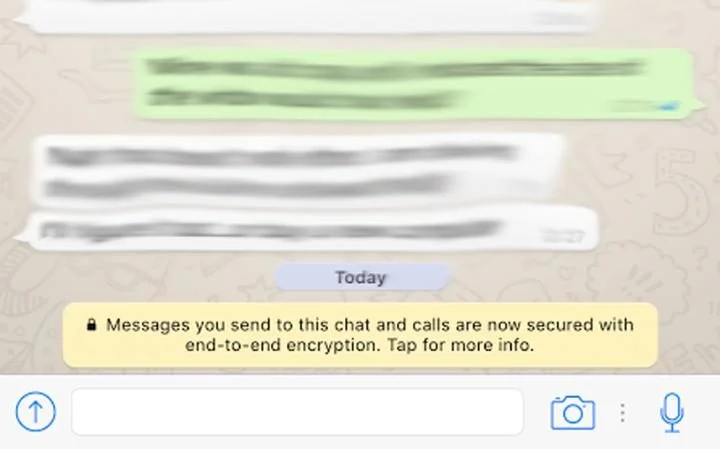
"Message you send to this chat and calls are now secured with end-to-end encryption. Tap for more info."
"This is because your messages are secured with a lock, and only the recipient and you have the special key needed to unlock and read them," Whatsapp says.
"All of this happens automatically: no need to turn on settings or set up special secret chats to secure your messages," the company adds.
How to verify if someone is trying to spy on your conversation?
Well, the latest version of WhatsApp mobile application offers you an option to verify the keys of the other users with whom you are communicating, ensuring prevention from the man-in-the-middle attack. Whatsapp key verification can be done by scanning a QR code, or by comparing a 60-digit number, under newly introduced "verify security code" option in the WhatsApp.
"WhatsApp users can opt in to a preference which notifies them every time the security code for a contact changes."
Steps in Verifying
Please note, the following step is just to verify that end to end encryption is working fine, its not a mandatory thing to do the below step. Even if you are doing or not doing the step doesn't means that your encryption is on or off. The encryption is enabled to all users by default. No need to do enable or disable from user side.
- If your private chat with any person, say James, shows the notification message saying "Message you send to this chat and calls are now secured with end-to-end encryption. Tap for more info." click on that message
- It will open a popup showing verify. click on the verify button.
- Next window will show you a QR code with some number as shown in the screenshot above. The windwow will have a Scan Now button at the bottom.
- Click on the scan now button, it will open your camera to scan the QR code of your contacts phone ie here James's Phone, Do the same thing in James phone too to get the QR code, and scan the QR code using your phone from James phone, here the problem is that both phones should be near to each other.
- In that case, we need to send the screenshot of QR code to James so that he can scan the QR code from distant place.
- In order to do that, in the QR code page above click on the share Icon on the top (at the step 3) and send the QR code to James through any way, email, whatsapp, etc. The other person, say James will download the file and scan. when both person scan the QR code, the verification will complete.
- Here also one limitation is there. in order to scan the QR code, you need to copy the file in another system like PC, TAB, or other phone, so that you can scan it using your phone.
- Other than the above method you can verify simply by comparing the numbers show with other end user, each end user in your account will have separate number, that you can compare with the number shown in their phone too