Deploying a Software-Defined Networking infrastructure moves the operational focus from individual edge devices to a centralized management plane. Edge switches and wireless access points keep their provisioned configurations and forward packets on their own, but advanced infrastructure features need a persistent command state. Things like captive portal authentication, dynamic VLAN assignments via RADIUS, and seamless client roaming using IEEE 802.11k/v/r protocols stop working immediately if communication with the core orchestrator breaks.
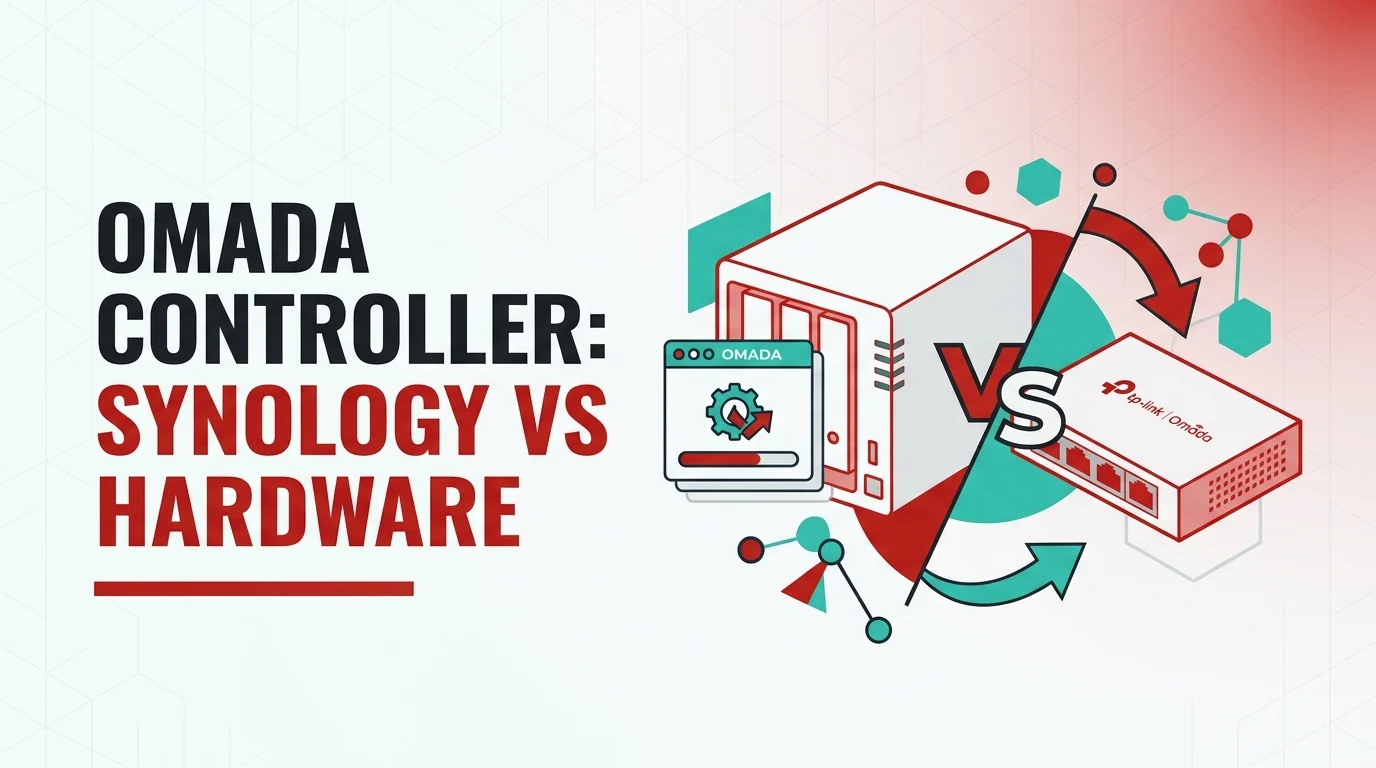
Network administrators face a fundamental architectural choice when designing this control plane within the TP-Link Omada ecosystem. The main decision is whether to isolate the controller on dedicated, low-power micro-appliances like the OC200 or to virtualize the workload on existing x86_64 storage arrays, specifically by running a Docker container on a Synology NAS. Operating this infrastructure daily shows that this choice affects the operational speed of the interface, how vulnerable the switching fabric is to circular dependencies, the pace of firmware upgrades, and the absolute ceiling of device scalability.
The Omada control software is a heavy Java-based application running on a MongoDB database backend. This architecture needs sustained memory allocation to maintain the Java Virtual Machine heap, plus high-speed random-access storage to process the continuous flow of client telemetry, Deep Packet Inspection statistics, and event logs. The physical differences between embedded ARM silicon and virtualized x86 compute power create massive performance variations when running these identical database workloads.
Evaluating Dedicated Hardware Controllers
Dedicated hardware represents the turnkey deployment method, designed to operate headlessly within network racks and distribution enclosures. These micro-appliances rely on custom System-on-Chip ARM architectures bound to embedded MultiMediaCard flash storage. The entry-level OC200 uses a Quad-Core ARM Cortex-A53 processor clocked at 2.0 GHz, supported by 2 GB of DDR4 RAM and 8 GB of eMMC storage. Global supply chain constraints forced hardware revisions, resulting in the OC200 v2 using a Dual-Core A53 at 1.2 GHz before reverting to quad-core variants in v3, though TP-Link custom-compiles the firmware to equalize baseline routing performance across these silicon variations.
The OC300 targets mid-market enterprise deployments with a robust Quad-Core ARM Cortex-A72 processor clocked at 1.2 GHz. Despite the upgraded processing capability, it keeps the identical 2 GB DDR4 RAM and 8 GB eMMC storage parameters found in the smaller unit. The ARM processors provide adequate compute overhead for steady-state background operations, but the embedded eMMC storage presents a severe bottleneck during intensive database writes. Administrators managing dense networks experience UI latency, frozen topology pages, and delayed response times when triggering batch firmware upgrades across dozens of access points.
This storage bottleneck becomes particularly disruptive during automated backup routines. Configuring the OC200 to retain one year of historical client telemetry often results in localized lockups. The device stalls for up to an hour without actively collecting new data during the backup compilation. Mitigating this IOPS limitation requires aggressively pruning the MongoDB database retention policies, typically restricting historical data logs to a seven-day rolling window to preserve UI responsiveness on the embedded hardware. Moving heavy analytical processing off localized hardware and into cloud-based management architectures offers an alternative, but introduces recurring licensing fees that negate the economic advantage of local hardware.
Scalability Ceilings and Power Topologies
Hardware controllers enforce hard limitations on device scalability to prevent catastrophic memory exhaustion within the fixed 2 GB envelope. The OC200 is officially rated to manage up to 130 total devices—broken down as 100 Omada access points, 20 JetStream switches, and 10 Omada routers. Official engineering parameters strictly note the unit is recommended for managing 25 devices to ensure a consistently responsive administrative experience. Pushing the OC200 toward its absolute 100-device limit causes severe degradation, particularly when traffic heuristics and client tracking are heavily utilized.
The OC300 significantly expands this capacity, supporting the centralized management of up to 500 access points, 100 switches, and 100 routers to accommodate up to 15,000 concurrently connected clients. Despite the increased device ceiling, the identical 8 GB eMMC module makes it equally susceptible to database bloat if the aforementioned telemetry retention policies aren’t carefully managed.
The primary operational advantage of the dedicated OC200 micro-appliance lies in its power delivery mechanism. The unit consumes a maximum of 11.2 Watts when actively powering an external USB device, dropping to just 3.5 Watts in standard operating conditions. It natively supports IEEE 802.3af/at Power over Ethernet, drawing power directly from the switching infrastructure it manages. Deploying the unit via PoE introduces specific physical quirks. When powered via the rear micro-USB connector rather than a PoE switchport, the front-facing USB Type-A port—intended for local configuration backups to removable flash media—is entirely disabled due to internal power plane restrictions. The OC300 abandons PoE support entirely in favor of an internal 100-240V AC power supply drawing up to 14.8 Watts, upgrading the backup interface to USB 3.0.
Data last verified: April 2026
| Hardware Appliance | Processor Architecture | RAM & Storage | Recommended Topology | Maximum Capacity | Power Mechanism |
|---|---|---|---|---|---|
| OC200 | ARM Cortex-A53 | 2 GB DDR4 / 8 GB eMMC | 25 Devices | 130 Devices | 802.3af/at PoE / Micro-USB |
| OC300 | ARM Cortex-A72 | 2 GB DDR4 / 8 GB eMMC | Unspecified | 700 Devices | 100-240V AC Internal |
Architecting the Virtualized Synology Deployment
Deploying the software controller bypasses the rigid computational constraints of embedded hardware. Using a Synology NAS running Container Manager allows administrators to allocate vast reserves of x86_64 CPU cycles and high-speed storage arrays to the Java payload. The containerized approach natively supports enterprise scaling, managing massive deployments that far exceed the hardcoded limits of the OC300.
The execution path relies heavily on the community-maintained Docker repository hosted by mbentley. This specific image packages the proprietary TP-Link Linux binaries alongside MongoDB and the OpenJDK Java Runtime Environment into an isolated container. Synology appliances using Btrfs file systems distributed across redundant mechanical hard drives or NVMe SSD cache tiers provide exponential increases in Input/Output Operations Per Second compared to eMMC flash memory. UI navigation, topology map rendering, and local backup compilation occur nearly instantaneously. The storage speed ensures one-year data retention policies process seamlessly without triggering application lockups.
The transition to virtualization introduces severe penalties regarding active memory consumption. The JVM instance and the companion MongoDB database are highly aggressive regarding RAM utilization. A Synology Docker deployment routinely consumes between 600 MB and 2.5 GB of system RAM in a steady state, even when managing a minimal topology of fewer than ten edge devices. The application expands to consume the memory allocated to it by the host environment.
Java Heap Tuning and Stability
Administrators running the container often encounter Out of Memory fatal errors, resulting in Docker Exit Code 137, where the Synology host forcefully terminates the container to protect the underlying hypervisor. Resolving this instability demands rigorous manipulation of the Java heap configuration parameters mapped within the Docker Compose environmental variables. Applying specific memory limits via the -Xms initial heap size and -Xmx maximum heap size flags restricts the memory footprint.
Setting -Xms512m and -Xmx1024m generally provides a stable operating baseline for mid-market environments, preventing the Java environment from spiraling into resource exhaustion while maintaining adequate caching for interface responsiveness. Implementations running controller versions 5.4 or higher on amd64 architectures use the OpenJDK 17 environment, which introduces native performance optimizations and highly efficient memory management handling, reducing the frequency of CPU spikes associated with legacy garbage collection routines.
Unlike hardware units, the software instance dynamically scales according to physical resources. Official technical parameters dictate that managing 1,500 devices requires a minimum of an Intel Core i3 8100 processor accompanied by at least 6 GB of dedicated RAM. Administrators managing exceptionally large domains can bypass default software limits by executing manual overrides within the persistent storage volumes. Modifying the omada.properties file located in the core properties directory allows adjustment of the max.device integer.
Altering this parameter from its baseline up to max.device=10000 allows a single instance backed by enterprise Synology hardware to manage up to 10,000 distinct endpoints. Such modifications drastically increase the MongoDB transaction load and Java heap requirements, necessitating external monitoring through virtual CISO service frameworks or centralized Grafana dashboards to track the core temperatures and memory saturation of the storage array.
Storage Persistence Mechanics
Containerized applications are ephemeral by design. Any data written directly to the internal file system is permanently destroyed upon restarting or upgrading the image. Sustaining the infrastructure requires explicitly mapping persistent volume bind mounts from the Synology host operating system into the internal directory structure. A production-grade deployment mandates the creation of three distinct directories.
The /opt/tplink/EAPController/data path houses the database, cryptographic keys, and core configurations. The /work path functions as the active caching directory for temporary files generated during portal rendering, while the /logs path stores historical event logs and daemon execution records. Setting proper read and write permissions on these external folders requires navigating daily administrator workflows via SSH to assign the correct PUID and PGID values corresponding to the Synology Docker user account.
Upgrading involves halting the existing container, pulling the latest major or minor release tag, and instantiating a new container against the identical persistent data volumes. The new application automatically triggers a database schema migration script upon initial execution, converting the legacy data structure to match the requirements of the updated software payload.
Topographical Risks and Circular Dependencies
Virtualizing network infrastructure on a storage array introduces severe topological risks regarding the operational sequence of the hardware. A dedicated controller like the OC200 resides as a distinct, isolated client. If the local switching fabric fails, or misconfigured VLAN tags isolate the device, an administrator unplugs the unit, moves it to a known-good switch port, and regains access to the management plane instantly.
Deploying deploying via Container Manager often creates a severe circular dependency. The Synology NAS physically connects to a managed switch, which provides its connection to the rest of the network. That specific switch relies on the controller running inside the NAS to receive its VLAN configurations and port assignments. If an administrator accidentally deploys an invalid switchport profile, applies a corrupted Access Control List, or initiates a firmware update that fails, the switch drops the VLAN trunk leading to the NAS.
The NAS loses network connectivity, instantly taking the control plane offline. Because edge devices locked to a central controller disable their local web interfaces to enforce security protocols, the administrator can’t log into the switch directly to fix the port. At the same time, the administrator can’t log into the centralized interface to push a corrected configuration because the software is unreachable. Breaking this deadlock requires physical intervention, hard-resetting the switch via a paperclip to its factory default state, bypassing the managed topology to restore connectivity, and allowing the software to re-adopt the hardware from scratch.
Administrators operating Docker instances must construct deliberate out-of-band management strategies. Implementing Link Aggregation Control Protocol across multiple physical Network Interface Cards on the storage array and mapping one interface to a statically defined management VLAN that remains entirely isolated from the Omada provisioning system ensures continuous access to the Docker daemon regardless of the switching fabric state.
Device Adoption and Subnet Routing Mechanics
The physical location of the control software heavily influences how newly integrated access points and switches locate the management plane. SDN platforms identify unmanaged hardware via two distinct methodologies encompassing Layer 2 broadcast discovery and Layer 3 routed discovery.
A hardware appliance connected directly to the primary management subnet uses native Layer 2 discovery. Unadopted equipment automatically broadcasts its presence via User Datagram Protocol port 29810 across the local network segment. The controller detects these broadcasts and immediately populates the pending list within the graphical interface, allowing for single-click adoption and provisioning. Establishing local admin credentials upon adoption requires implementing deterministic site-specific passwords to ensure physical console access remains secure if the devices are ever severed from the control plane.
A Synology NAS running a container alters this protocol flow based on the network mode. If the mode is configured as a standard bridge, the application resides on an isolated internal subnet generated by the Docker daemon. Layer 2 broadcast packets transmitted by new edge hardware terminate at the Synology’s primary NIC and never traverse the bridge into the container environment. As a result, the interface remains blank and fails to dynamically discover new hardware.
Resolving discovery failures requires deploying the container using the host network mode. Host networking bypasses the internal routing table entirely, binding the Java application directly to the primary IPv4 address of the NAS. This allows the software to intercept UDP 29810 broadcasts natively. If host networking conflicts with other active services on the storage array—such as a conflicting web server occupying TCP port 8043—administrators must use Layer 3 adoption techniques.
Layer 3 adoption requires configuring the upstream router’s Dynamic Host Configuration Protocol server to inject Option 138 into the leases provided to the infrastructure hardware. Option 138 explicitly defines the IP address of the NAS, instructing the edge hardware to target the container directly over the routed network. Alternatively, creating a localized Domain Name System A-record resolving tplinkeap.net to the server’s IP address forces access points to automatically resolve and connect to the software regardless of their physical location in the network hierarchy.
Firmware Fragmentation and Migration Strictness
Maintaining security compliance and unlocking advanced routing features demands strict adherence to the vendor’s firmware release cycle. The ecosystem exhibits a highly fragmented rollout schedule across its diverse execution platforms. The core software binaries for Linux receive primary development focus, typically reaching the public repository before any embedded variants.
Following the release of the official Linux packages, community maintainers quickly update the container images, making the latest version available to NAS users within days. Hardware units experience severe delays in their firmware pipelines. Adapting the core Java codebase to operate within the strict limitations of the ARM architecture and testing the payloads against the OC200 bootloaders delays availability by weeks or months. An administrator operating a virtualized instance accesses bug fixes and security patches significantly faster than one relying on embedded hardware.
This disparity in release schedules creates massive operational friction when attempting to migrate a network from an OC200 to a Synology NAS, or vice versa. The architecture mandates absolute version parity during the configuration restoration process. Migration is supported exclusively when importing a configuration file from a source sharing the exact Major.Minor.Patch version integer string. A configuration exported from hardware running version 5.15.24.20 fundamentally fails to import into a container running version 5.15.24.18.
Because hardware firmware releases don’t align sequentially with software tags, administrators often find themselves trapped on a specific platform. Migrating an existing deployment demands halting automatic updates, manually monitoring the repository release tags, and executing the transition exclusively during the brief overlapping windows where the hardware firmware and the available Docker image share an identical internal build number. Bypassing this restriction requires standing up a secondary, parallel software instance aligned to the specific legacy version of the hardware appliance, executing the import, and subsequently applying standard container updates to pull the new database up to the current release branch.
Database Anomalies and Analytics Accuracy
The transition to a virtualized environment isn’t entirely free of software anomalies. The data aggregation subsystem behaves inconsistently when isolated within a Docker execution environment interacting with underlying Btrfs arrays. Administrators operating high-availability servers often report severe discrepancies within the client statistics and data usage insights module.
The database periodically injects corrupted mathematical conversions into the graphical interface, displaying entirely unrealistic client bandwidth consumption figures. Basic network appliances monitored by a Docker-based controller occasionally report having downloaded over 28 Petabytes of data within a standard operational window. These statistical artifacts isolate directly to the application layer processing the traffic heuristics; the edge switches and access points continue to route actual packets normally at precise gigabit line rates.
Wiping the historical database temporarily clears the interface, but the integer overflow anomaly routinely reasserts itself as the logs begin to scale. Dedicated hardware micro-appliances natively calculate these specific floating-point telemetry metrics without triggering the scaling bug, making the OC200 and OC300 superior platforms for environments demanding strictly accurate long-term bandwidth auditing.
Strategic Infrastructure Placement
The execution environment ultimately forces a compromise between monolithic consolidation and appliance segregation. Deploying the control plane via Docker on a Synology array represents the apex of raw navigational speed. The vast differential in single-core performance ensures that complex topological rendering and database pruning execute instantaneously. Operating a dedicated hardware appliance prioritizes physical network stability through isolation, exchanging raw database speed for absolute topological resilience against circular VLAN lockouts. Recognizing the precise computational thresholds where embedded storage begins to choke the interface determines the exact temporal marker when an infrastructure must graduate to a virtualized container.