Short-form video looks simple from the outside, but in practice, I keep running into the same problem: the idea is good, the visual is usable, and the pacing almost works — yet the clip ends too early. That “almost” matters. A short video that cuts off a beat too soon usually feels unfinished, even when the source material itself is fine.
I started paying more attention to this when testing different AI video workflows for social content. In many cases, I did not need a new shoot, a new concept, or a more complicated edit. I just needed a little more room for the motion to breathe. That was the point where tools built around an AI video extender free workflow began to make practical sense to me, not as a gimmick, but as a way to make a short clip feel structurally complete.
What surprised me most was how often this also connected to dance-style content. Once motion becomes the focal point, the difference between an awkwardly short clip and a satisfying one becomes even more obvious. That is where AI starts to feel less like a novelty and more like a useful creative assistant.
Why short-form creators constantly run into clip length problems
I have seen this across product clips, character edits, dance loops, and simple motion tests: the source material is usually not the real problem. More often, the problem is timing.
A short clip may show the start of a movement but not the finish. A character turns, but the viewer never gets the visual pause that makes the movement land. A dance moment begins with energy, yet the sequence ends before the rhythm feels complete. Even a one-second gap can affect how polished the final video feels.
That is why creators often say a video looks “fine” but still does not feel right. In my experience, that feeling usually comes from incomplete pacing rather than bad visuals.
What an AI video extender actually helps with in practice
The biggest misunderstanding I see is the idea that extending a clip is only about making it longer. For me, the value is different. It is about creating enough visual space for the shot to settle into its own rhythm.
When I work with short-form assets, I usually want one of these outcomes:
- a smoother ending
- a more natural movement arc
- enough extra duration for captions, transitions, or music timing
- a cleaner loop for social posting
That sounds small, but those details often decide whether a clip feels disposable or publishable.
Here is the way I usually think about it:
| Problem in the source clip | What I try to improve |
| abrupt ending | add a more natural visual finish |
| movement starts too late | give the action more readable buildup |
| no room for text or transition | create extra usable screen time |
| loop feels harsh | soften the visual reset |
This is why extension tools are especially useful for people who do not want to rebuild the whole edit from scratch. I have found them most helpful when the base material is already close to working.
Why dance content works especially well with AI generation
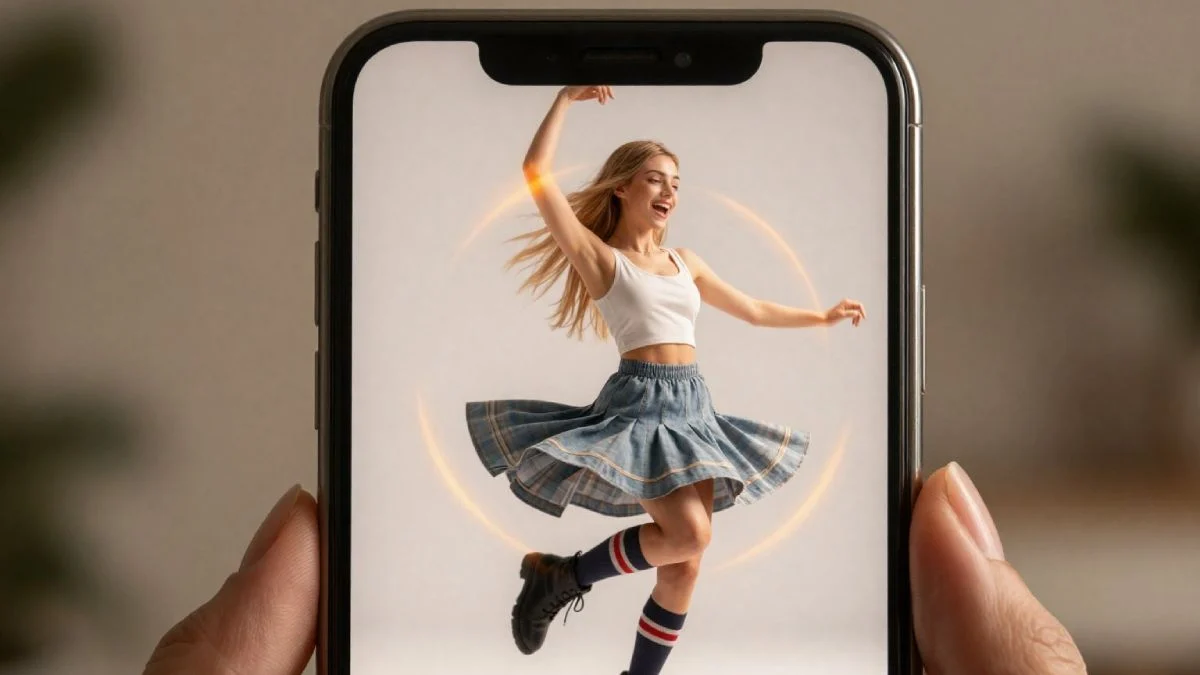
Dance content tends to expose pacing problems very quickly. A still portrait can get away with minimal motion. A dance-focused visual cannot. The movement has to carry attention, and the viewer notices instantly when the motion feels cut off, stiff, or incomplete.
That is also why I think an AI dance generator has become such a practical category. It gives creators a way to turn a simple visual idea into something with stronger rhythm and clearer watchability. From a content perspective, that matters more than people sometimes admit. A dance clip does not need a complex story to work. It needs motion that reads clearly, a subject that holds attention, and enough continuity to feel satisfying.
I have seen this work particularly well in three cases:
- turning a static character image into a short performance-style clip
- giving a casual portrait a more social-friendly format
- testing entertainment-focused content ideas without a full production setup
Once I started looking at it this way, dance generation stopped feeling like a niche trick. It became one of the most readable formats in AI-assisted motion content.
A lightweight workflow for turning one idea into multiple outputs
The workflow I keep coming back to is very simple.
I start with one image or one short clip that already has a clear subject. That part matters. If the subject is weak, no tool is going to save it. After that, I decide whether the main issue is pacing or motion intensity.
If the clip already has movement but ends too quickly, I focus on extending it first. If the visual feels too static to hold attention, I explore a dance-style variation. I usually generate only a small number of versions, compare which one feels most natural, and discard the rest.
This part is important: more output is not the same as better output. The strongest result is often the one that adds just enough motion to improve clarity without making the clip feel artificial.
What creators should check before publishing AI-generated motion content
I have learned not to judge an AI video on first glance alone. A clip can look impressive for two seconds and still fail when viewed as a complete piece of content.
Before I publish anything, I check a few basics:
- Does the movement remain readable from start to finish?
- Do the subject edges stay stable?
- Does the background drift in distracting ways?
- Does the timing support the mood, or fight against it?
- Would I actually watch the clip through more than once?
That last question is usually the most revealing. If the answer is no, the problem is rarely “insufficient AI.” It is usually weak pacing, overdone motion, or a mismatch between the source image and the effect.
The best AI video content I have worked with is not the flashiest. It is the content that feels complete, natural, and easy to watch all the way through. In a format where every second counts, that is still what separates a test clip from a usable one.