
 Vipin PG
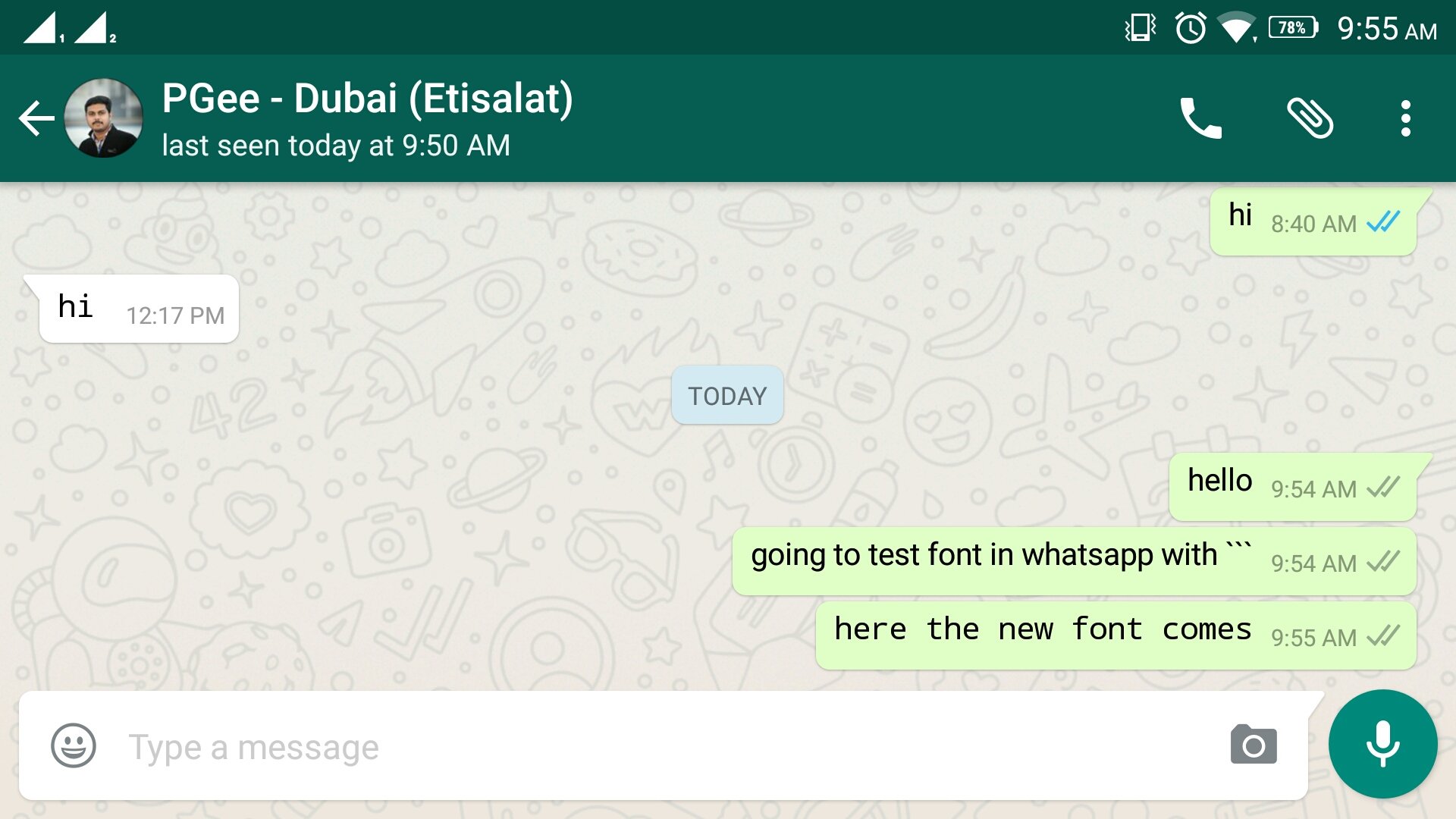
WhatsApp recently introduced Font in android application. Now users can send there message in a different Font rather than the normal font in the application. Inorder to sent the messages in different font, you need to add the following symbol before and after the text.
Add the symbol “`
Eg. if you want to send the text
‘hello, how are you…’,
you need to type it like this
“`hello, how are you…“`.
Please note that
you need to use the symbol `
three times to get “`.
See the screenshot to know how it looks.




Hi, very useful.. thanks for sharing…