



Android 6.0 Marshmallow was genuinely one of the better Android releases — packed with useful features and a cleaner experience overall. But like most major updates, it came with a few quirks, mostly because of how device manufacturers layered their own customizations on top of it.
One change that caught a lot of people off guard was what happened to the Call Settings option. In older Android versions, you could find it right inside the main Settings menu — simple, logical, easy. With Marshmallow, Google (or the manufacturer) buried it inside the Call Log section instead. Not exactly an obvious move, and it left a lot of users scratching their heads.
If you’ve been trying to set up Call Waiting or Call Forwarding and can’t figure out where those options disappeared to, you’re not alone. Here’s exactly how to get there on Android 6.0 Marshmallow.
Step 1: Open your Call Logs or Dialer app. Tap the three-dot menu icon at the top right corner.
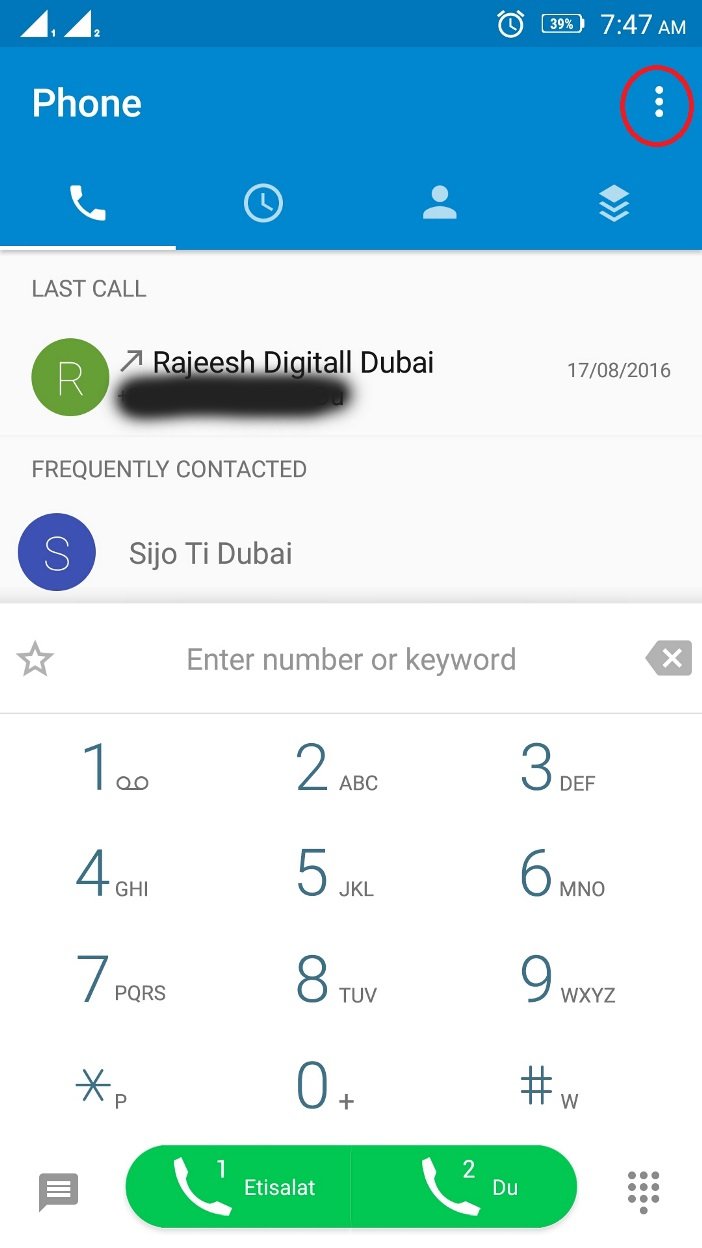
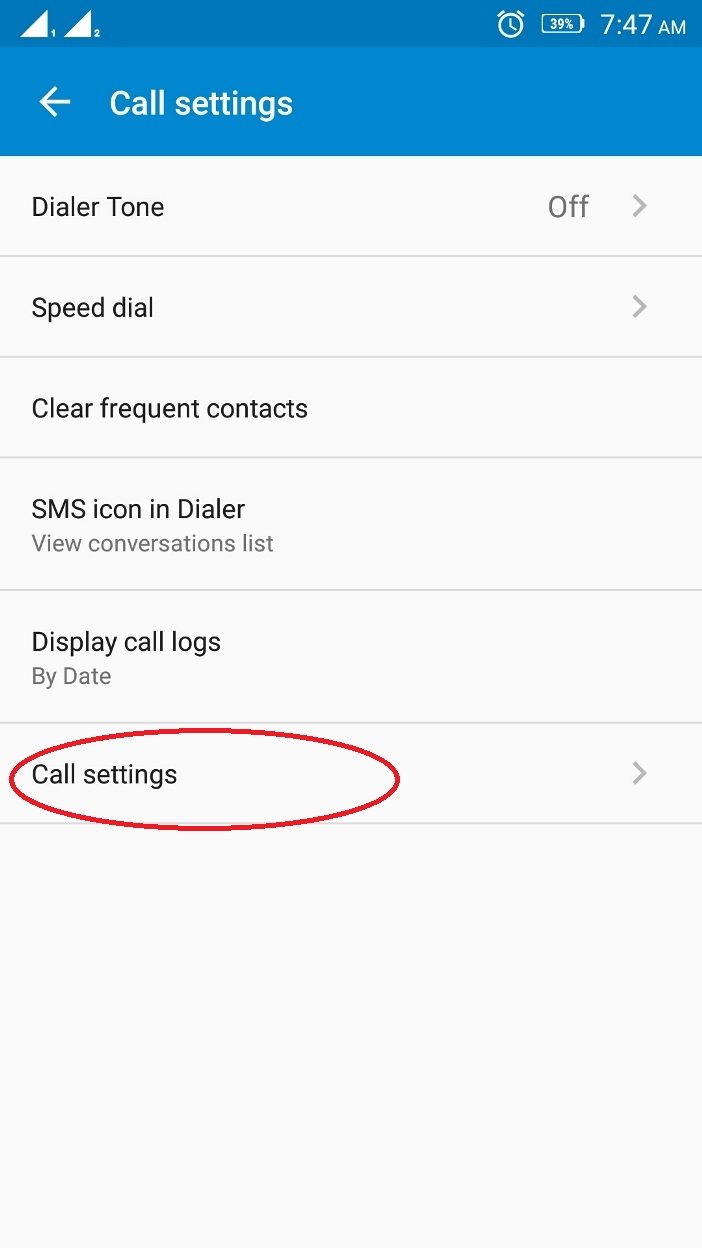
Step 2: A ‘Call Setting’ option will appear in the dropdown. Tap it.

Step 3: On the next screen, tap ‘Call Settings’ again.
Step 4: Next, tap on ‘Voice Call.’
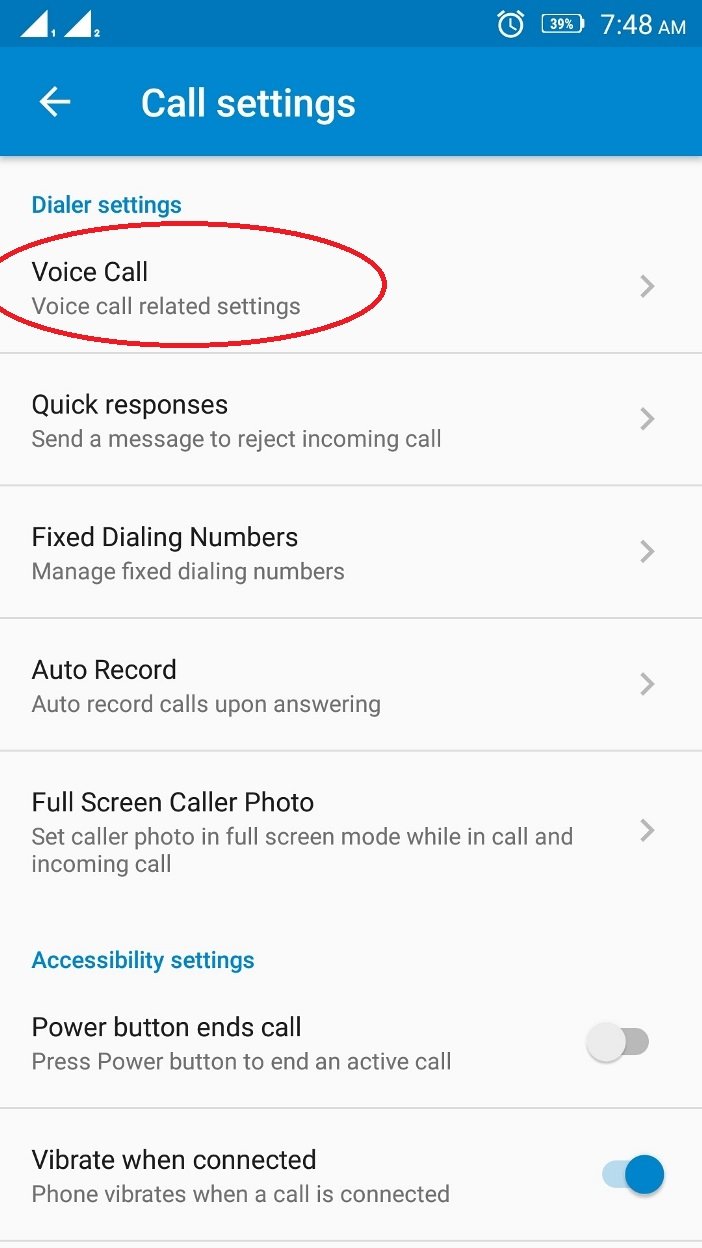
Step 5: If you’re using a dual SIM phone, you’ll see both SIM options listed here. Just tap whichever SIM you want to configure.

Step 6: And that’s it — you’re now inside the Voice Call Settings. From here, you can manage Call Forwarding, Call Waiting, and everything else you’d expect, just like in the older Android versions.
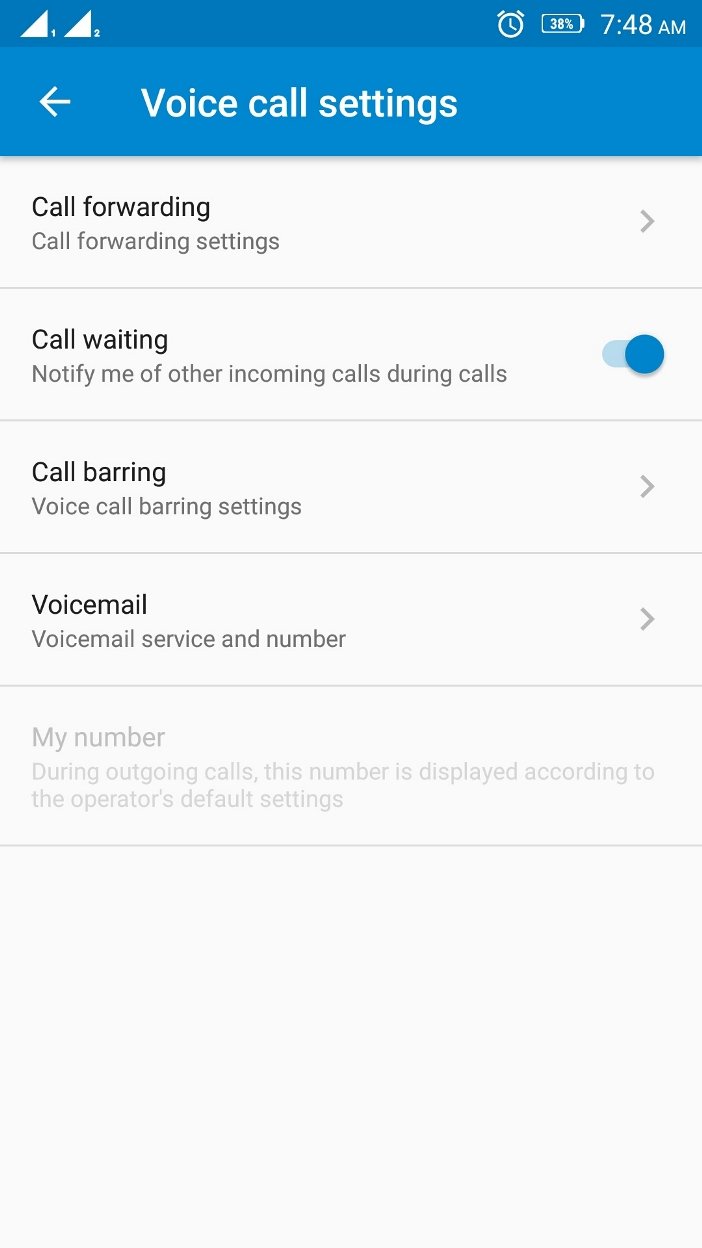
Where is the call settings on android smartphone?
The steps above are based on an older Android build, but the general path is pretty much the same across newer versions too — whether you’re on Android 9 Pie, Android 10, or Android 11. That said, since each manufacturer tweaks the phone app to match their own UI, the exact labels and layout might look a little different depending on your device.
Here’s the general approach that works on most Android phones: open the Phone app, tap the three-dot menu in the top right corner, then tap Settings. In the next window, you’ll find all the call-related options — things like Calling Account management, Call recording (if your device supports it), and more.
Tap Calling account to dig into per-SIM settings. Select your preferred SIM, and you’ll find additional options like WiFi Calling, Video Calling, Call Forwarding, Call barring, and so on.
If Google Phone is your default dialer, the path is essentially the same. But keep in mind — because manufacturers often disable or rearrange certain options, you might not see everything listed here on every device.




I am not getting those options mentioned by you. My phone is installed with Android 6.0.1 Handset ‘one plus X’ oxygen OS.
Please help….
can you tell me please, are you able to see any menu there?
Your instructions are completely wrong. I have a stock Nexus 6 with Android 6 and nothing you describe even remotely looks like what exists on my phone. Thanks for nothing.
sorry to hear that, can you please tell me what are the option available for you from the call log menu.
Thanks
my phone can not answer calls when you cal it not going thru
can you please specify what screen you are getting
Thank you dear. You solved my problem.
Hi Rakesh,
Happy to hear that.
Kisi number ki call history nikalne ka
My phone is iball 4ge mania , in this phone there are only 3 sub menus in Dialer 1) Call history 2) New Contact 3) Fav Click Action.
what option you are looking for ?