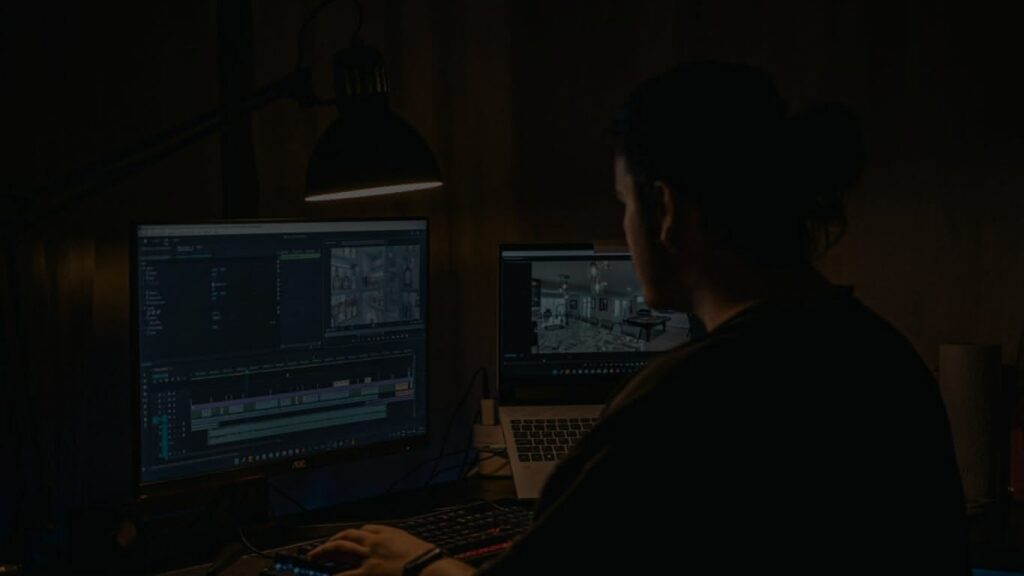
In today’s fast-evolving digital world, video creators—from independent YouTubers to large production studios—constantly seek faster, smarter ways to deliver polished, cinematic content. One area where technology is making a powerful impact is color grading, the process that gives videos their final emotional tone and visual appeal.
What was once a time-consuming, expert-only task is now becoming faster and more accessible, thanks to AI color grading. This innovation is revolutionizing video post-production by combining the power of machine learning with artistic color science. In this article, we’ll break down how AI is reshaping the future of video editing in a detailed, easy-to-follow manner.
What Is Color Grading?
Color grading is the post-production process of adjusting and enhancing the colors in video footage to create a desired mood or visual style. It transforms raw, unprocessed footage into visually engaging scenes that support storytelling—whether it’s the dreamy warmth of a romantic scene or the cold, tense tones of a thriller.
It’s important to note the difference between:
- Color Correction: Fixes technical issues like brightness, white balance, and exposure to make footage look natural.
- Color Grading: Applies a creative touch to set the visual tone, evoke emotion, and ensure consistency across scenes.
In the traditional workflow, experienced colorists use tools like color wheels, LUTs (Look-Up Tables), and curves to manually adjust footage—often spending hours perfecting each frame.
The Traditional Color Grading Workflow
Step-by-Step Breakdown:
- Color Management: Setting the working color space (Rec.709, ACES, etc.)
- Primary Correction: Balancing contrast, exposure, and white balance
- Secondary Correction: Isolating specific regions (e.g., skin tones) for fine-tuned edits
- Styling with LUTs: Applying pre-designed visual themes
- Shot Matching: Ensuring consistency across all footage
- Final Look Design: Adding creative finishing touches
Challenges with Manual Grading:
- Time-Intensive: Hours or even days for full-length videos
- Expertise Required: Demands deep knowledge of software and color theory
- Inconsistent Results: Hard to maintain uniformity across scenes shot in different environments
Enter AI: What Is AI Color Grading?
AI color grading uses artificial intelligence and machine learning algorithms to analyze footage and apply professional color adjustments automatically. These systems are trained using large datasets of professionally graded videos, allowing them to mimic human colorist techniques.
Instead of requiring manual tweaks, the AI understands:
- The scene context (e.g., indoor/outdoor, mood, lighting)
- The technical parameters (exposure, color balance, saturation)
- The creative intent, based on genre or reference styles
Using these insights, AI tools apply consistent, mood-enhancing color grades in a fraction of the time it takes manually.
How AI Color Grading Works: Behind the Scenes
Here’s a simplified look at the AI color grading process:
1. Scene Detection
AI detects different scenes and segments based on lighting, subject types, or motion.
2. Color Analysis
The tool inspects white balance, color temperature, saturation, and contrast. It identifies key elements like skin tones, sky, and shadows to avoid over-processing important details.
3. Style Matching
The system matches your footage with pre-trained visual styles, or allows you to upload a reference image to replicate its look.
4. Real-Time Rendering
Using deep neural networks, the system processes color changes across your entire project—often in real-time or via fast batch processing.
5. Optional Refinements
While the AI handles most of the grading, creators can still make manual adjustments for custom refinements.
Key Benefits of AI-Powered Color Grading
| Benefit | Description |
|---|---|
| Time-Saving | Reduces grading time by up to 70%. Batch processing saves hours. |
| Visual Consistency | Maintains uniform style across scenes—even with different lighting or cameras. |
| Ease of Use | No steep learning curve; even beginners can produce cinematic results. |
| Affordability | Eliminates the need for expensive software or hiring professional colorists. |
| Creative Boost | Provides inspiration and style suggestions based on reference looks. |
Whether you’re grading wedding footage, a YouTube travel vlog, or a short film, AI ensures faster turnaround and consistent output.
Top AI Tools and Platforms for Color Grading
Here are some popular AI-powered platforms making color grading smarter and more accessible:
Colourlab AI
- Real-time processing
- Advanced color science
- Integrates with DaVinci Resolve, Premiere Pro, Final Cut Pro
DaVinci Resolve (Neural Engine)
- Free + Studio version
- Offers AI tools like ColorSlice, Magic Mask, and auto-grade matching
Adobe Premiere Pro (Sensei AI)
- Auto Tone adjustment
- Smart skin tone detection and scene-aware corrections
Fylm.ai
- Cloud-based AI grading
- Great for collaborative workflows
- NeuralToneAI and NeuralFilmAI models
Color.io
- Browser-based editor
- Film emulation + halation effects
- Ideal for creators seeking analog vibes
Other tools like Runway ML, VEED.IO, and mobile apps are making AI grading even more accessible to solo creators and social media influencers.
Real-World Applications
| Use Case | How AI Color Grading Helps |
|---|---|
| YouTube & Vlogging | Maintains color consistency across travel or daily content |
| Drone Videography | Auto-enhances landscapes and adapts to lighting changes |
| Short Films | Replicates cinematic looks on tight budgets |
| Event & Wedding Videos | Matches different cameras and lighting scenarios |
| Corporate & Marketing | Enforces brand color standards in promotional content |
AI color grading gives creators the freedom to focus on storytelling, not software complexity.
Limitations to Keep in Mind
While AI color grading is a game-changer, it’s not without limits:
- Creative Flexibility: AI can’t fully replace a human’s artistic intuition
- Generic Results: AI may miss the mark with highly stylized or experimental projects
- Over-Reliance Risk: Beginners might not learn essential manual techniques
- Quality Assurance: Some AI outputs still need manual tweaks for perfection
Professional productions often combine AI efficiency with human creativity for best results.
The Future of AI Color Grading
The next phase of AI color grading will be even more integrated and intelligent:
- Predictive Grading: AI that suggests color themes based on script or genre
- Text-to-Grade Tools: Describe a scene, and AI applies the visual style
- Personalized Aesthetics: AI that learns your taste and evolves with you
- Cloud Collaboration: Teams editing in real-time with AI handling uniformity
As AI becomes a true creative assistant, creators will gain even more control while spending less time on technical processes.
Conclusion
AI color grading is no longer just a convenience—it’s becoming an essential part of the modern video editing toolkit. By automating the tedious parts of color correction and enhancement, AI allows creators to focus on what truly matters: storytelling and creativity.
Whether you’re a budding filmmaker or a seasoned content creator, exploring AI tools can dramatically improve your workflow and final output. The fusion of human creativity and artificial intelligence isn’t just the future—it’s already here.
So if you’re looking to save time, maintain consistency, and elevate your visual storytelling, AI color grading might just be your next best assistant in post-production.