Choosing a business internet service provider (ISP) is a high-stakes decision. One misstep can leave your team staring at spinning cursors—10-minute outages here, three-day ticket delays there—and video calls that freeze when you need them most. Whether you’re eyeing WOW! Business Internet or another carrier, borrow the checklist CIOs trust: align symmetrical speed with workflow, demand a written SLA of at least 99.9 percent uptime, and vet the support process before you sign. The next sections walk you through that checklist, step by step.
Step 1: Clarify your must-haves
Create a one-page “non-negotiables” list before you ever speak with a sales rep.
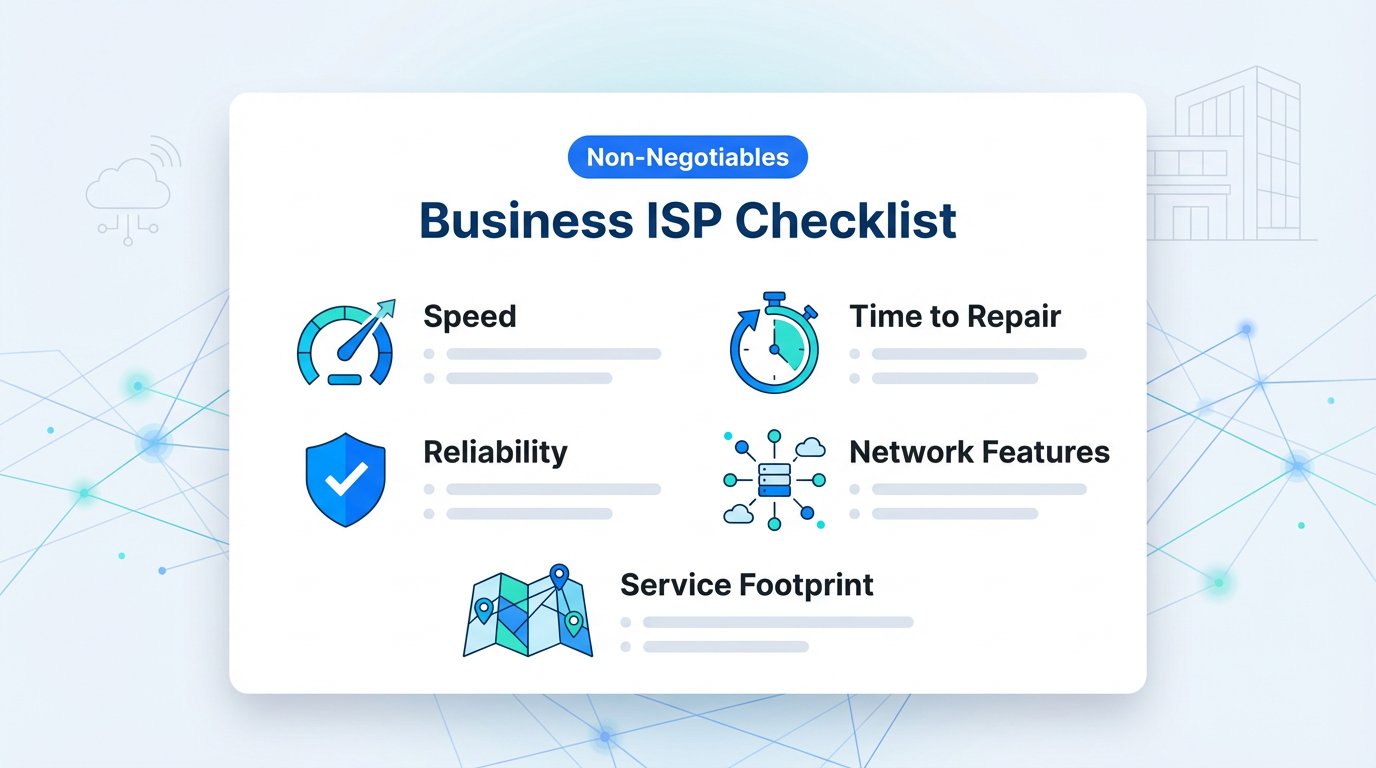
A one-page non‑negotiables checklist helps teams compare business internet providers on what truly matters.
Speed. Write down the minimum symmetrical bandwidth your team needs to work without lag. A design firm that backs up 50 GB to the cloud each night typically needs about 300 Mbps up and down.
Reliability. Compare written service-level agreements (SLAs), not adjectives. Comcast Business Dedicated Internet publicly guarantees 99.99 percent uptime (about 53 minutes of unplanned downtime per year) versus more than eight hours at 99.9 percent.
Time to repair. Favor providers that commit to a four-hour restoration window on business circuits; ITIC’s 2024 survey found that 90 percent of midsize companies lose over $300 000 for every hour they sit idle.
Network features. List everything you require—static IP blocks, IPv6, VPN pass-through, support for hosting public services—and confirm it’s offered on the tier you plan to buy.
Service footprint. Ask for an address-level map that shows where fiber or dedicated lines run today and where expansion is scheduled. Coverage can change block by block.
If a vendor misses any item on this checklist, walk away; price only matters after the fundamentals are locked.
Step 2: Compare SLAs and support, not just speeds
A glossy flyer can promise “gig-speed.” What matters each day is how quickly a provider fixes trouble and who picks up the phone when circuits drop.
Put the SLA under a microscope. Verizon’s dedicated-internet contract commits to 99.99 percent network availability and a four-hour time-to-repair (TTR). Any outage longer than that earns bill credits. Compare every vendor’s written uptime target, TTR, and the dollar value of credits, not just the percentages.
Validate the support model. Comcast Business advertises a U.S.-based support line staffed 24/7 for business customers. Ask where calls land after hours, whether you receive a priority queue, and how escalation works.
Ask for a recent outage post-mortem. A provider that can walk you through how it restored service, communicated status updates, and prevented a repeat usually owns problems instead of deflecting blame. You can also sanity-check those promises against what the carrier publicly shares.
The WOW! business internet provider page, for instance, highlights U.S.-based IT teams available 24/7 and plans that scale up to 1 Gbps, and its support center lets business users reach live help, browse product guides, Hosted VoIP videos, CommPortal tutorials, and FAQs in one place.
Reviewing that kind of publicly documented support footprint before you sign makes it easier to judge how your own team will open tickets, escalate problems, and solve routine issues without waiting on a salesperson.
If a salesperson hesitates to share the full SLA or cannot provide an incident report, treat it as a warning sign; once the contract is signed, your bargaining power is gone.
Step 3: Assess security and network compatibility
An ISP’s backbone is a visible extension of your security stack; vet it as thoroughly as a firewall appliance.

Treat your ISP backbone as part of the security stack, with DDoS protection and device compatibility built in.
Confirm integration with your architecture. Ask the rep to explain how the circuit fits into the SD-WAN or SASE designs you already run. If the solution requires GRE tunnels or public IP reassignment, be sure it aligns with your roadmap.
Check built-in defenses, then clock them. Comcast Business offers a DDoS Mitigation add-on that starts automatic scrubbing within five minutes of an attack and promises on-demand activation within 15 minutes. Lumen’s DDoS Hyper service backs a 10-minute time-to-mitigate SLA once traffic hits its scrubbing centers. Use those numbers as your benchmark; slower response increases risk.
Validate equipment compatibility. Provide the exact model numbers of your firewalls, switches, and Wi-Fi access points. A seasoned provider should have a compatibility matrix, or at minimum real-world examples, showing successful deployments with your gear.
A security-savvy carrier removes friction from design reviews and mitigates threats in minutes, not hours. If answers feel vague or timelines exceed industry benchmarks, keep shopping.
Step 4: Consider growth and multi-site needs
Think three years ahead, not three months. Gartner projects that half of all enterprise WAN sites will rely on internet-only transport by 2028, double today’s share. That shift means you’ll probably add circuits, drop new branches into SD-WAN, and raise or lower bandwidth more often than you do now.

A growth-ready ISP makes it easy to add sites, boost bandwidth, and manage every location from one portal.
Ask each provider for concrete scale benchmarks:
- How fast can you light a second site? Lumen’s RapidRoutes service promises to deliver 100 G or 400 G wavelengths in 20 business days on predefined routes, a practical yardstick.
- What’s the maximum burst upgrade (for example, 1 Gbps to 10 Gbps) you can activate without construction, and how long does it take?
- Can we manage every location—billing, bandwidth changes, performance stats—from one portal, or will we juggle region-specific logins?
If the answers point to month-long install windows or painful ticket processes, keep looking. A growth-ready ISP should add sites, ports, and capacity with minimal engineering and no redesign.
Step 5: Look for a partnership mindset
The best clue to an ISP’s future behavior is how it treats you before the ink dries. J.D. Power’s 2025 Business Internet Satisfaction Study found that scores rose 12 points when providers sent proactive outage updates and shared clear pricing options. That’s the level of partnership you want on day one.
Watch for three signals:
- Discovery, not pitching. Reps who start by mapping your workflows, and admit when a feature doesn’t fit, tend to stay consultative after the sale.
- Honesty about trade-offs. Every circuit has limits; partners reveal them early so you can design around the gaps.
- Guidance that goes beyond bandwidth. Expect practical advice on redundancy, Wi-Fi design, and security, not just a lower quote.
Conclusion
When a provider behaves like a teammate during negotiations, chances are they’ll be there when you need to reroute traffic at midnight or activate a new site on short notice.