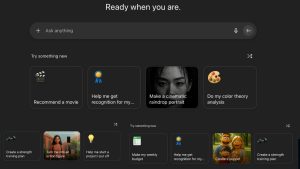
Creating presentations was an arduous process. It was typical to begin with blank presentations, then manually adjust the layout of fonts and search for the perfect pictures, and finally attempt to ensure consistency throughout the entire process. If you were not an expert in design or working against the clock, the finished product was often incomplete or inadequate.
Today, with AI dominating the field of design and presentation, the world is evolving. AI-powered presentations are revolutionizing the way we think, create, and present our thoughts. Whether you’re a student presenting a research project or a marketer pitching a campaign, AI is making it faster and easier to create impactful presentations–without needing to be a graphic designer.
What Exactly Is AI in Presentation Design?
AI-driven presentation design is the application of intelligent software that can streamline and accelerate the process of creating presentations. The tools utilize machine learning and natural language processing to recognize your input, whether it’s an idea, a bullet point, or raw data. They convert it into appealing slides.
Some AI tools take it one more step, and that’s via:
- The idea of using title slides, as well as the possibility of using talk ideas
- The selection of colors and fonts that are in-brand
- We would recommend photos and icons
- Modifying layouts to enhance readability
- Make sure that the same is used throughout every slide
It’s not just an improvement in technology. It’s an amazing technological leap.
Save Hours With Automated Slide Creation
One of the biggest challenges to designing presentations is duration. It doesn’t matter whether you’re giving the next lecture or you’re a supervisor presenting an innovative idea. You shouldn’t be spending your precious time on formatting your presentations.
AI software can do the majority of the work.
Let’s say you have some short paragraphs about your subject. Instead of writing each slide over, you can insert your message into an AI-powered template. Watch transform into a functional deck with animations, designs, and photos.
Tools like PowerPoint AI generators, such as PowerPoint AI Creator, allow you to input just a few phrases or some fundamental concepts to build a beautiful and coherent presentation on the concepts. The AI determines layouts, lays out the contents, adds visual appeal, and gives it an elegant design with every project.
Empowering Non-Designers and Busy Professionals
It’s rare to find people with an image background. That’s fine.
Before AI, those with no prior experience in design had a difficult time developing visually compelling presentations. They relied heavily on templates that were pre-defined or loaded slides full of text and charts that failed to effectively convey their message. In the current, AI has leveled the level of play.
With rules for design and automation of formatting, everybody will appear professional.
Example:
- Small-scale businesses can present their offerings using slides that appear professional and polished, without the requirement for an expert.
- The teacher can teach complicated subjects with ease and in a fun way that draws students’ attention.
- Students can create distinctive classes without having to spend hours with pictures.
What is the most attractive aspect? It’s not required to design guidelines because AI handles contrast, spacing, and the layout and font hierarchy automatically.
Enhancing Creativity Instead of Replacing It
The truth is that AI is able to kill the creative method. However, the truth is that AI enhances creativity..
If AI manages everyday tasks, such as the alignment of objects or applying styles, so that you’re concentrated on your content and your presentation. This means you’ll have time to require to compose your content or improve your presentation and add personal touches that resonate with the audience you want to reach.
You are still in control. AI simply functions as an assistant, which assists you in moving from idea to action faster.
If you’re just getting started, powerful ai presentation guide can be helpful to use AI tools effectively while preserving your original voice.
Real-World Example: Using AI to Build a Sales Pitch
Imagine that you’re a sales rep who is presenting to potential clients. You have the data–last quarter’s performance, along with feedback from customers, along product specifications. You’re, however, on the go and want some sort of professional presentation.
Instead of beginning again:
- Bullet points to paste onto AI tools. AI tool.
- It creates an automated drawing of the slide, accompanied by visually oriented suggestions.
- It makes use of simple layouts, branding colours, as well as uniform fonts.
- In just 15 minutes be capable of building a stunning deck for use.
You can then go through the changes, modify the hue, or modify the picture as you like. The job is done.
The Future of Presentations Is Here
This is only the beginning. As AI integrates more into the platforms like PowerPoint, Google Slides, Canva, and many more and more, we can look forward to more intelligent features like:
- Real-time audience feedback analysis
- Text of the voice-to-slide
- AI-generated notes to presenters.
- Auto-summarization for long texts
As these functions grow and become more widely available, the quality of design and presentation will be accessible to people.
FAQs: AI in Presentation Design
1. Is AI useful for the design of presentations?
Yes. AI tools will analyze your content, organize the slides, and suggest ideas regarding visuals, thus reducing the time required and improving the effectiveness of your presentation.
2. Do I lose control of my ideas when using computer-generated designs for slides?
Not to the least. Layouts can be altered, colors can be changed, and you can also add a personal touch or alter the text as needed. Think of AI as a starting source of information, not the final factor in deciding.
3. Are novices able to utilize these applications?
Yes, absolutely. Most of the programs were created using an easy strategy. Even if you’ve never made a presentation before the present, AI can guide you through the procedure step-by-step.
4. Which AI presentations are available for the price of nothing?
Some are available for free, with just a handful of alternatives, while others require a fee. For instance one, PowerPoint Artificial Intelligence generator is one of them. PowerPoint Artificial
Conclusion
Presenters won’t be leaving. For meetings and lectures, as well as meetings, or pitches, they’re still a great means of communicating ideas visually. However, the way we build slides is evolving. away from time-consuming manual work as well as AI-powered assistance.
AI is more than just improving the quality of things; it makes presentations even more efficient. A more integrated. More enthralling. More professional.
Doesn’t matter whether you’re a graphic artist or an expert in IT. All you require is your ideas, as well as the tools to turn your ideas into the real world.
Intelligence generator is an ideal blend of function and usability.