Today, the power of video storytelling is undeniable in the digital world. Videos are much more engaging than text, and they help people to be more engaged and remember. As a blogger, you can transform your blog posts into dynamic videos, expand your reach and build more interactive content. If you’re looking for a way to simplify this transformation, CapCut Web’s AI video maker allows you to turn written articles into engaging visual stories.
Why Blogs Should Be Repurposed Into Videos
There are many advantages to repurposing blog posts into videos. This boosts SEO as content can appear on platforms like YouTube, where videos rank higher than text. Videos also have higher engagement rates than words do, which means that your audience will spend more time with your content. In addition, videos are more accessible, especially for people who like visual content over reading. Converting static text into dynamic video takes a piece of static content and breathes new life into it while potentially amplifying its ability to go viral.
Using CapCut Web to Seamlessly Turn Blogs Into Stories
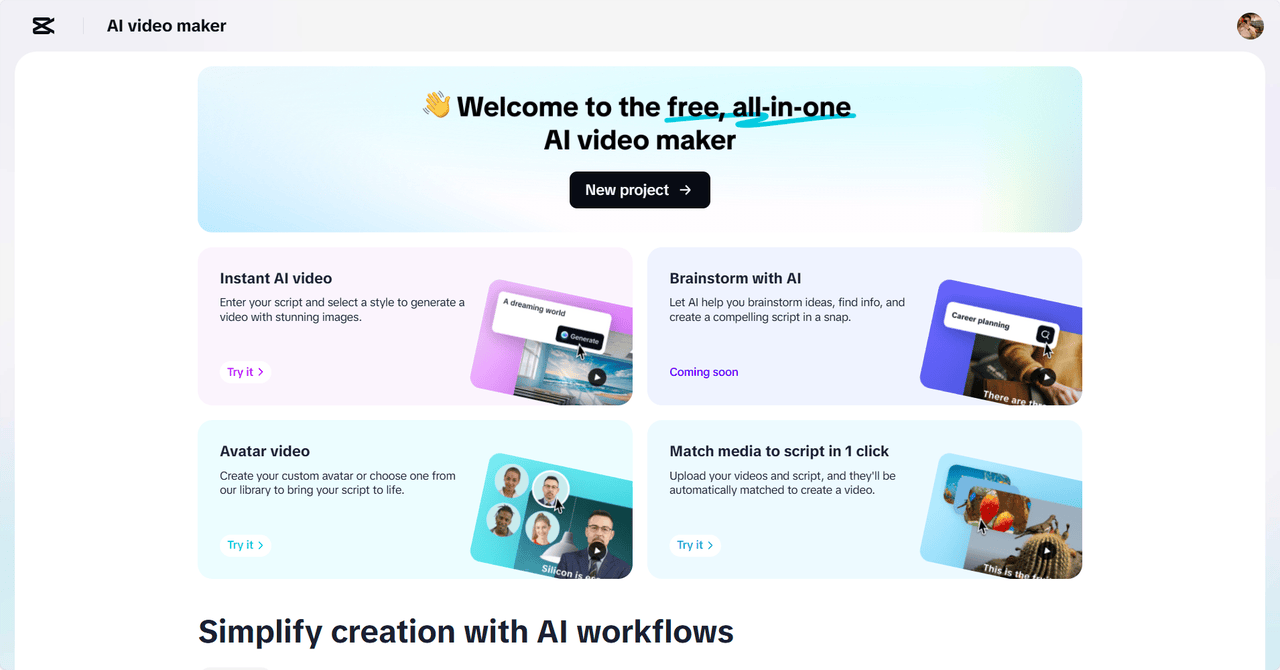
To enable turning blogs into videos, CapCut Web is powered by AI. With the help of powerful tools, this AI video maker will help you create an engaging story. It is easy to turn your blog content into a video with features such as AI scriptwriting and voiceovers. You can effortlessly pair visuals, captions, and background music with specific themes of your blog.
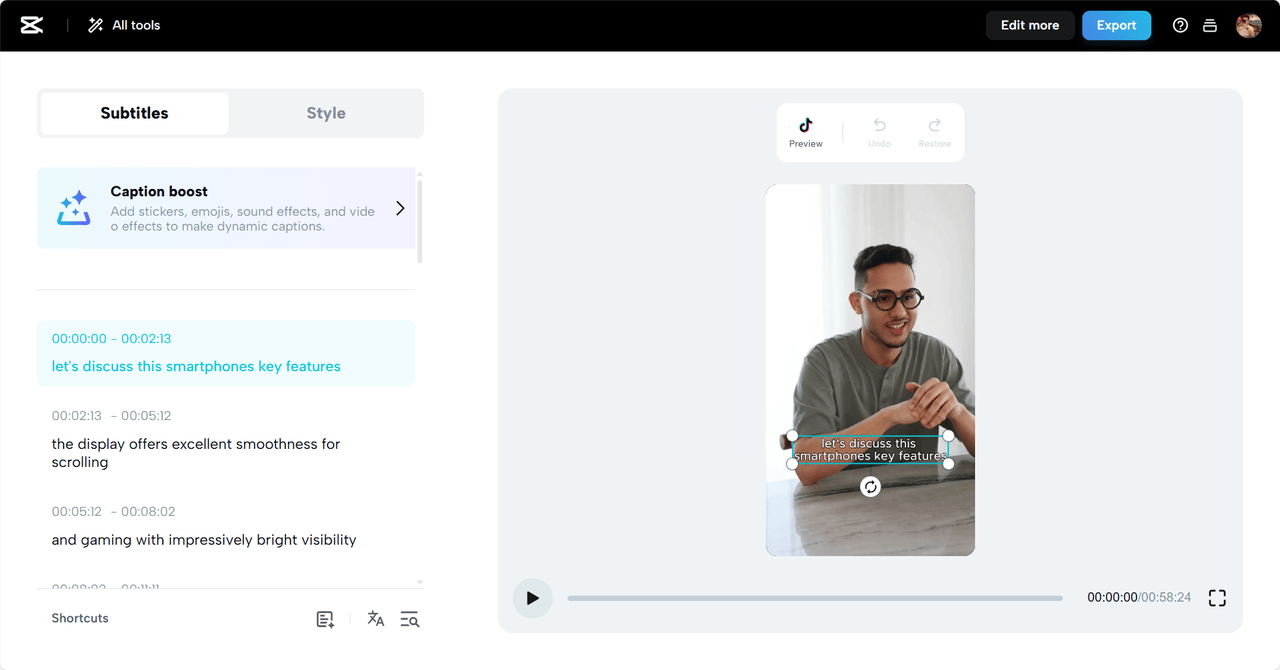
Additionally, you can now include an AI caption generator to your video in CapCut Web so that your audience can even follow along without sound. This feature actually makes usage more accessible and engaging.
How to Transform Blog to Video Using CapCut Web
Step 1: Script Your Blog Content
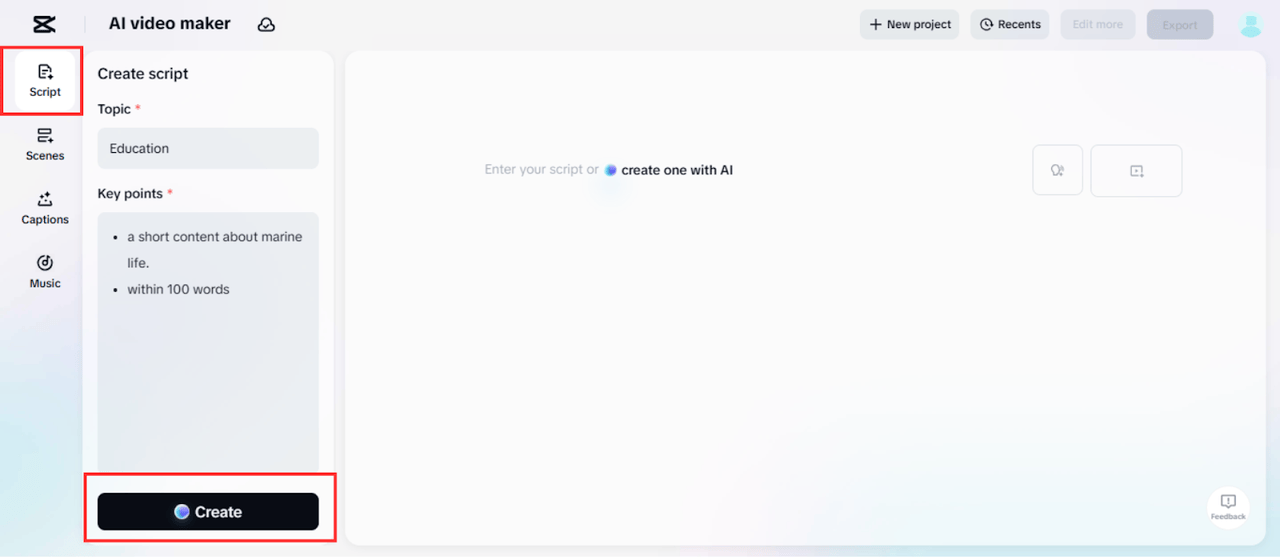
Start by creating a script for your video. In the “Script” feature of CapCut Web, you can input your blog’s “Topic” and “Key points”. Think of this as setting the foundation for your video, where you share the core ideas and message from your blog post. Click “Create” – the AI will quickly generate a video script based on your input. Once you’ve fine-tuned the content, proceed to the next step.
Step 2: Bring Your Blog to Life With Voices and Scenes
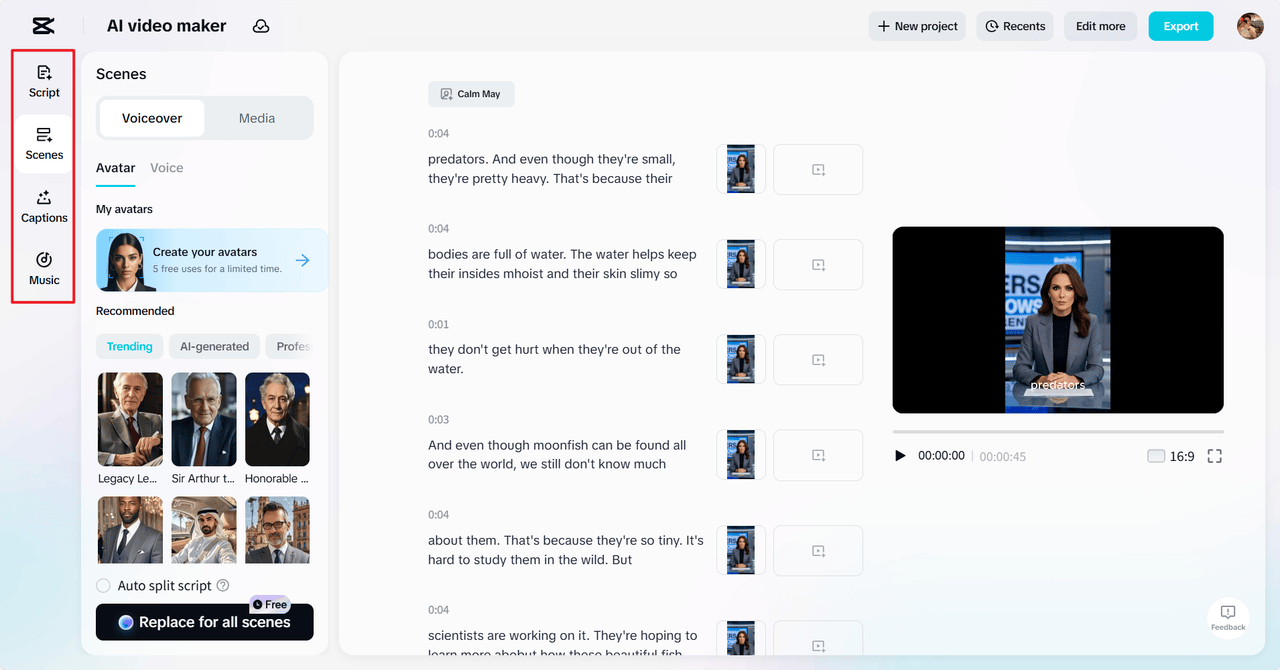
After scripting, move to the “Scenes” feature to add voiceovers and visuals. If you want to personalize your video further, you can generate AI avatars or choose from a wide selection of avatars available. If you prefer voiceover only, simply head to the “Voice” section, select a voice, and apply it to all scenes. CapCut Web also provides a variety of “Captions”, allowing you to style text to match the tone of your video. To heighten emotional connection, browse through CapCut Web’s “Music” library to add background music that complements the mood of your video.
Step 3: Export Your Blog Story Video
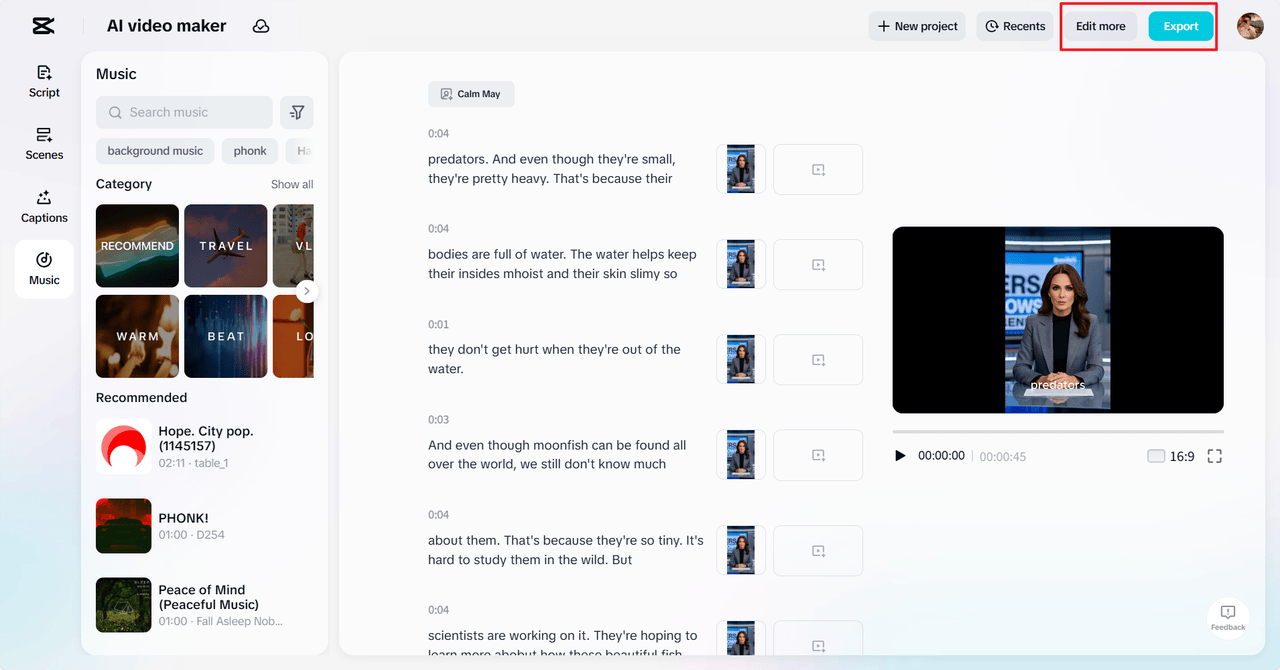
Once you’re satisfied with your video, preview it. If everything looks great, hit the “Export” button and adjust the saving options. If you want to refine your video further, CapCut Web allows you to “Edit more” by adding creative graphics, filters, and stock elements to enhance the overall visual appeal.
Creative Freedom with CapCut Web’s Editing Suite
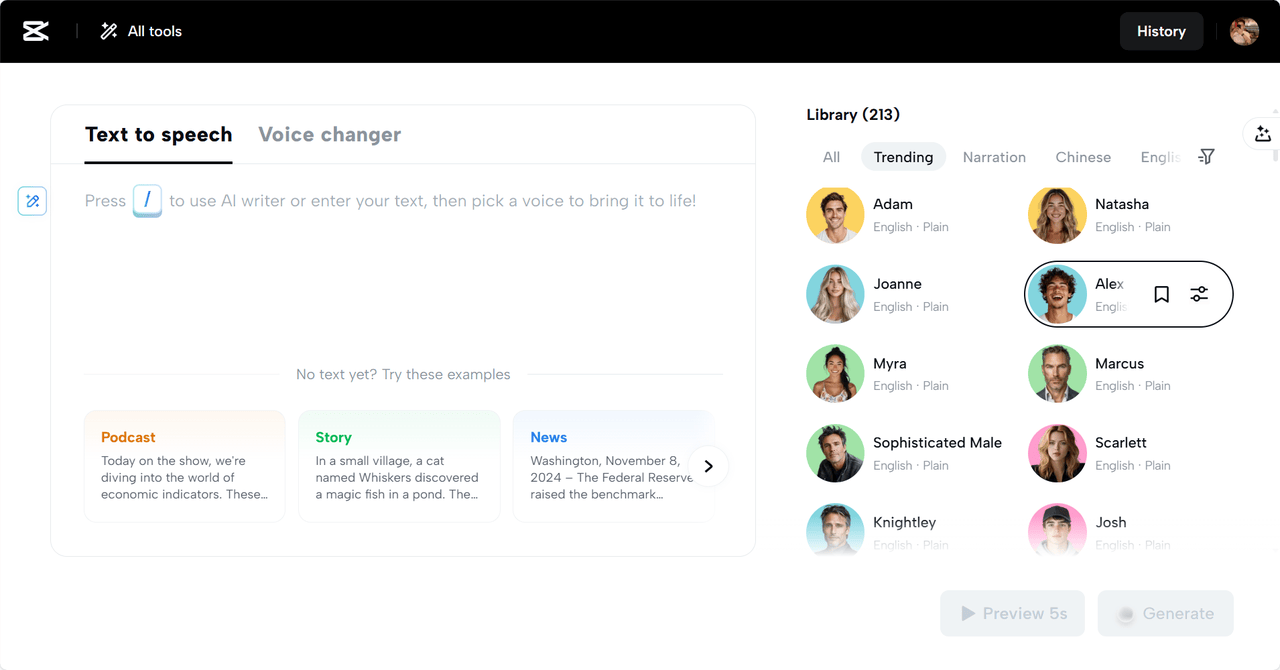
CapCut Web offers full creative control, allowing you to fine-tune every aspect of your video. As a bonus, it also allows you to use the AI-driven text to speech free service to convert your blog’s written material into voiceovers, which makes your script come alive easily and professionally.
You can integrate stock footage, images, and animations that align with the themes of your blog. The platform also offers a range of style templates to help you maintain thematic consistency throughout the video. Whether you’re crafting a social media ad, an e-learning module, or a YouTube intro, CapCut Web provides all the tools you need to make your video as polished and professional as possible.
Maximizing Reach With Story Videos
Once your blog has been transformed into a video, it’s time to share it across different platforms. You can upload it to YouTube, Instagram, LinkedIn, and other platforms to maximize its reach. Remember, each platform has different video style preferences, so it’s important to optimize your video’s length and format accordingly. For instance, YouTube videos tend to be longer, while Instagram favors shorter, more engaging clips.
Conclusion
Transforming blogs into compelling video stories is easier than ever with CapCut Web. With its AI-driven tools, you can create captivating videos that not only bring your blog content to life but also boost engagement and reach a broader audience. By embracing multimedia content creation, bloggers can enhance their digital presence and create content that resonates with viewers on a deeper level. So, start transforming your blog posts into engaging videos and see the difference it makes in your content strategy today!