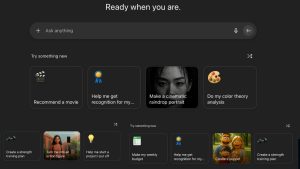
As artificial intelligence continues to evolve, desktop users—especially on macOS—are turning to smart chat applications to enhance their daily productivity. Among the top advancements in this space are AI chat apps that support multiple large language models (LLMs). These tools don’t just rely on a single AI model like ChatGPT or Claude—they let users choose between many models for different tasks, offering better performance, flexibility, and cost control.
In this article, we’ll check five of the most promising AI chat apps that support multiple LLMs: BoltAI, Enconvo, Alter, ChatWise, and Kerlig. We’ll walk you through their features, how they work, and why they might be the perfect AI companion for your macOS workflow.
What Are Multi-LLM Chat Apps?
Multi-LLM chat applications allow users to switch between different AI language models within one app. This means you can use one model for coding, another for writing, and yet another for creative or visual tasks—without installing separate tools. These apps often connect to popular AI providers like OpenAI, Anthropic (Claude), Google (Gemini), Perplexity, and others, sometimes even supporting local models that work offline.
Why Multi-Model Support Is Useful:
- Better Performance: Some models are better suited for specific tasks (e.g., Claude for writing, GPT-4 for coding).
- Cost Efficiency: Use lightweight models for simple queries and save premium models for complex work.
- Redundancy: If one AI service is down, you can easily switch to another.
- Future-Ready: New models can be added without changing your entire workflow.
1. BoltAI – Native macOS Powerhouse for Developers and Creators
BoltAI is a macOS-native application that stands out for its seamless system integration. It’s ideal for professionals looking to streamline tasks like coding, document analysis, or image generation—without ever leaving their current application.
Key Features:
- Multi-Model Support: Connects with OpenAI, Mistral, and other LLM providers.
- AI Inline Mode: Enables AI responses directly within any text field.
- Document Analysis: Upload PDFs, CSVs, and text files for intelligent querying.
- Custom Assistants: Create AI roles like “coding assistant” or “blog writer.”
- Image Generation: Integrates with tools like Stable Diffusion.
- Privacy First: API keys are stored securely in Apple’s Keychain.
Ideal For:
- Developers, content creators, and productivity enthusiasts who want fast, secure, inline AI help within their existing macOS workflow.
2. Enconvo – The AI Workflow Launcher for macOS
Enconvo turns macOS into a fully AI-powered system by allowing users to build workflows that combine various AI features using plugins and shortcuts.
Key Features:
- SmartBar Access: Use the
@command to access over 100 tools system-wide. - PopBar: A quick-action toolbar appears when text is selected.
- Workflow Customization: Combine tools to automate repeated tasks.
- Document Knowledge Base: Build searchable libraries using AI from PDFs, websites, and more.
- Plugin Ecosystem: Extend functionality with community-developed plugins.
- Web Search Integration: Includes free search APIs with Google support.
Ideal For:
- Power users, automation lovers, and researchers who want a fully customizable AI toolkit.
3. Alter – Context-Aware Voice Assistant with Local AI
Alter takes a more ambient approach to AI by focusing on voice commands and intelligent context recognition. It integrates natively into macOS and works even without internet access when configured with local models.
Key Features:
- Voice + Context Recognition: Understands what’s happening in active apps or clipboard.
- Meeting Recorder & Summarizer: Record meetings (Zoom, etc.) and get instant summaries.
- Local AI Mode: Works offline using local models via Ollama.
- Encrypted Memory: Keeps conversations secure and private.
- System-Wide Actions: Over 80+ built-in and customizable AI actions.
Ideal For:
- Users who prefer voice interaction, want AI integrated across apps, or need strict privacy controls.
4. ChatWise – Fast, Simple AI Assistant with Long Conversations
ChatWise is known for its speed and support for extended, meaningful conversations—making it especially useful for cognitive tasks, long-form writing, or elder care.
Key Features:
- Universal Model Access: Compatible with GPT-4, Claude, Gemini, and more.
- Long-Turn Conversations: Designed for deep, extended chats.
- Document QA: Query large PDFs or Excel files with advanced file handling.
- Web Search: Built-in support using Tavily or your browser.
- Multimodal Support: Works with audio, images, and text inputs.
- Offline Operation: Many features work even without an internet connection.
Ideal For:
- Researchers, educators, or anyone looking for a distraction-free, long-format AI conversation tool.
5. Kerlig – AI Writing Companion for Professionals
Kerlig is focused on helping users write better across platforms—whether you’re sending an email, updating your website, or replying to Slack messages.
Key Features:
- Contextual Rewrite: Right-click in apps like Mail or Safari to rewrite text with tone control.
- ToneLock & Parity Check: Keeps your writing style consistent and accurate across languages.
- Real-Time Suggestions: Improves grammar, tone, and clarity on the fly.
- PDF & Document Chat: Upload documents and chat with the content.
- Live Collaboration: Co-edit documents with others while AI resolves conflicts in writing.
Ideal For:
- Professionals, teams, and writers who want to improve communication quality while saving time.
Summary Table: Quick Feature Comparison
| Feature | BoltAI | Enconvo | Alter | ChatWise | Kerlig |
|---|---|---|---|---|---|
| Multi-LLM Support | ✅ | ✅ | ✅ | ✅ | ✅ |
| Native macOS Integration | ✅ | ✅ | ✅ | ✅ | ✅ |
| Voice Interaction | ❌ | ❌ | ✅ | ✅ (TTS) | ❌ |
| Document Analysis | ✅ | ✅ | ✅ | ✅ | ✅ |
| Workflow Customization | ⚪ | ✅ | ⚪ | ❌ | ⚪ |
| Local Model Support | ✅ | ✅ | ✅ | ✅ | ❌ |
| Best For | Developers | Power users | Privacy users | Academics | Writers |
Conclusion
Choosing the best AI chat app for macOS depends on your needs:
- For developers and creatives: Go with BoltAI.
- For full-system automation: Enconvo offers unmatched flexibility.
- For private, voice-first workflows: Alter is the top choice.
- For cognitive or long-form tasks: ChatWise excels.
- For writing productivity: Kerlig is your AI writing companion.
All five apps support multiple LLMs, ensuring you’re never locked into one provider or feature set. As AI tools evolve, these apps are leading the way in making multi-model interaction easy, productive, and secure for macOS users.