🎬 Netflix Error AVF:11839 Explained
🧠 Headline Capsule
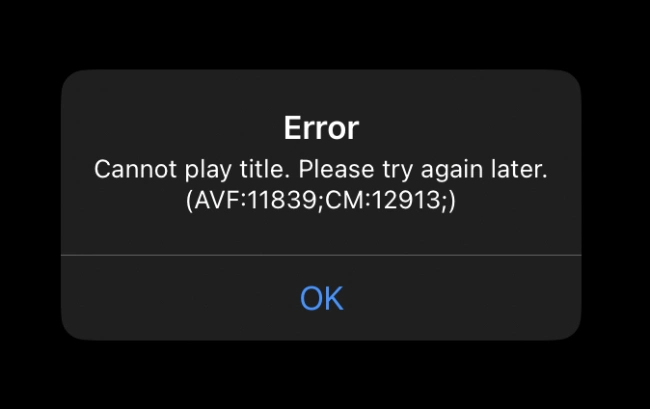
If your Netflix app suddenly shows “Cannot play title. Please try again later. (AVF:11839;CM12913;)” while streaming on an iPhone or iPad, you’re not alone. This common error interrupts playback right after the Netflix logo appears — but it’s easy to fix.
⚡ Quick Facts
| Key Detail | Information |
|---|---|
| Error Code | AVF:11839;CM12913 |
| Common Devices | iPhone, iPad |
| Main Cause | Temporary cache or playback issue |
| Fix Time | Usually under 2 minutes |
| Works on Safari? | Yes, browser playback is unaffected |
| Affects Android? | No, it’s iOS-specific |
🔍 Pulse Points
1. What the Error Means
The Netflix AVF:11839;CM12913 error (often called the “Netflix CM error”) typically appears when the iOS app fails to start video playback. You can still log in, browse, and search titles — but the stream won’t start.
It’s not an account problem. The issue usually comes from temporary cache or playback data corruption within the iOS app.
2. Common Scenarios
- Happens mostly on iPhones and iPads.
- Appears right after the Netflix logo before playback starts.
- Replaying the same title doesn’t solve it.
- Doesn’t occur when watching through Safari.
3. Simple Fixes
🔁 Restart Your iPhone or iPad
A restart clears playback cache, which often resolves the error instantly. Since iOS doesn’t allow manual cache clearing for apps, restarting is the easiest solution.
📲 Reinstall the Netflix App
If restarting doesn’t help:
- Delete the Netflix app.
- Reinstall it from the App Store.
- Log back in.
This resets all app data and resolves persistent playback errors.
⬆️ Update Netflix
Go to the App Store → Netflix → Update to make sure you’re using the latest version. Outdated builds may trigger playback conflicts.
🧩 Update iPadOS
Sometimes, system-level bugs cause playback errors. Open Settings → General → Software Update and install any pending updates.
4. Does It Happen After Updates?
Not typically. The AVF:11839 error appears rarely and doesn’t persist across updates. Most users never encounter it again once fixed or after updating the app and iOS.
5. Android Users Don’t See It
The AVF:11839;CM12913 issue is exclusive to iOS. Android users won’t face this specific error code.
🧩 Mini Wrap
The Netflix AVF:11839;CM12913 error looks alarming but is harmless. A quick restart or reinstall usually restores playback instantly. Keep both your Netflix app and iOS updated to prevent it from happening again — and if needed, you can still stream through Safari without any issue.